TriplyDB Publishing
The editor can publish service metadata directly to a TriplyDB knowledge graph without any manual file handling. The publish feature is available via the Publish button in the bottom-right of the application.
What publishing does
When you publish, the editor generates the complete Turtle output for the current service definition and uploads it to the specified TriplyDB dataset via the TriplyDB API. A backend proxy then ensures the data is accessible via a cumulative SPARQL endpoint — so each published service accumulates in the dataset rather than overwriting previous entries.
Organisation logos, when present, are uploaded as named assets alongside the Turtle data, making them available as linked resources in the knowledge graph.
Progress tracking
The publish dialog shows step-by-step progress with real-time status indicators:
- Validating form
- Generating TTL
- Uploading to TriplyDB
- Updating service via backend proxy
Each step transitions from pending to complete as it finishes. On success, the dialog displays a direct link to the published dataset and closes automatically after two seconds. Errors are surfaced inside the dialog with details, and an inline message appears under the page title after the dialog closes.
Configuration
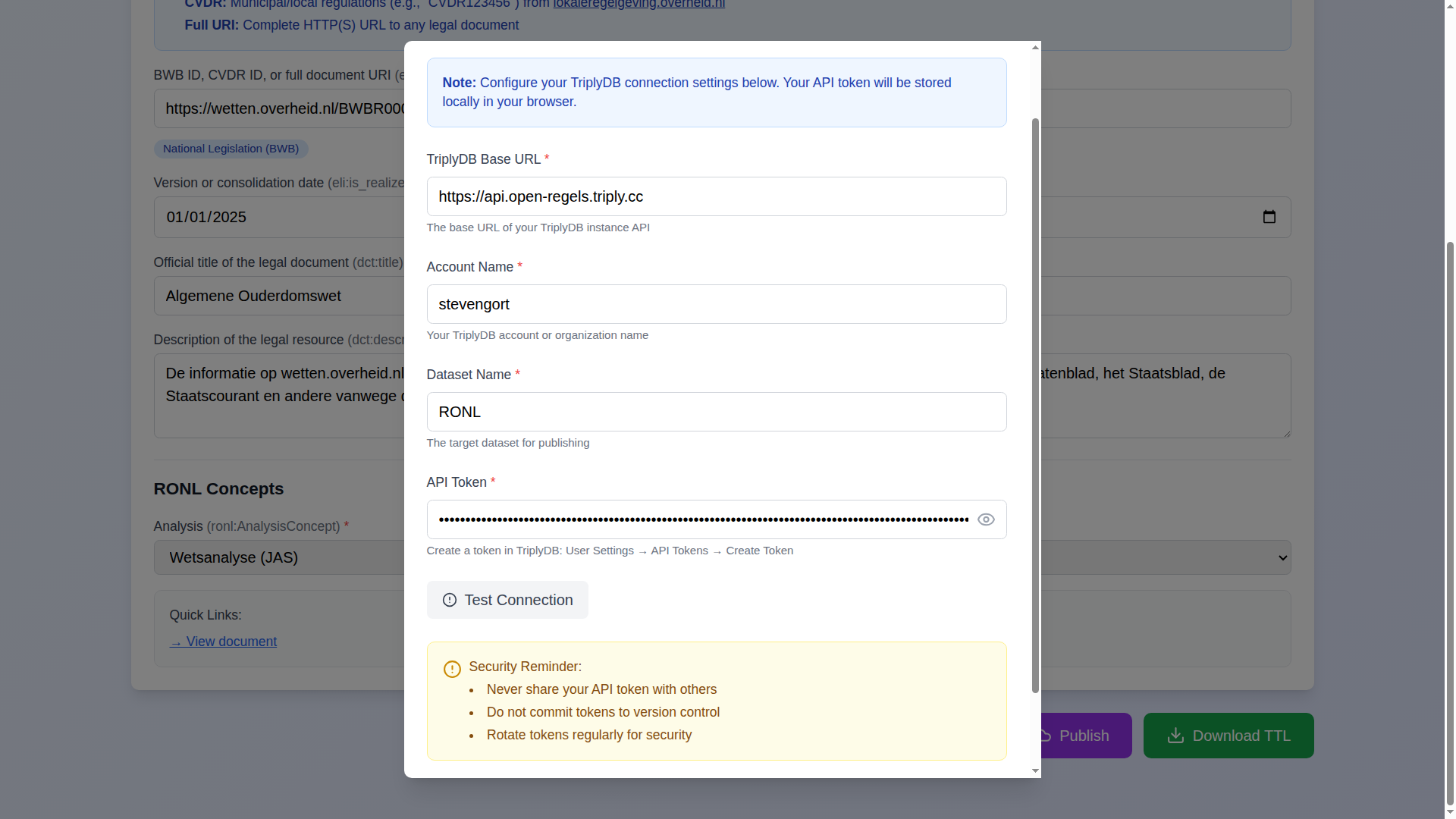
Publishing requires four values: the TriplyDB base URL, account name, dataset name, and an API token. The token is stored in browser localStorage — it is never transmitted to any server other than the configured TriplyDB instance.
An optional Test Connection button verifies credentials before publishing, without uploading any data.
Cumulative data storage
TriplyDB's default behaviour creates auto-numbered graphs on each upload. The backend proxy addresses this by querying across all graphs and presenting a unified view, so the dataset always appears to contain all published services regardless of how many upload operations have been performed.