Publishing to TriplyDB
Before you publish
Ensure:
- The service identifier is filled in (it is used to construct the dataset URL)
- The Validate button shows no errors
- You have a TriplyDB API token with write access to the target dataset
Publishing
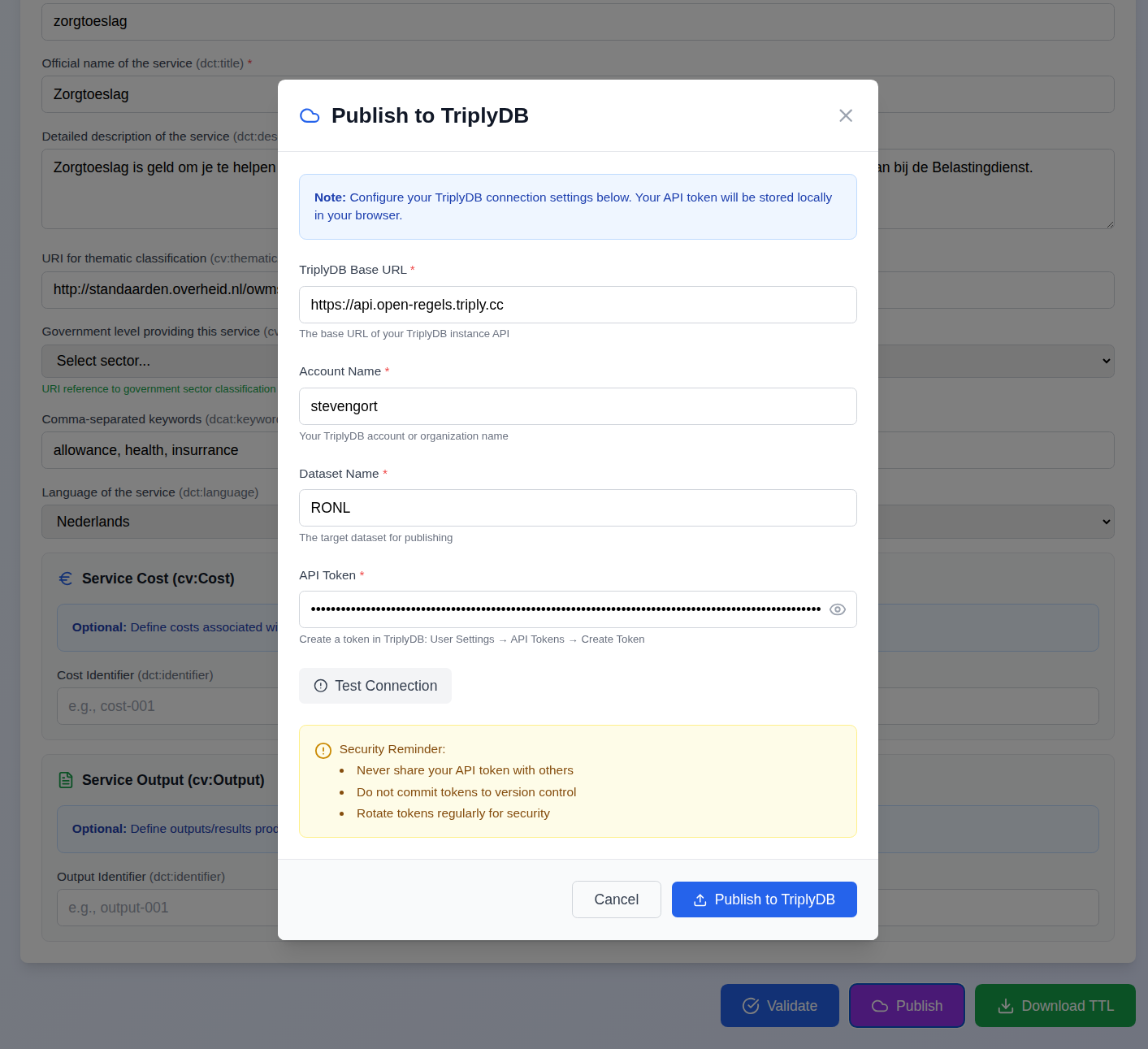
- Click the Publish button in the bottom-right of the application (purple).
- Enter your TriplyDB credentials:
- Base URL:
https://api.open-regels.triply.cc(or your own instance) - Account: your TriplyDB account or organisation name
- Dataset: the target dataset name
- API Token: create one in TriplyDB → User Settings → API Tokens
- Optionally click Test Connection to verify the credentials without uploading.
- Click Publish to TriplyDB.
Progress tracking
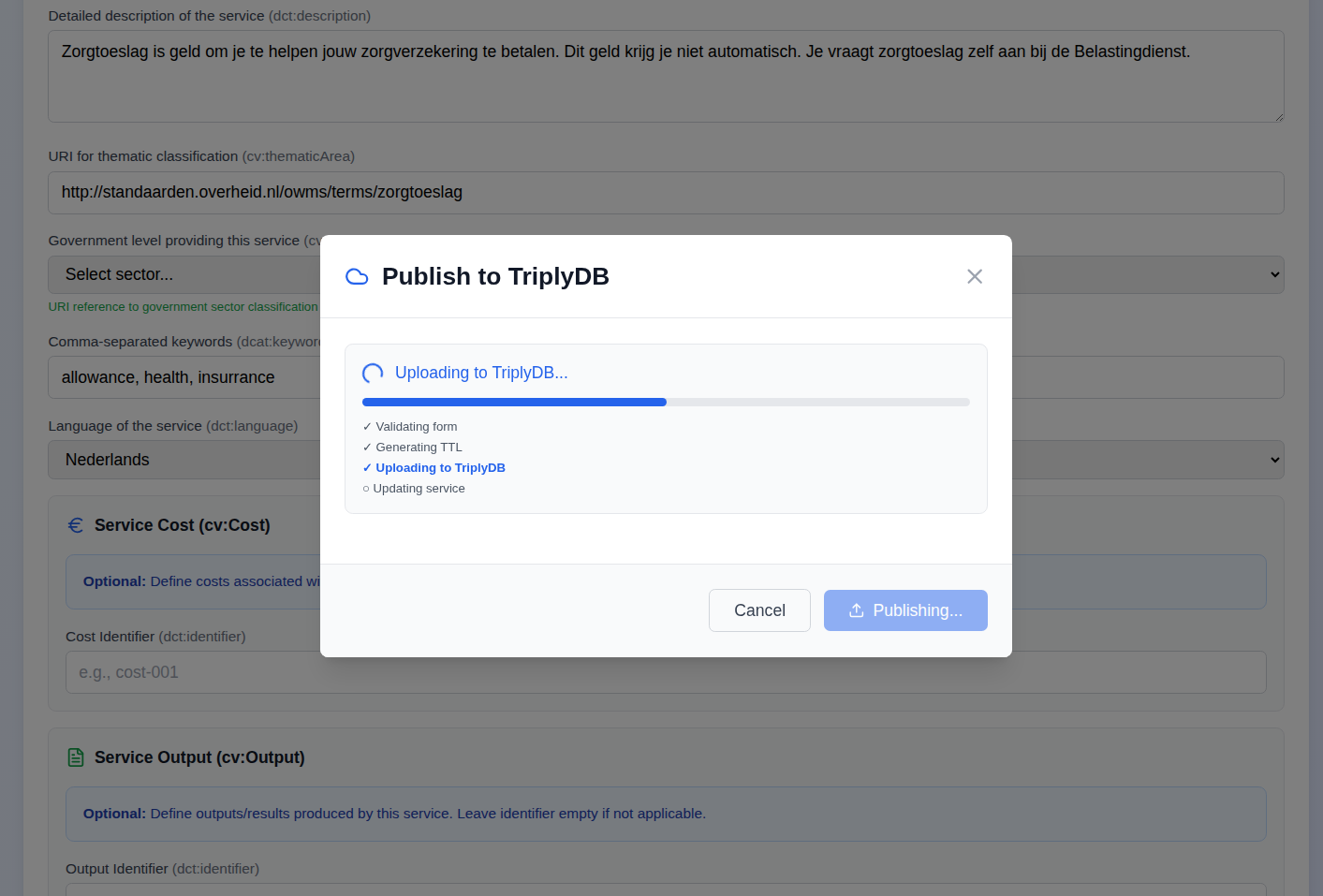
The dialog shows four steps with real-time status:
- Validating form
- Generating TTL
- Uploading to TriplyDB
- Updating service via backend proxy
On success, a direct link to the published dataset appears and the dialog closes automatically after two seconds. A green message with the dataset URL appears under the page title and auto-dismisses after ten seconds.
Error handling
Errors are displayed inside the dialog with details. The dialog closes after five seconds and an inline red message appears under the page title. Common causes include invalid credentials, a non-existent account or dataset name, or network issues.
API token security
Your API token is stored in browser localStorage on your device only. It is transmitted exclusively to the configured TriplyDB API endpoint over HTTPS. It is never sent to any other server.
Best practices: - Create tokens with the minimum permissions needed (write access to the specific dataset) - Rotate tokens regularly via TriplyDB → User Settings → API Tokens - Never share tokens or commit them to version control
Cumulative publishing
Each time you publish, the service data is added to the dataset. The backend proxy provides a unified SPARQL endpoint that queries across all uploads, so the dataset always reflects the complete current state of all published services. Publishing the same service again after edits results in the updated version being available alongside the previous one in TriplyDB, with the unified endpoint showing the most recent data.