Authentication & IAM
RONL Business API uses Keycloak 23 as its Identity and Access Management layer, implementing the OIDC Authorization Code Flow. Keycloak acts as an identity broker, federating authentication requests to DigiD, eIDAS, and eHerkenning — the three Dutch government identity providers.
Authentication flows
The platform supports two distinct authentication paths. Both converge at the Business API's JWT validation middleware, but differ entirely in how the user reaches Keycloak.
Citizen flow (DigiD / eHerkenning / eIDAS)
Citizens select one of three identity providers on the landing page. AuthCallback calls keycloak.init({ onLoad: 'login-required', idpHint }), which redirects the browser directly to the selected external IdP — bypassing Keycloak's native login form entirely.
sequenceDiagram
    participant B as Citizen (Browser)
    participant LC as LoginChoice.tsx
    participant AC as AuthCallback.tsx
    participant KC as Keycloak IAM
    participant IDP as DigiD / eHerkenning / eIDAS
    participant API as Business API
    participant BPM as Operaton BPMN Engine

    B->>LC: Click DigiD / eHerkenning / eIDAS button
    LC->>LC: sessionStorage.set('selected_idp', 'digid')
    LC->>AC: navigate('/auth')
    AC->>KC: keycloak.init({ onLoad: 'login-required', idpHint: 'digid' })
    KC->>IDP: SAML AuthnRequest (via idpHint redirect)
    IDP->>B: Identity provider authentication UI
    B->>IDP: Credentials + MFA (if required)
    IDP->>KC: SAML Assertion (signed)
    KC->>KC: Validate assertion, map BSN / KvK / LoA attributes
    KC->>B: OIDC Authorization Code (redirect to /auth)
    B->>KC: Token request (code exchange)
    KC->>B: access_token + id_token (JWT)
    B->>API: REST call — Authorization: Bearer JWT
    API->>KC: Validate token (JWKS endpoint)
    API->>BPM: Start process with user context
    BPM-->>API: Process result
    API-->>B: Business response
Caseworker flow (Keycloak native)
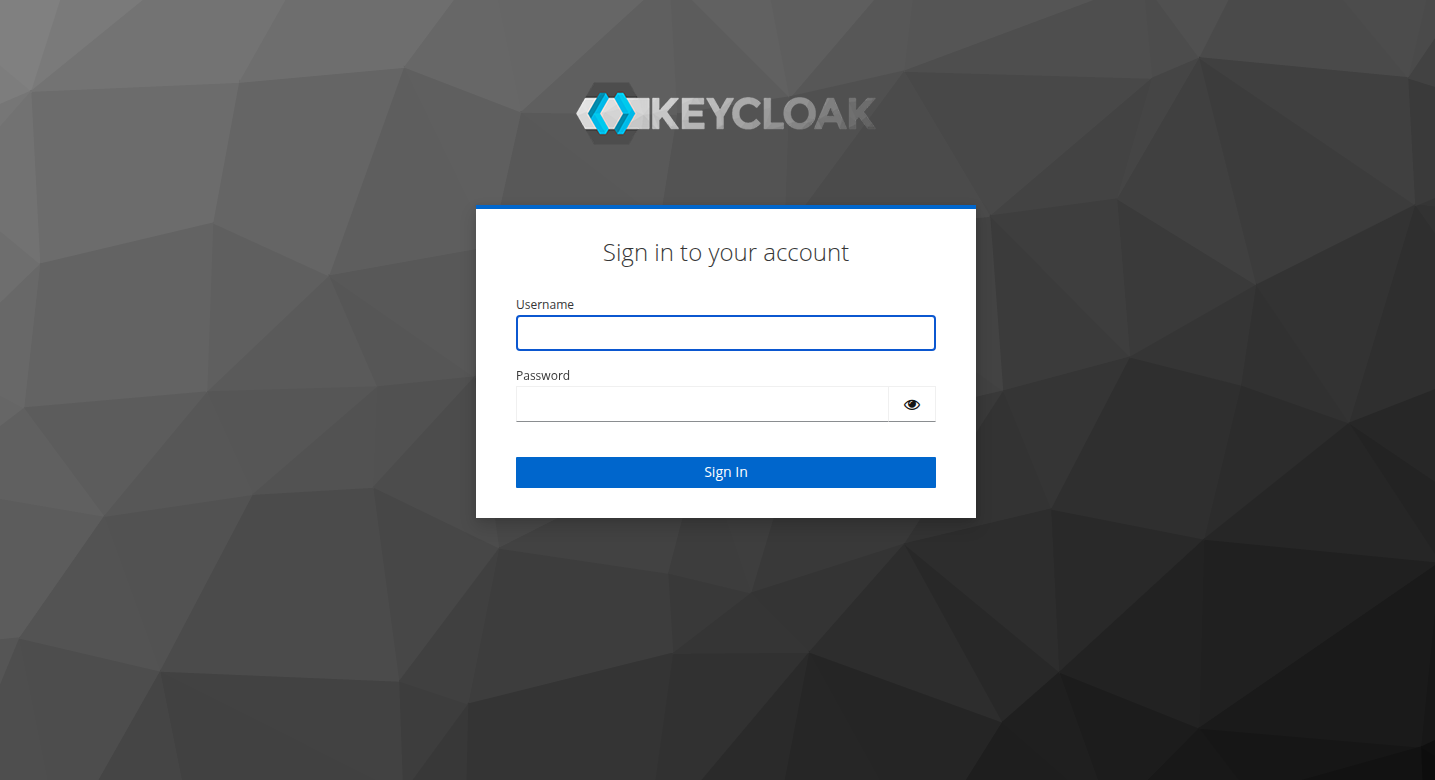
Caseworkers are municipal employees whose accounts are managed directly in the Keycloak ronl realm. They do not authenticate through an external IdP. AuthCallback calls keycloak.init({ onLoad: 'check-sso' }) first — a silent check that avoids forcing a login screen if the caseworker already has an active SSO session. Only if no session is found does Keycloak redirect to its native login form.
sequenceDiagram
    participant B as Caseworker (Browser)
    participant LC as LoginChoice.tsx
    participant AC as AuthCallback.tsx
    participant KC as Keycloak IAM
    participant API as Business API
    participant BPM as Operaton BPMN Engine

    B->>LC: Click "Inloggen als Medewerker"
    LC->>LC: sessionStorage.set('selected_idp', 'medewerker')
    LC->>AC: navigate('/auth')
    AC->>KC: keycloak.init({ onLoad: 'check-sso' })
    alt SSO session already exists
        KC-->>AC: authenticated = true
        AC->>B: navigate('/dashboard')
    else No SSO session
        KC-->>AC: authenticated = false
        AC->>KC: keycloak.login({ loginHint: '__medewerker__' })
        KC->>B: Keycloak login form (with caseworker banner)
        B->>KC: Username + password
        KC->>KC: Validate credentials, issue token
        KC->>B: OIDC Authorization Code (redirect to /auth)
        B->>KC: Token request (code exchange)
        KC->>B: access_token + id_token (JWT, roles: ["caseworker"])
        AC->>B: navigate('/dashboard')
    end
    B->>API: REST call — Authorization: Bearer JWT
    API->>KC: Validate token (JWKS endpoint)
    API->>BPM: Start process with caseworker context
    BPM-->>API: Process result
    API-->>B: Business response
Caseworker sentinel pattern
The loginHint: '__medewerker__' value passed to keycloak.login() is a sentinel — a known string that carries no real authentication meaning but acts as a signal to the Keycloak theme. Keycloak passes login_hint to the login page as the login.username variable, which the login.ftl FreeMarker template reads at render time:
<#assign isMedewerker = (login.username!'') == '__medewerker__'>

<#if isMedewerker>
<div id="kc-context-banner" class="kc-context-medewerker">
    <!-- briefcase icon -->
    Inloggen als gemeentemedewerker
</div>
</#if>

<input ... value="<#if !isMedewerker>${(login.username!'')}</#if>" ... />
When isMedewerker is true, the template renders the indigo context banner and suppresses the sentinel from the username field so the caseworker enters their own credentials into an empty field. No JavaScript is required — the suppression happens server-side in FreeMarker before the HTML is sent to the browser.
Keycloak as identity broker
Keycloak sits between the municipality portal and the external identity providers. It handles:
- SAML AuthnRequest to DigiD / eHerkenning / eIDAS
- Validation of the signed SAML assertion returned by the IdP
- Attribute mapping: BSN, KvK number, Level of Assurance (LoA), eIDAS assurance level
- User auto-creation or linking on first login
- Issuance of OIDC tokens with custom claims (see below)
In the current development environment, DigiD is simulated — test users in the Keycloak realm substitute for a real DigiD connection. The architecture is identical; only the external IdP step is replaced by direct Keycloak credentials.
Caseworker accounts are an exception to the identity broker pattern. Because municipal employees are managed directly in the ronl realm, their authentication stays entirely within Keycloak — no SAML round-trip to an external IdP occurs. The municipality and caseworker role attributes are set directly on the user account in Keycloak Admin and included in the JWT via protocol mappers.
JWT token structure
The Business API validates every request against the JWT access token. The token contains standard OIDC claims plus RONL-specific custom claims added by Keycloak protocol mappers:
{
  "iss": "https://keycloak.open-regels.nl/realms/ronl",
  "aud": "ronl-business-api",
  "sub": "user-uuid-123",
  "typ": "Bearer",
  "preferred_username": "test-citizen-utrecht",
  "municipality": "utrecht",
  "roles": ["citizen"],
  "loa": "substantial"
}
Caseworker token example:
{
  "sub": "xyz789abc012",
  "name": "Petra van Dam",
  "preferred_username": "test-caseworker-utrecht",
  "municipality": "utrecht",
  "loa": "hoog",
  "realm_access": {
    "roles": ["caseworker"]
  },
  "aud": "ronl-business-api",
  "iss": "https://acc.keycloak.open-regels.nl/realms/ronl"
}
Caseworker tokens do not contain a bsn claim. The loa value is set statically on the Keycloak user account rather than derived from a SAML assertion.
| Claim | Type | Description | Example |
|---|---|---|---|
municipality |
string | Tenant identifier used for isolation | "utrecht" |
roles |
array | User roles for authorization | ["citizen"] |
loa |
string | Level of Assurance from DigiD | "substantial" |
mandate |
string | Representation authority (optional) | "legal-guardian" |
bsn |
string | Citizen Service Number (encrypted in production) | "***-***-***" |
OIDC discovery endpoints
ACC:
Production:
Key endpoints exposed via the discovery document:
| Endpoint | Purpose |
|---|---|
authorization_endpoint |
Redirects user to Keycloak login page |
token_endpoint |
Exchanges authorization code for tokens |
jwks_uri |
Public keys used by Business API to verify JWT signatures |
userinfo_endpoint |
Returns user profile attributes |
end_session_endpoint |
Logout |
Token validation in the backend
The backend validates every incoming request through auth/jwt.middleware.ts:
- Extracts
Authorization: Bearer <token>header - Fetches the JWKS from Keycloak (cached in Redis, TTL 300s)
- Verifies the JWT signature using the matching
kid - Checks
exp,iss, andaudclaims - Attaches decoded claims to
req.userfor downstream middleware
If any validation step fails, the request is rejected with HTTP 401 before it reaches any route handler.
Security settings in the Keycloak realm
The ronl realm is configured with:
- Access token lifespan: 15 minutes (
accessTokenLifespan: 900) - SSO session idle timeout: 30 minutes
- Brute force protection enabled (5 failed attempts → 15-minute lockout, exponential backoff)
- PKCE (Proof Key for Code Exchange): enabled on the
ronl-business-apiclient - Direct access grants: enabled for development test users only
The realm configuration is version-controlled in config/keycloak/ronl-realm.json and can be imported via the Keycloak Admin Console or the deployment scripts.
Session expiry warning
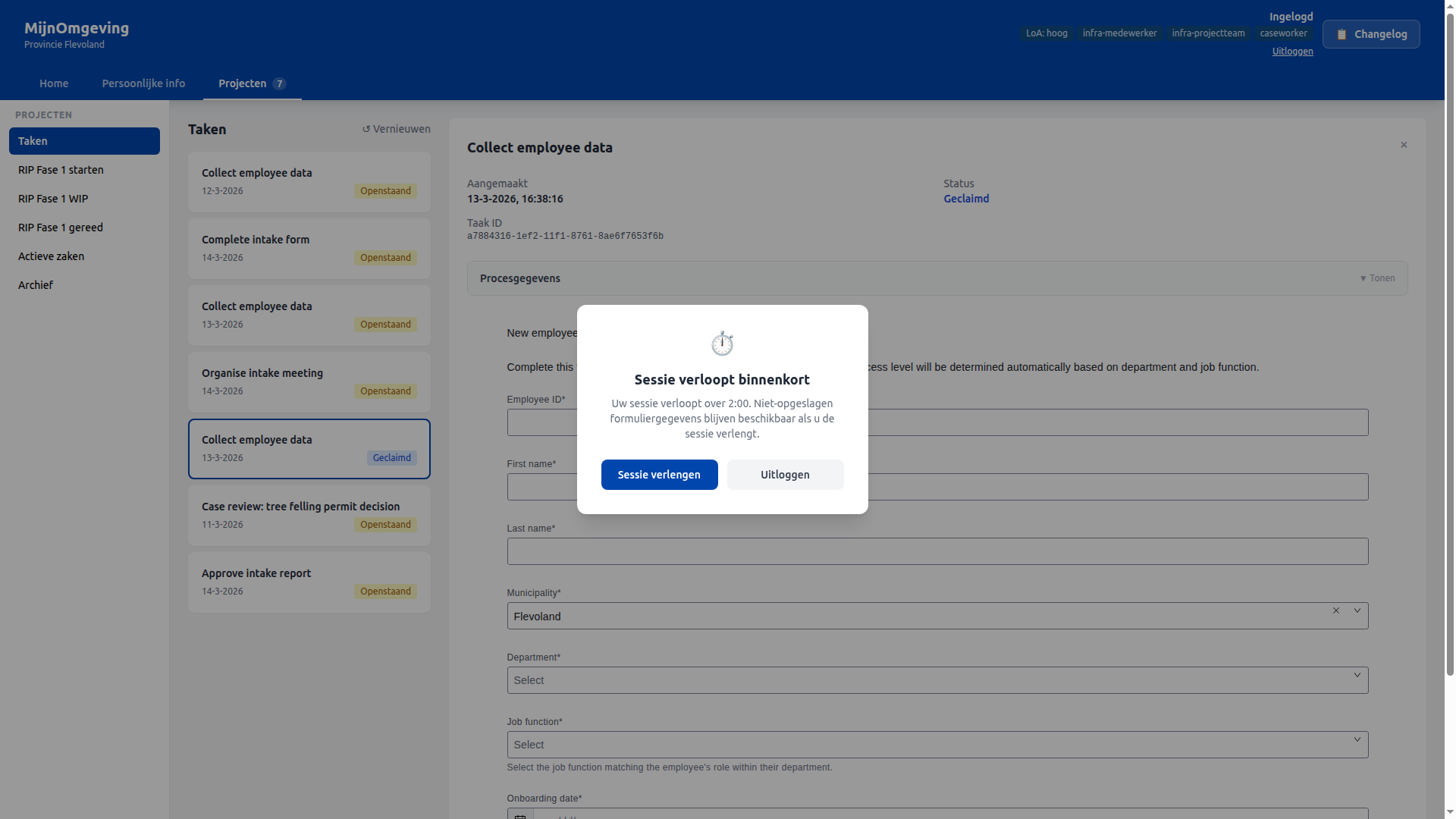
When filling in long forms (such as the intake report), the session may expire before submission. From v2.6.0 a warning modal appears automatically when fewer than 2 minutes remain on the JWT access token:
- Sessie verlengen — forces a silent token refresh via
keycloak.updateToken(-1). Unsaved form data is preserved. - Uitloggen — ends the session immediately.
The Axios request interceptor also proactively calls updateToken(30) before every API request, so normal activity keeps the session alive automatically.
Connecting a real DigiD / eHerkenning / eIDAS provider
The current development environment simulates DigiD with test users in the Keycloak realm. The following documents how to configure Keycloak to broker real government identity providers when going to production. This configuration is done in the Keycloak Admin Console.
DigiD (SAML 2.0)
DigiD integrates via SAML 2.0. Keycloak acts as the SAML Service Provider.
Create the Identity Provider:
- Identity Providers → Add provider → SAML v2.0
- Set:
- Alias:
digid - Display name:
DigiD - Service Provider Entity ID:
https://keycloak.open-regels.nl/realms/ronl - Single Sign-On Service URL: provided by Logius
- NameID Policy Format:
urn:oasis:names:tc:SAML:1.1:nameid-format:unspecified - Force Authentication: enabled
- Validate Signatures: enabled (upload Logius certificate)
- Sign Assertions: as required by Logius contract
Attribute mappers (Identity Provider → DigiD → Mappers → Create):
| SAML Attribute OID | Maps to user attribute |
|---|---|
urn:oid:2.5.4.5 |
bsn |
urn:oid:1.3.6.1.4.1.5923.1.1.1.9 |
loa |
eHerkenning (SAML 2.0)
eHerkenning is used for business users (KvK-based identity).
- Alias:
eherkenning - NameID is organisation-bound (KvK number)
- Additional attributes: KvK number, mandate, assurance level (eH2 / eH3 / eH4)
Map these to user attributes as above, then add protocol mappers to include them in the JWT.
eIDAS (SAML 2.0)
eIDAS covers EU cross-border authentication.
- Alias:
eidas - Typical attributes:
PersonIdentifier,FamilyName,FirstName,DateOfBirth,LevelOfAssurance(low / substantial / high)
Authentication flow
After adding the IdPs, configure a custom browser flow:
- Authentication → Flows → Browser → Copy
- Name:
browser-digid - Add an Identity Provider Redirector execution
- Set
browser-digidas the realm default browser flow
First Broker Login flow — what happens when a user logs in via DigiD for the first time:
- Auto-create user: enabled
- Skip profile update: enabled
- Block login if BSN attribute is missing: enforced via a script authenticator
Assurance level (LoA) enforcement
Option A — API-level check (recommended): Validate the loa claim in the Business API. Return HTTP 403 if the level is insufficient for the requested operation.
Option B — Keycloak flow-level check: Add a conditional execution to the browser flow that evaluates the loa attribute and blocks access below a threshold.
Protocol mappers for IdP attributes
After mapping IdP attributes to Keycloak user attributes, add Protocol Mappers on the ronl-business-api-dedicated client scope so they appear in the access token:
| Mapper type | User attribute | Token claim |
|---|---|---|
| User Attribute | bsn |
bsn |
| User Attribute | loa |
loa |
| User Attribute | municipality |
municipality |
| User Realm Role | (realm roles) | roles |
Enable Add to access token: ON for each mapper.
Token example (production)
{
  "iss": "https://keycloak.open-regels.nl/realms/ronl",
  "aud": "ronl-business-api",
  "sub": "f:digid:8f23...",
  "bsn": "***-***-***",
  "loa": "substantial",
  "municipality": "utrecht",
  "roles": ["citizen"]
}
Compliance notes
- Follow Logius integration contracts strictly (certificate requirements, NameID format, Force Authentication)
- Never persist BSN outside the allowed AVG scope
- Use short-lived access tokens (15 minutes)
- Enable audit logging in Keycloak Admin → Realm Settings → Events
- SAML Single Logout to DigiD is optional; configure at the IdP level if required by contract