TriplyDB Publishing
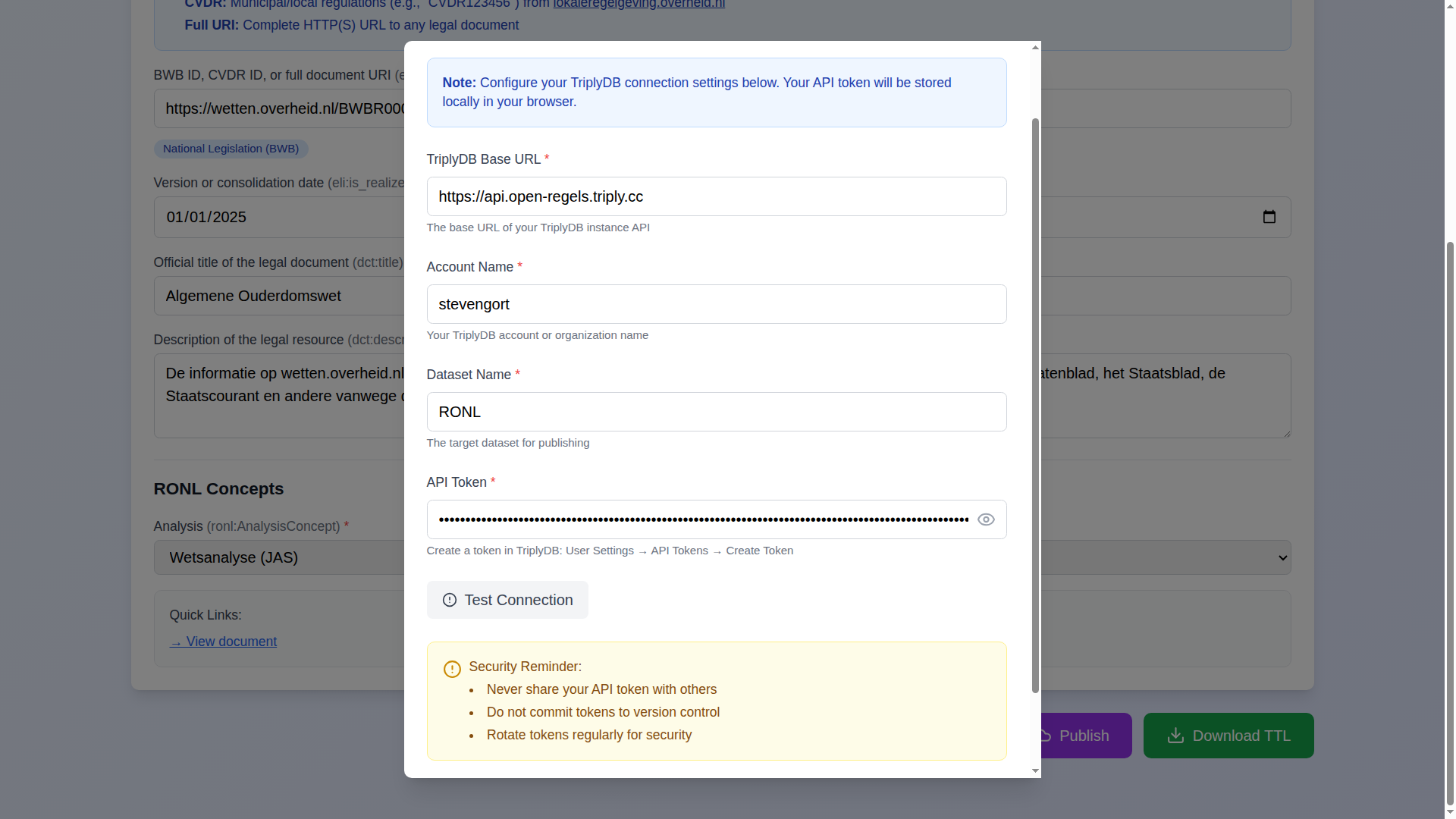
The editor can publish service metadata directly to a TriplyDB knowledge graph without any manual file handling. The publish feature is available via the Publish button in the bottom-right of the application.
What publishing does
When you publish, the editor generates the complete Turtle output for the current service definition and uploads it to the specified TriplyDB dataset via the TriplyDB API. Each service is written to its own deterministic, per-service named graph at https://regels.overheid.nl/graphs/{org-local}/{service-id} (v1.9.4), derived by buildGraphIRI() from the organisation and service identifiers. Republishing the same service overwrites that graph rather than creating an auto-numbered copy, so each service corresponds to a single, stable graph IRI; different services accumulate side by side in the dataset.
Organisation logos (and vendor logos), when present, are uploaded as named assets alongside the Turtle data, making them available as linked resources in the knowledge graph.
The published Turtle honours the CPRMV version selector (0.4.1 / 0.3.2) — the same selection that drives the live preview and Download TTL — so you can publish data shaped for a 0.3.x consumer as well as the default 0.4.1. See CPRMV vocabulary version for how the two targets differ (v1.10.5).
Pre-publish SHACL validation (advisory)
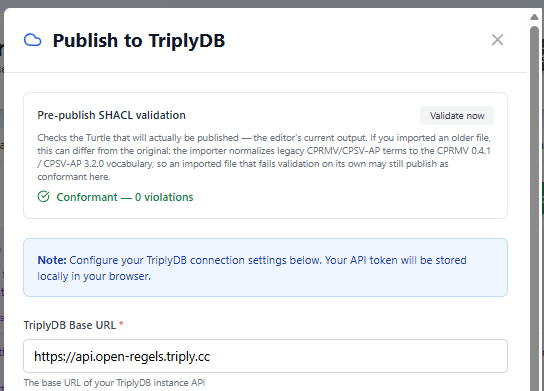
When the publish dialog opens it runs the generated Turtle through the shared backend's SHACL validator (POST /v1/shacl/validate, src/utils/shaclHelper.js) and shows a layered CPRMV 0.4.1 / CPSV-AP 3.2.0 / RONL Custom result panel with per-layer issues. A Validate now button re-runs the check.
The check is purely advisory and never blocks publishing. It validates the Turtle that will actually be published — the editor's current, regenerated output — which can differ from an originally-imported file, because import normalises legacy CPRMV/CPSV-AP terms to the CPRMV 0.4.1 / CPSV-AP 3.2.0 vocabulary. An imported file that fails validation on its own may therefore still publish as conformant here (v1.10.0–v1.10.1).
If the validation backend is unreachable, the panel shows a distinct amber "result not available" state and publishing continues unaffected.
Progress tracking
The publish dialog shows step-by-step progress with real-time status indicators:
- Validating form
- Generating TTL
- Uploading to TriplyDB
- Updating service via backend proxy
Each step transitions from pending to complete as it finishes. On success, the dialog displays a direct link to the published dataset and closes automatically after two seconds. Errors are surfaced inside the dialog with details, and an inline message appears under the page title after the dialog closes.
Configuration
Publishing requires four values: the TriplyDB base URL, account name, dataset name, and an API token. The token is stored in browser localStorage — it is never transmitted to any server other than the configured TriplyDB instance.
An optional Test Connection button verifies credentials before publishing, without uploading any data.
Per-service graphs
TriplyDB's default behaviour creates auto-numbered graphs on each upload. The editor avoids this by writing each service to a deterministic, per-service named graph (buildGraphIRI() → …/graphs/{org-local}/{service-id}). Republishing a service overwrites its own graph, so it always has exactly one current version, while distinct services coexist in the dataset. The graph IRI is also forwarded to the backend's /v1/triplydb/update-service endpoint (as graphName) so the cumulative SPARQL service stays in sync across multi-publish flows.