Archived — not maintained
This guide is kept for reference and is no longer updated. It describes the application around v2.9.1. For current documentation see Getting Started.
HR Onboarding Workflow
From v2.4.0, the RONL Business API caseworker dashboard includes an HR onboarding flow that lets HR staff start, track, and complete a structured employee onboarding process entirely within MijnOmgeving. The process is backed by the HrOnboardingProcess BPMN and the EmployeeRoleAssignment DMN, using the same claim-first caseworker task queue as the AWB Kapvergunning.
Who can use this
| Role | What they can do |
|---|---|
caseworker |
View own Profiel, view own Rollen & rechten |
hr-medewerker |
All of the above, plus start onboarding processes, view Afgeronde onboardingen |
The hr-medewerker role is a Keycloak realm role. In test environments, test-hr-denhaag holds this role for Den Haag.
Navigating the Persoonlijke info section
After login, the Persoonlijke info top nav item exposes four left-panel subsections:
| Subsection | Label | Accessible to |
|---|---|---|
profiel |
Profiel | All caseworkers |
rollen |
Rollen & rechten | All caseworkers |
hr-onboarding |
Medewerker onboarden | hr-medewerker only |
onboarding-archief |
Afgeronde onboardingen | hr-medewerker only |
Profiel
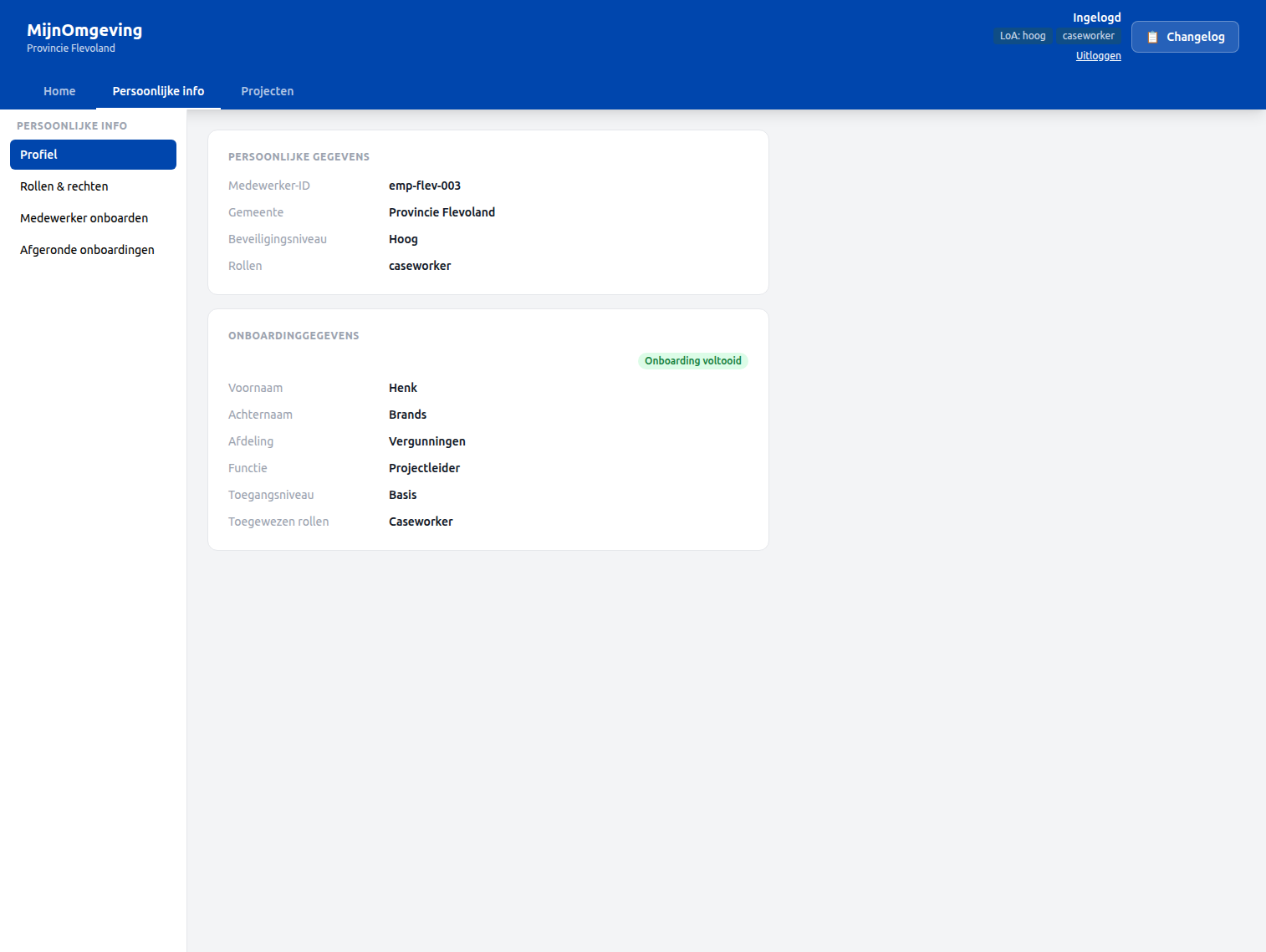
The Profiel subsection shows a JWT identity card alongside onboarding data fetched automatically via the employeeId claim:
GET /v1/hr/onboarding/profile?employeeId=<employeeId>is called on mount with theemployeeIdfrom the JWT.- If onboarding data is found, the card shows first name, last name, department, job function, access level, and assigned roles — with an "Onboarding voltooid" badge.
- If the
employeeIdclaim is absent (account not yet onboarded), a manual input fallback is shown so the caseworker can look up their own record by ID.
Rollen & rechten
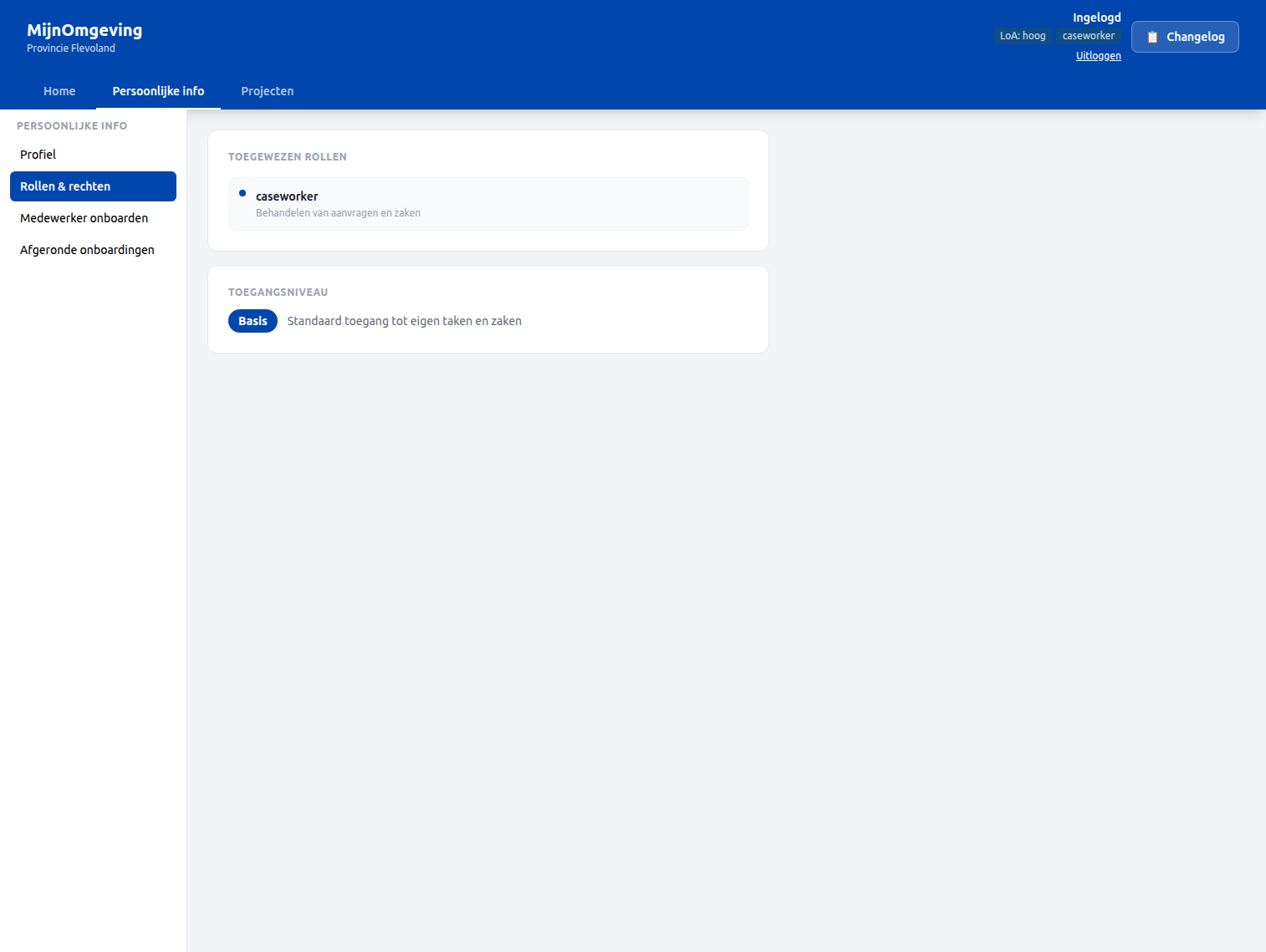
The Rollen & rechten subsection lists:
- JWT roles — roles currently present in the access token (
realm_access.roles) - Onboarding roles —
assignedRolesfrom the completedHrOnboardingProcessinstance, fetched via the same/v1/hr/onboarding/profileendpoint - Access level — the
accessLevelvariable from the onboarding DMN, with a description card:
| Access level | Description |
|---|---|
basis |
Standaard toegang tot eigen taken en zaken |
uitgebreid |
Uitgebreide toegang inclusief rapportages |
admin |
Volledige toegang tot alle functionaliteiten |
Starting an onboarding — Medewerker onboarden
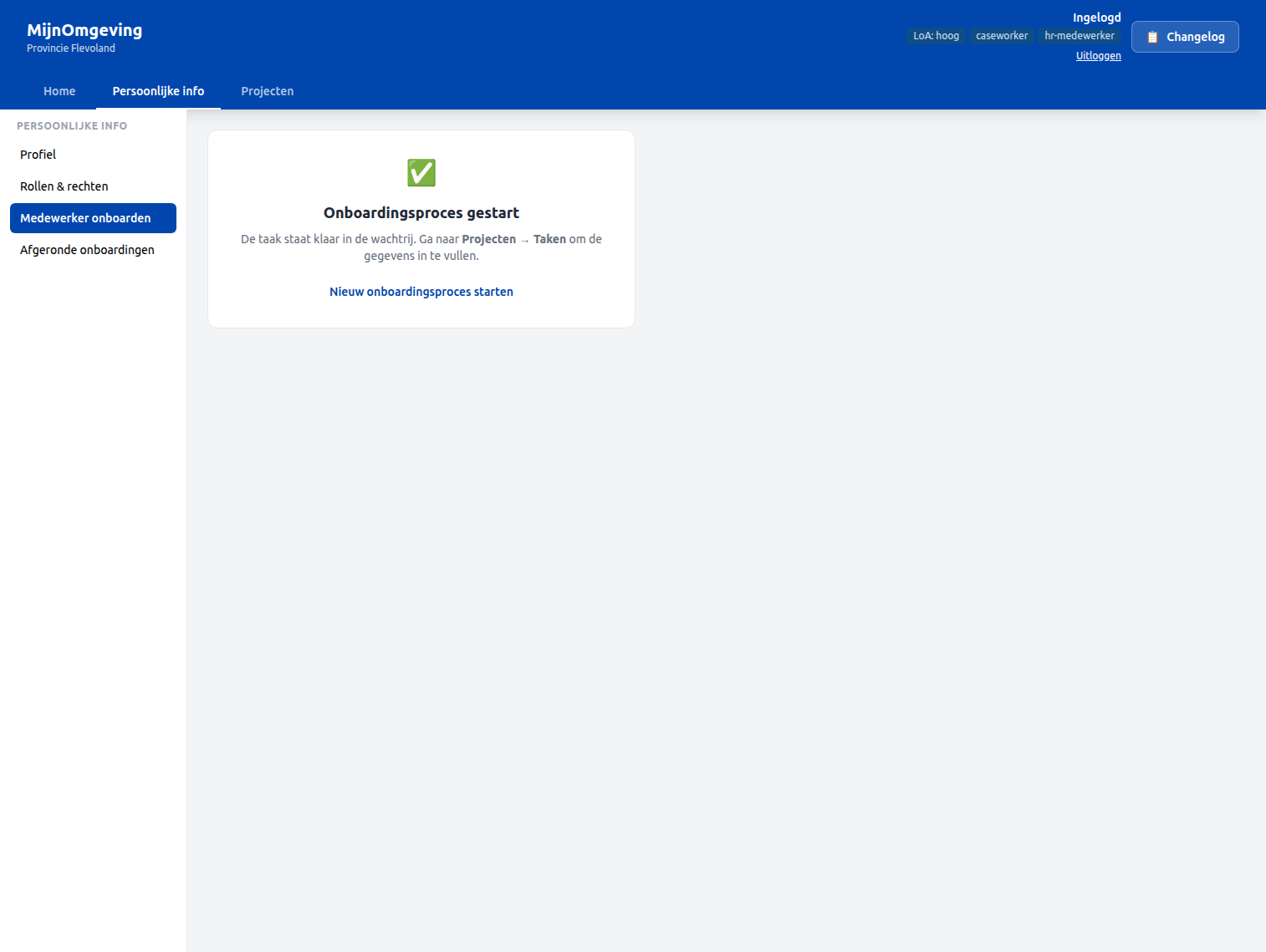
The Medewerker onboarden subsection (visible only to hr-medewerker) starts a new HrOnboardingProcess instance:
Step 1 — Click Onboardingsproces starten. The button calls POST /v1/process/HrOnboardingProcess/start with an empty variables body.
Step 2 — A success card confirms the process has started and points to Projecten → Taken to continue.
Step 3 — In the task queue, the first task Collect employee data appears with taskDefinitionKey: Task_CollectEmployeeData and status Openstaand.
Step 4 — Claim the task and fill in the employee data form. The form collects:
| Field | Variable |
|---|---|
| First name | firstName |
| Last name | lastName |
| Department | department |
| Job function | jobFunction |
| Start date | startDate |
| Employee ID | employeeId |
Step 5 — Complete the task. The EmployeeRoleAssignment DMN evaluates department + jobFunction and assigns assignedRoles, candidateGroups, and accessLevel automatically.
Step 6 — The HR review task (Task_HrReview) appears in the queue. The HR medewerker reviews the DMN output and confirms or adjusts.
Step 7 — The final task (Task_NotifyEmployee) completes the process. An IT handover document (hr-it-handover.document, linked via ronl:documentRef) becomes available via the Afgeronde onboardingen archive.
Viewing completed onboardings — Afgeronde onboardingen
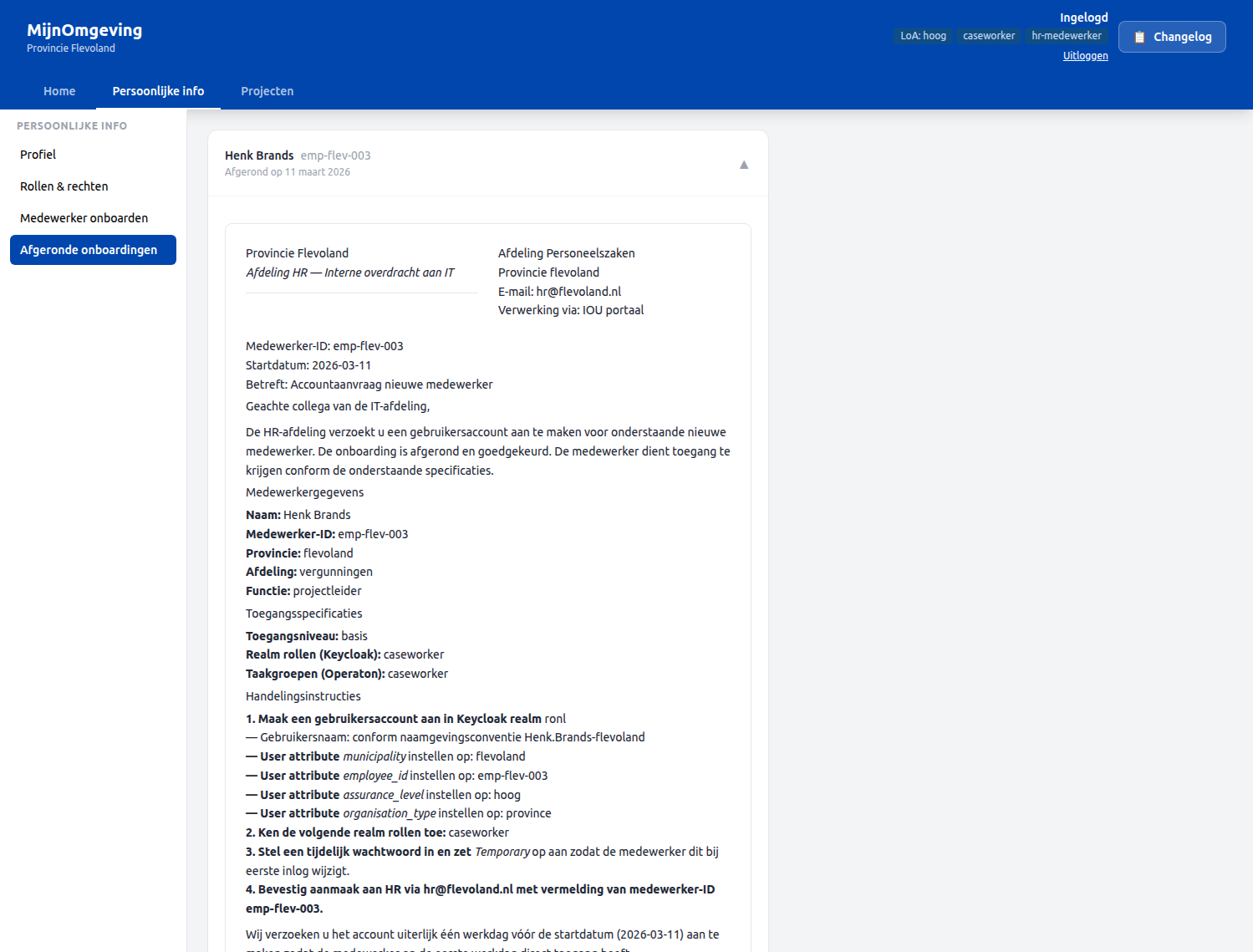
The Afgeronde onboardingen subsection (visible only to hr-medewerker) shows all completed HrOnboardingProcess instances for the current municipality, fetched via GET /v1/hr/onboarding/completed.
Each row shows:
- Full name (
firstName+lastName) - Employee ID
- Completion date
Clicking a row expands it and renders the IT handover document using DecisionViewer, which fetches the hr-it-handover.document via GET /v1/process/:id/decision-document.
The document includes:
- Medewerkergegevens — employee identity and start date
- Toegangsspecificaties — assigned roles, candidate groups, access level
- Keycloak account aanmaken — step-by-step instructions for IT to create the Keycloak account
HrOnboardingProcess — BPMN overview
StartEvent
  └─ Task_CollectEmployeeData    (candidateGroups: hr-medewerker)
       └─ EmployeeRoleAssignment DMN
            └─ Task_HrReview              (candidateGroups: hr-medewerker)
                 └─ Task_NotifyEmployee   (candidateGroups: hr-medewerker)
                      └─ EndEvent
All user tasks use candidateGroups="hr-medewerker", following the same claim-first pattern as the AWB Kapvergunning. camunda:historyTimeToLive is set per AWB retention requirements.
EmployeeRoleAssignment DMN
The DMN maps department + jobFunction to:
| Output variable | Description |
|---|---|
assignedRoles |
Comma-separated Keycloak realm roles to assign |
candidateGroups |
BPMN candidate group for tasks in this tenant |
accessLevel |
basis, uitgebreid, or admin |
Backend endpoints
| Method | Endpoint | Auth | Description |
|---|---|---|---|
GET |
/v1/hr/onboarding/profile |
Bearer JWT (caseworker) | Returns the flattened historic variables for a completed HrOnboardingProcess by ?employeeId=. Applies tenant isolation. |
GET |
/v1/hr/onboarding/completed |
Bearer JWT (caseworker) | Returns all completed HrOnboardingProcess instances for the caseworker's municipality, enriched with employeeId, firstName, lastName. |
Test accounts
| Username | Municipality | Role |
|---|---|---|
test-hr-denhaag |
Den Haag | caseworker, hr-medewerker |
test-onboarded-denhaag |
Den Haag | caseworker (has completed onboarding record) |
Password for all test accounts: test123
Related documentation
- Caseworker Workflow — General task queue and claim-first workflow
- API Endpoints — HR endpoints
- Keycloak Realm Configuration —
hr-medewerkerrole,employeeIdmapper - BPMN Design Criteria —
candidateGroupspattern