Filling In the Tabs
This page describes each tab's fields, what they map to in the generated Turtle, and what validation rules apply. For the full UI field ↔ RDF property mapping tables, see the Field Mapping Reference.
Service tab
The Service tab models cpsv:PublicService.
Unique identifier (dct:identifier) — Mandatory. Used as the base for all URIs in the file. Spaces are converted to hyphens automatically. Choose a stable, human-readable value.
Official name (dct:title) — Mandatory. The public-facing name of the service, stored with @nl language tag.
Description (dct:description) — Detailed explanation of what the service does.
Thematic area (cv:thematicArea) — URI for thematic classification. Select from the dropdown or enter a URI directly.
Government level (cv:sector) — Mandatory. Select from the controlled vocabulary (national, provincial, municipal, etc.).
Keywords (dcat:keyword) — Comma-separated terms for discoverability.
Language (dct:language) — Outputs as a LinguisticSystem URI (e.g. https://publications.europa.eu/resource/authority/language/NLD).
Cost section — Documents fees associated with the service as cv:Cost. Enter amount and currency.
Output section — Documents what the citizen receives as cv:Output. Enter a title and description.
Organisation tab
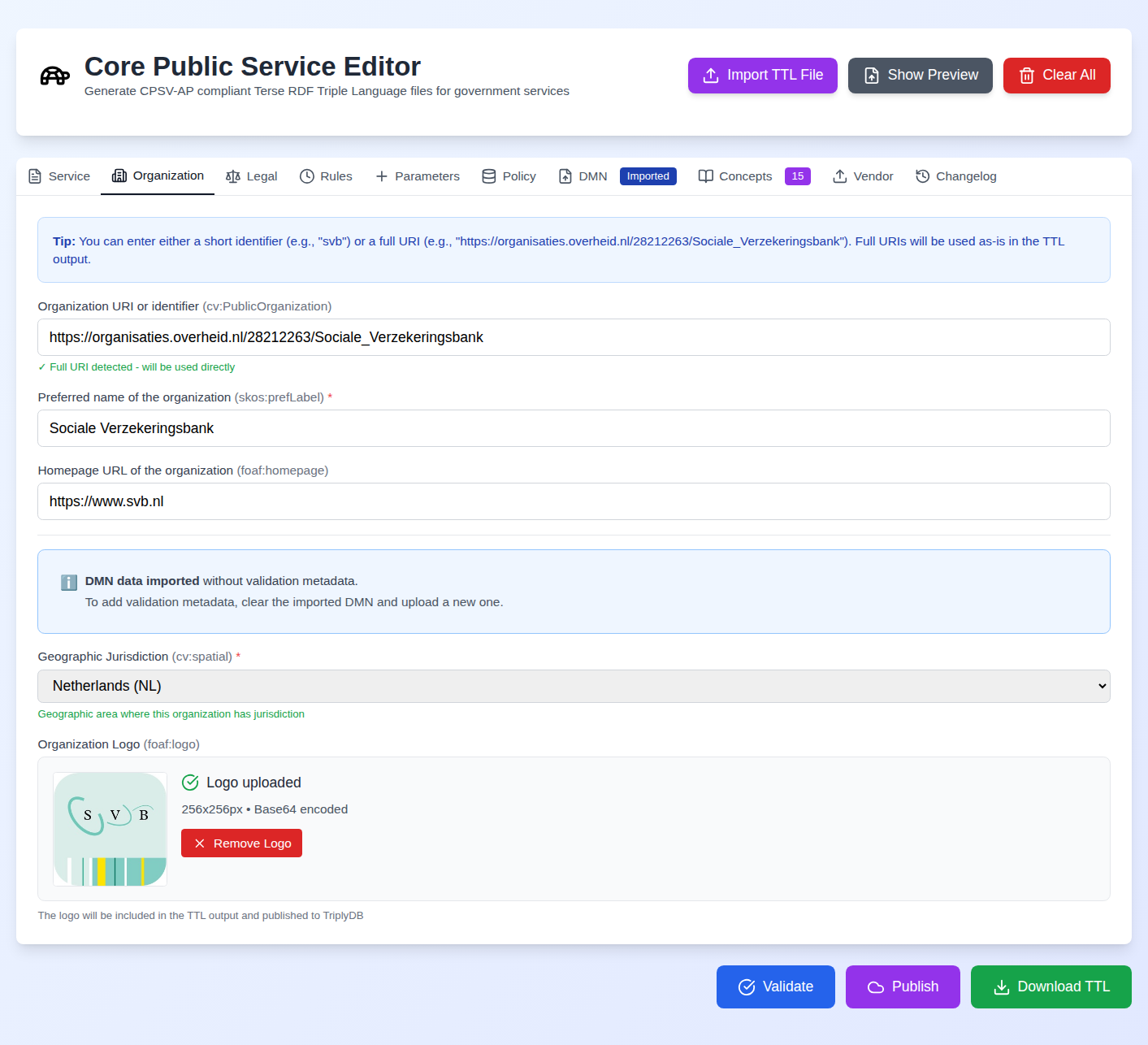
The Organisation tab models cv:PublicOrganisation.
Organisation identifier — Mandatory. Enter a short ID (e.g. SVB) or a full URI. Short IDs are expanded to https://regels.overheid.nl/organizations/{id}.
Organisation name (skos:prefLabel) — The official name.
Geographic jurisdiction (dct:spatial) — Mandatory. The geographic area the organisation is responsible for, as a URI. Emitted as dct:spatial pointing at a dct:Location-typed node (was cv:spatial before v1.10.0; both are still read on import).
Homepage (foaf:homepage) — The organisation's official website URI.
Logo — Upload a JPG or PNG. The editor resizes it to 256×256px. The logo URI is generated as ./assets/{OrganisationName}_logo.png and included in the Turtle as both foaf:logo and schema:image.
Legal tab
The Legal tab models eli:LegalResource.
BWB ID — The Dutch legal resource identifier (e.g. BWBR0002221). Validated against the BWB pattern. The editor constructs a wetten.overheid.nl URI automatically.
Version / consolidation date — The specific version of the legislation being referenced.
Title and description — Human-readable metadata for the legal resource.
Rules tab (RPP: Rules)
Each rule models cpsv:Rule, cprmv:TemporalRule.
Rule identifier (dct:identifier) — Mandatory. Unique identifier for this rule.
Rule title (dct:title) — Mandatory. Human-readable name.
Rule URI — Full URI for the rule, or leave blank to auto-generate from the service identifier.
Extends (cprmv:isBasedOn) — URI of the legal article or version this rule implements. (Was ronl:extends before v1.10.0.)
Valid from / until (cprmv:validFrom, cprmv:validUntil) — Temporal validity window as ISO dates.
Confidence level (cprmv:confidenceLevel) — The certainty with which this rule implements the policy.
When a legal resource is set in the Legal tab, each rule's cpsv:implements automatically points at the eli:LegalResource (CPSV-AP 3.2.0 RuleShape), and a dct:description is emitted (falling back to the title).
Multiple rules can be added with the Add Rule button. Each rule appears as an expandable card.
Parameters tab (RPP: Parameters)
Each parameter models cprmv:ParameterWaarde.
Notation (skos:notation) — Machine-readable identifier for the parameter (e.g. AOW_LEEFTIJD_STANDAARD). Required.
Label (skos:prefLabel) — Human-readable name. Required.
Value (schema:value) — The numeric or string value.
Notation and label are always required
Both Notation and Label are mandatory for every parameter regardless of whether a value is set — the client-side check mirrors the cprmv:ParameterWaardeShape SHACL constraint, so a missing notation or label is flagged inline and in the pre-publish validation panel rather than only being caught by the back-end on publish (v1.10.4).
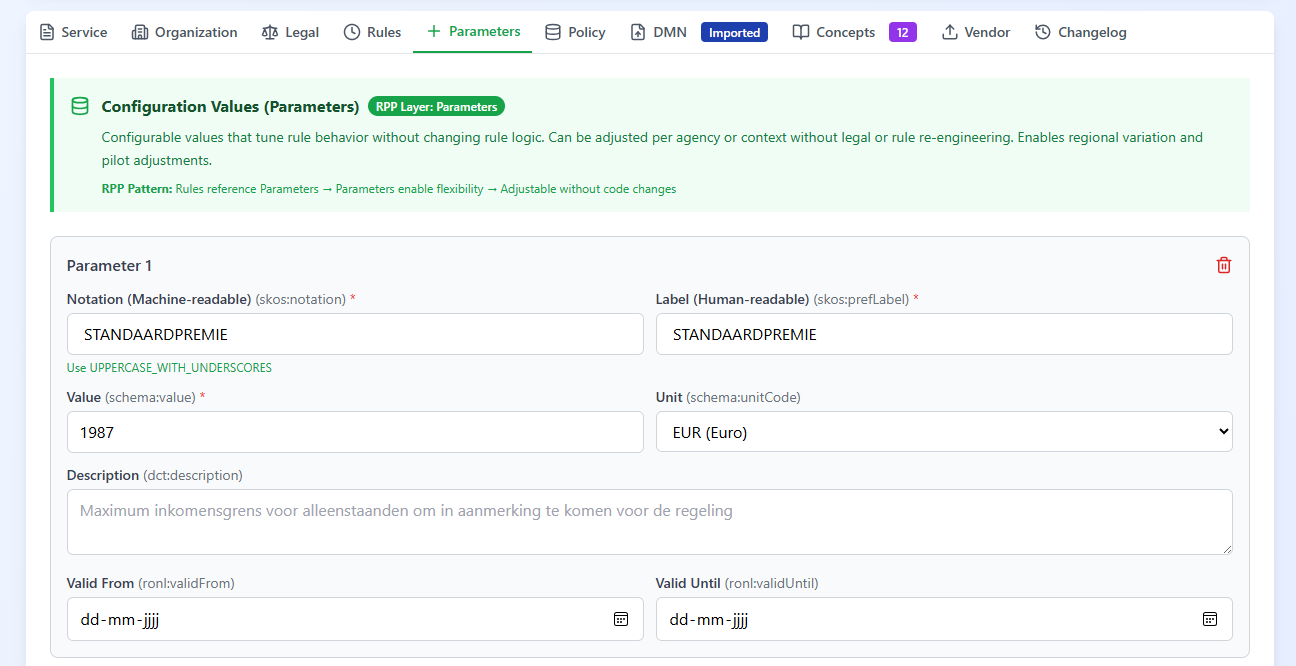
Unit (schema:unitCode) — The unit of measurement (e.g. ANN for years, EUR for euros).
Valid from / until — Temporal validity.
CPRMV tab (RPP: Policy)
Each entry models cprmv:Rule. All six fields are mandatory.
Rule ID (cprmv:id) — Identifier of the rule (e.g. onderdeel a.).
Ruleset ID (cprmv:rulesetId) — The legal source (BWB/CVDR) the rule belongs to. Drives the cprmv:RuleSet grouping and the rule's cprmv:implements link.
Definition (cprmv:definition) — The full legal text.
Situation (cprmv:situatie) — The contextual situation to which the rule applies.
Norm (cprmv:norm) — The normative value mandated by the rule.
Rule ID path (cprmv:ruleIdPath) — The full legislative path to the source article (used to build a unique rule URI).
CPRMV rules can be entered individually or imported in bulk via the Import JSON button, which accepts the CPRMV 0.4.1 Rules API output (an array of cprmv:RuleSet objects with nested hasPart maps) as well as legacy flat-array exports. Load Example loads the bundled conformant 0.4.1 sample.
DMN tab
See The DMN Tab and DMN Testing user guides.
The DMN tab retains its state when you switch tabs — an uploaded DMN, its deployment status, and the full test-case run results survive a hop to the Concepts tab and back, so you don't lose work by navigating away (v1.10.4).
Concepts tab
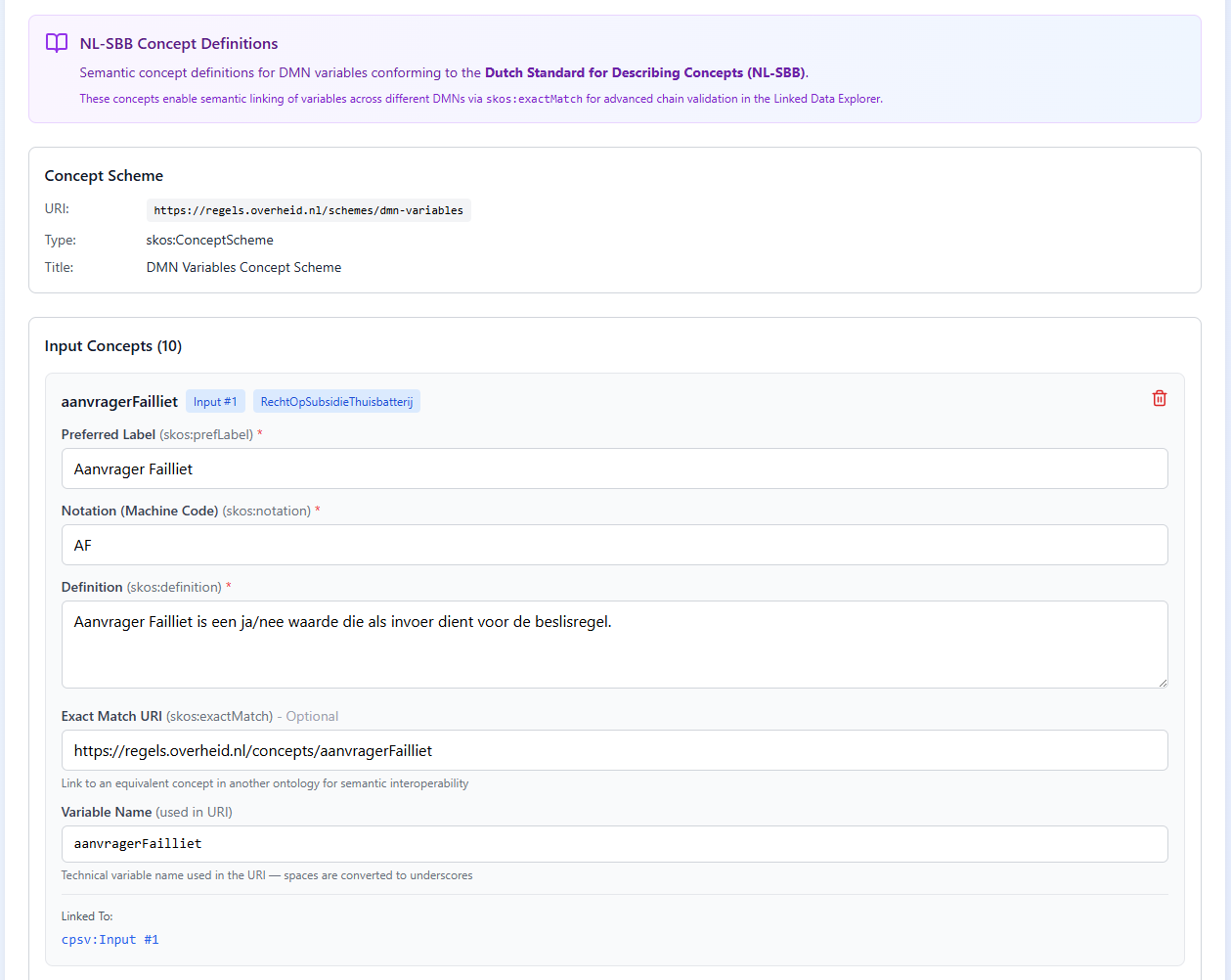
The Concepts tab holds NL-SBB concept definitions (skos:Concept) for the DMN's input and output variables. Concepts are populated automatically once a DMN is loaded and its inputs/outputs are known — by running a single evaluate, by running uploaded test cases (input and output concepts are unioned across every uploaded case, deduped by name, so no successful evaluate is required), or restored on import. A badge on the tab shows the concept count, or "Needs DMN" when none exist yet.
Output concepts appear even when an evaluation matches no rule. Some decisions — a DRD root with hitPolicy="RULE ORDER" and no catch-all rule, for instance — legitimately return an empty result against the default request body. Rather than losing the outputs in that case, the editor reads the decision's declared outputs straight from the DMN file, so they are still listed here and still published to the Turtle (v2026.08.0).
Each variable also carries a decision badge showing which decision(s) it belongs to — blue beside inputs (which are DRD-level and may belong to several decisions) and green beside outputs, with output concepts clustered so variables from the same decision sit together (v1.10.4).
Each concept exposes editable Preferred Label (skos:prefLabel), Notation (skos:notation), Definition (skos:definition), an optional Exact Match URI (skos:exactMatch) for cross-DMN semantic linking, and a Variable Name that forms the concept URI. The Variable Name input is URI-safe — spaces are converted to underscores and IRI-illegal characters are stripped (v1.10.2), so generated Turtle always parses.
Concepts can be added or removed manually with Add Input Concept / Add Output Concept. They are written to the export as a skos:ConceptScheme plus the input and output concepts, each linked to its DMN variable via dct:subject.
Vendor tab
See the Vendor Integration user guide.