RIP R2.1 Bundle
The R2.1 bundle is the first government process bundle shipped with the Linked Data Explorer for the Province of Flevoland. It automates the project-definition phase of the Regular Infrastructure Projects (RIP) workflow — Projectplan planvoorbereiding — from intake through to approved preliminary-design principles, and ends by handing off to the R2.2 bundle.
It lives at examples/organizations/flevoland/rip-phase-21/ and deploys to Operaton in a single multipart request from the BPMN Modeler's Deploy modal.
Renamed in v2026.08.5
This bundle was previously rip-phase1-swimlanes/, and its process was
briefly documented as RipPhase1Process. The -swimlanes suffix
distinguished it from a competing rip-phase1/ draft that has since been
deleted, so it distinguished nothing. The directory is now rip-phase-21/
and the process is RipR21Process, which makes rip-phase-22/ an
obvious sibling. If you have an older checkout or bookmark pointing at
rip-phase1/, it no longer resolves.
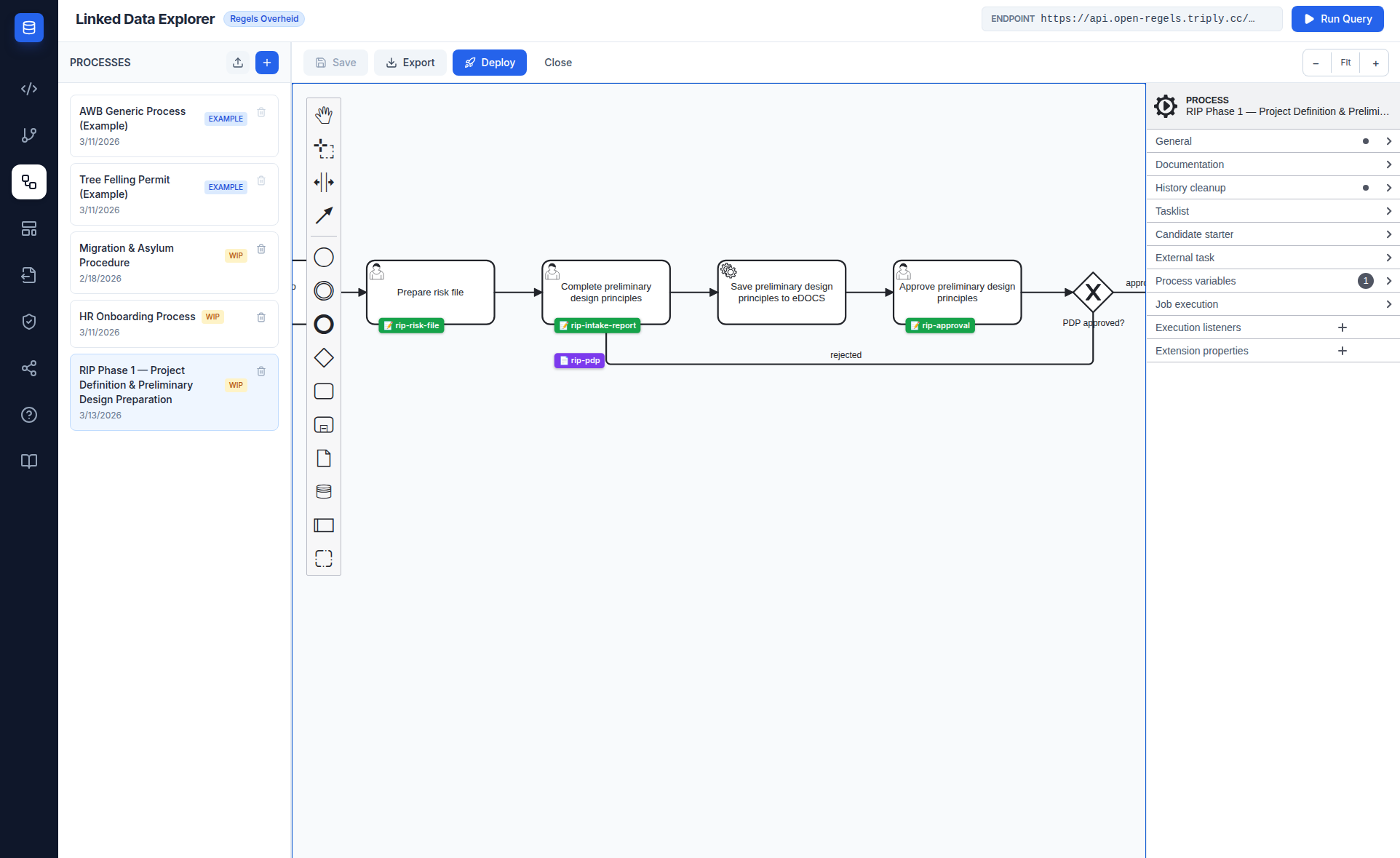
Process flow
RipR21Process has thirteen user tasks, one service task and three approval gateways, laid out in swimlanes. Task names are in Dutch, matching the source specification and what a caseworker sees in the task list.
| # | Type | Name |
|---|---|---|
| 1 | StartEvent | Start RIP fase 1 |
| 2 | UserTask | Aanleveren Projectplan 1. Intake-formulier |
| 3 | ExclusiveGateway | Projectplan 1. Intake-formulier akkoord? |
| 4 | UserTask | Verbeteren kwaliteit 1. Intake-formulier ↺ |
| 5 | ServiceTask | Laten aanmaken workspace Relatics |
| 6 | UserTask | Organiseren intake-overleg |
| 7 | UserTask | Uitvoeren intake-overleg |
| 8 | UserTask | Aanvullen Projectplan 2. Intake-verslag |
| 9 | UserTask | Accorderen Projectplan 2. Intake-verslag |
| 10 | ExclusiveGateway | Akkoord? |
| 11 | UserTask | Opstellen risicodossier en versturen aan PL |
| 12 | UserTask | Opstellen planning en informeren PL en ondersteuner |
| 13 | UserTask | Initiëren / organiseren PSU |
| 14 | UserTask | Uitvoeren PSU en aanvullen Projectplan 3. PSU-verslag |
| 15 | UserTask | Houden overleg uitgangspunten VO-fase |
| 16 | UserTask | Aanvullen Projectplan 4. Uitgangspunten VO-fase |
| 17 | UserTask | Accorderen Projectplan 4. Uitgangspunten VO-fase |
| 18 | ExclusiveGateway | Akkoord? |
| 19 | EndEvent | Fase 1 voltooid → R2.2 |
The phase-exit approval is signed
Task_AccorderenProjectplan4 — "Accorderen Projectplan 4. Uitgangspunten VO-fase", the task that closes the phase — carries ronl:signatureRef="rip-pdp".
That single attribute is the switch for the whole signing feature. The RONL Business API resolves ronl:signatureRef on a user task and, where present, replaces that task's plain approval form with a ValidSign signing ceremony: the phase document is rendered from its deployed template, a signature package is created, and the Operaton task completes only once the signature lands.
Bundle contents
Sixteen files deploy together: one BPMN, twelve forms and three document templates.
BPMN
RipR21Process.bpmn — the executable process. Its one ServiceTask uses camunda:type="external" with topic rip-relatics-workspace, polled by the LDE backend external task worker.
Forms
| File | Purpose |
|---|---|
rip-intake.form |
Project number, name, type, department, contributor, client, scope, budget, timeline |
rip-kwaliteit-verbetering.form |
Rework of a rejected intake form |
rip-intake-meeting.form |
Meeting date/time, location, participants, invitation sent |
rip-uitvoer-intake.form |
Conducting the intake meeting |
rip-intake-report.form |
Intake decisions, agreements, confirmed scope, budget and timeline |
rip-risk-file.form |
Relatics risk-dossier reference, date, preparer |
rip-planning.form |
Planning, and informing the project lead and supporter |
rip-psu-organize.form |
PSU participants, location, date, presentation prepared |
rip-psu-execution.form |
PSU outcomes, action points, risks, project-team roles |
rip-overleg-vo.form |
The VO-phase principles meeting |
rip-pdp-aanvullen.form |
Completing the preliminary-design principles |
rip-approval.form |
Reusable approval form — approvalStatus plus remarks, used at each gateway |
Document templates
Three templates, each bound to the task that produces it with ronl:documentRef.
| File | Attached to | Key bindings |
|---|---|---|
rip-intake-report.document |
Aanvullen Projectplan 2. Intake-verslag | projectNumber, projectName, confirmedScope, confirmedBudget, confirmedTimeline, intakeDecisions, intakeAgreements |
rip-psu-report.document |
Uitvoeren PSU | psDate, psLocation, psOutcomes, psActionPoints, projectManager, projectSupporter |
rip-pdp.document |
Aanvullen Projectplan 4. | confirmedScope, confirmedBudget, confirmedTimeline, riskFileReference, pdpNotes |
Their signature blocks did not render until v2026.08.4
All three templates used signoff and contactInfo where DocumentZones
declares signOff and contactInformation. DocumentCanvas iterates
ZONE_ORDER and calls getZoneBlocks('signOff'), so the lowercase key meant
the Signatures block was dropped silently — the signature lines in these
templates had never rendered in any deployment. The same commit corrected a
processKey of RipPhase1Process, which no longer matched the BPMN.
Deploying the bundle
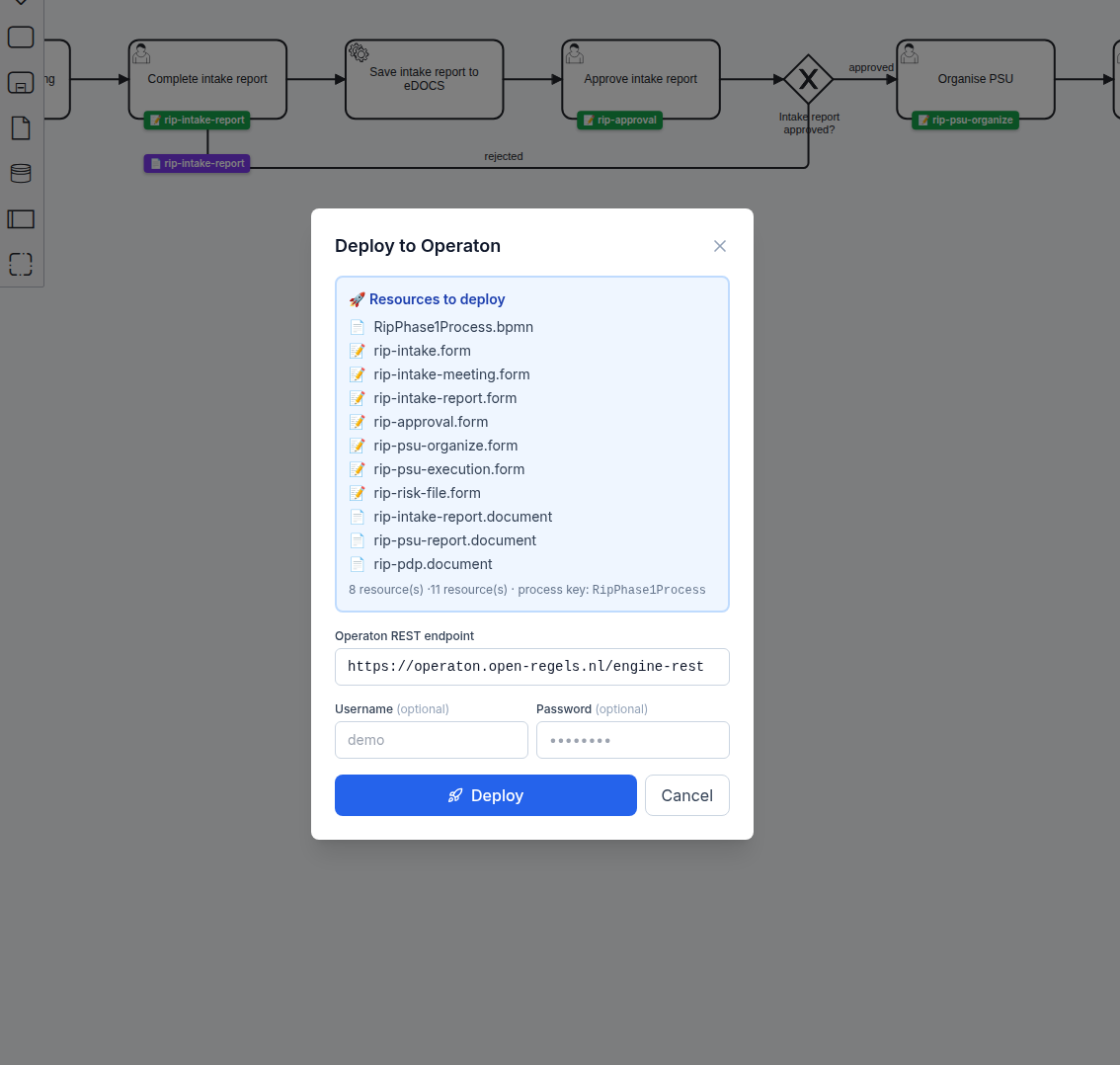
camunda:formRef and ronl:documentRef and posts the bundle to Operaton in one request.Open RipR21Process.bpmn in the BPMN Modeler and click Deploy. The modal resolves all camunda:formRef and ronl:documentRef attributes automatically and lists the resources it will send. Click Deploy to Operaton.
Tip
Set a Business Key equal to the project number when starting the process from the Operaton Cockpit. It makes process instances easy to find later.
The mirrored copy
This bundle exists twice in the repository — authored under examples/organizations/flevoland/rip-phase-21/, imported and deployed from e2e-fixtures/flevoland/ — and its BPMN a third time, as a parser fixture in the RONL Business API. A parity test asserts that the two repository copies are byte-identical, and the pair opts in through packages/backend/src/__fixtures__/mirrored-bundles.json. npm run check-rip-bpmn, run by the pre-push hook and by the required CI audit job, compares the e2e-fixtures/ BPMN with its source and checks the source against the fingerprints both repositories share.
That test earns its place: the ValidSign attribute in v2026.08.6 was added to the mirror only, and the parity test failed from that commit until the copies were reconciled. See RIP R2.2 Bundle → The mirrored copy for both checks.
Starting the process
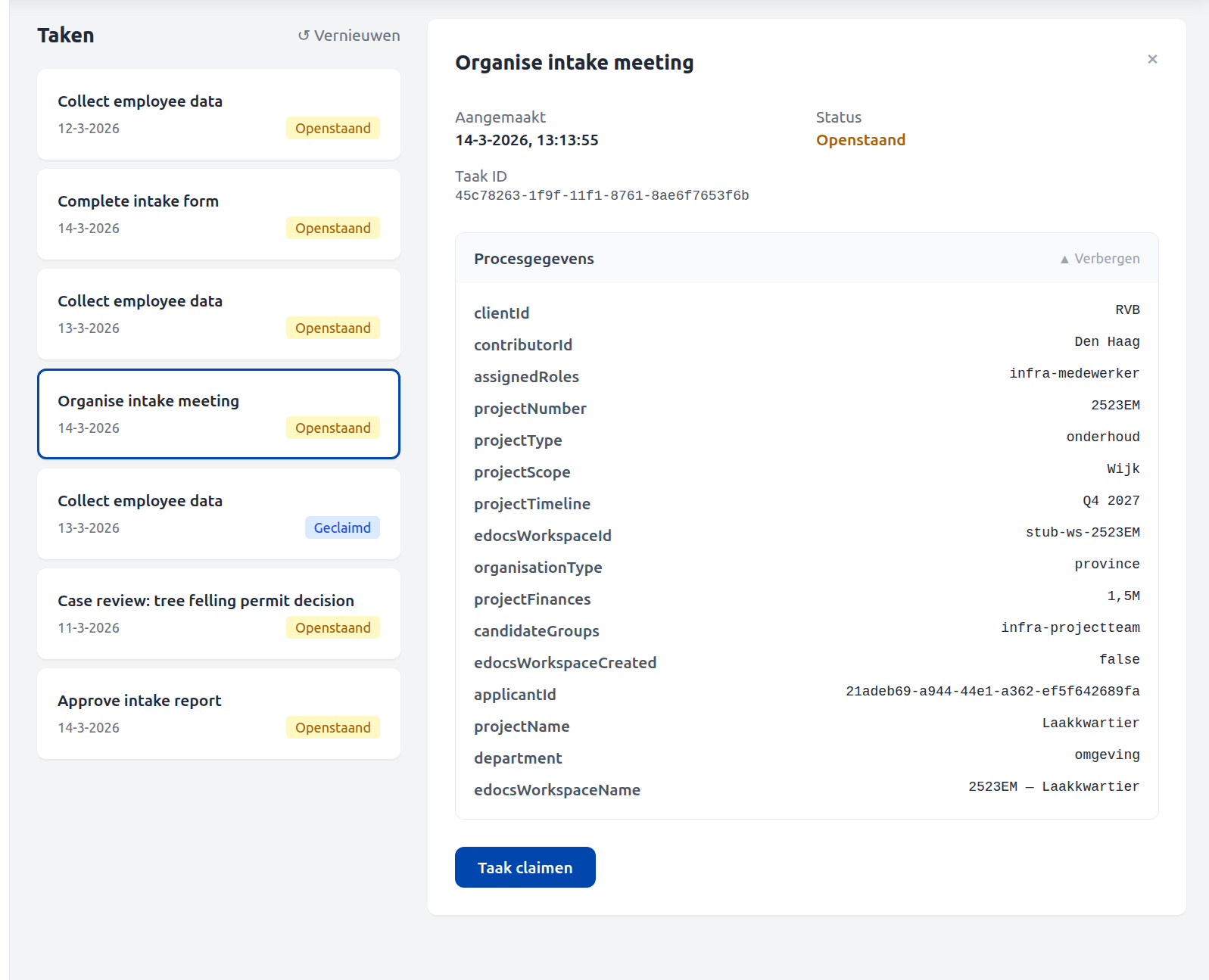
The process is designed to be started from the Human Tasks interface in MijnOmgeving, or the Operaton Tasklist — not directly from the Cockpit. Starting from the Cockpit's generic start dialog works for testing: click Start and the first user task appears in the task list immediately.
As of v1.9.9 a leadRole process variable is derived from the intake projectType (contractbeheer → manager-pb, otherwise projectleider). leadRole is distinct from a task's candidateGroups: it names who owns the project in the portfolio, not who can claim its tasks.
Related
- RIP R2.2 Bundle — the phase this one hands off to
- BPMN Modeler — the Deploy modal and the
ronl:*attributes - Document Composer — templates, zones and bindings
- Besluitvorming onder gedelegeerde bevoegdheid — another signed bundle, a delegated decision