PA-Cockpit demo
public · no login
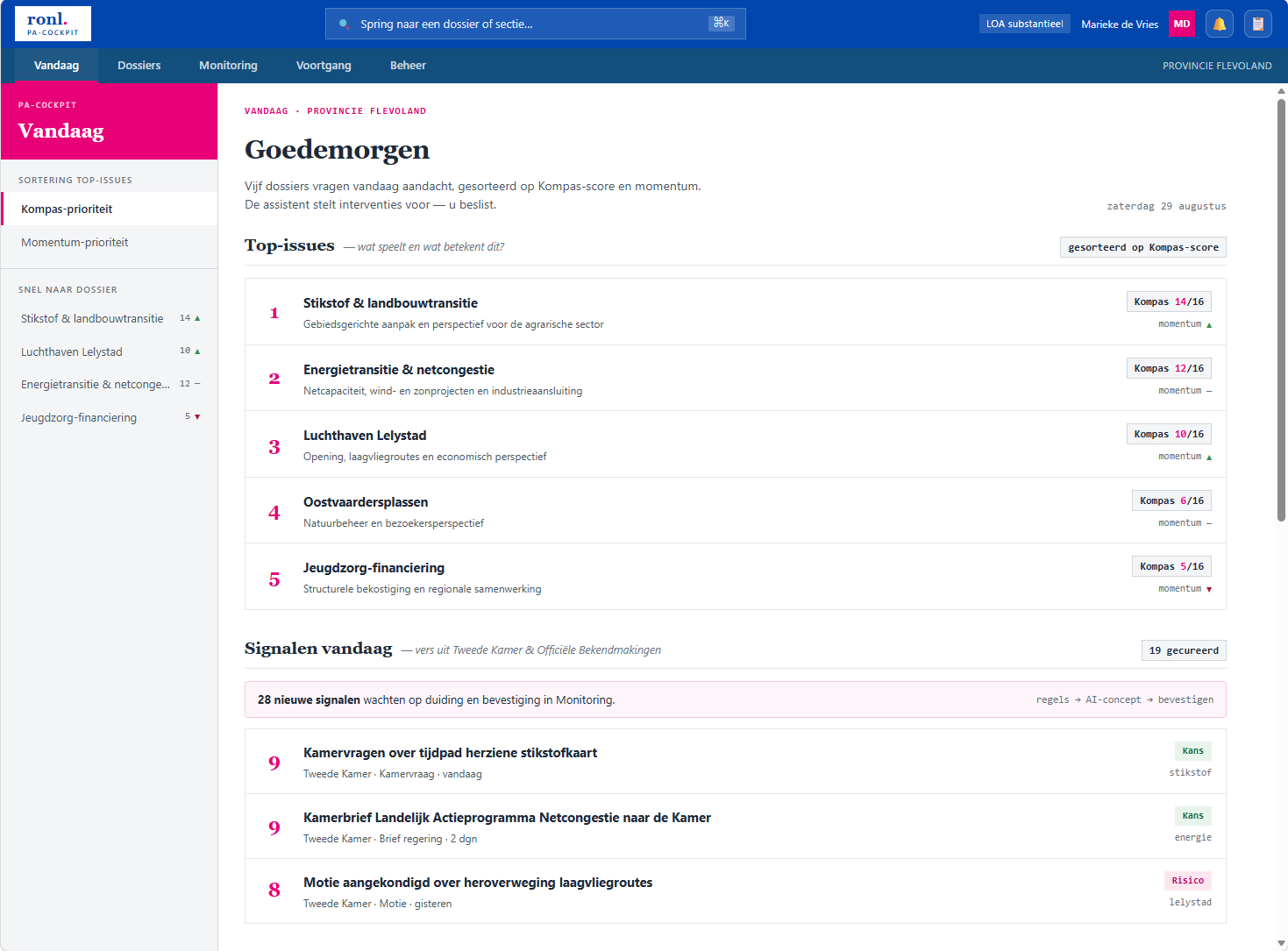
The PA-Cockpit demo is a showcase instance of the PA-Cockpit on a public website. It needs no account and no sign-in: anyone with the link can open the cockpit and work through it as if they were a provincial executive.
It runs in production at plato.open-regels.nl, since 12 September 2026, with
an acceptance copy at acc.plato.open-regels.nl.
What it is for
Showing the product to someone who has no account and no reason to be given one — a prospective province, a colleague from another organisation, an audience in a room. It is the same cockpit the werkomgeving runs, not a mock-up or a set of slides, so what a visitor clicks is what the product does.
What is different from the real cockpit
Everything runs on demonstration data. The demo never contacts a backend at all. Curating a signal, linking a watchlist item, creating a dossier — all of it works, and all of it is held in the browser. Nothing a visitor does reaches a real system, and nothing another visitor did reaches them.
There is no way to switch to live. This is not a setting to be careful with; it is enforced, and cannot be turned on from the page.
Some sections are absent. The demo shows a curated subset of the cockpit. Sections that only make sense inside the organisation are not reachable, from the rail or from search.
Trying a different role
Open Beheer → Rollen & rechten and pick one of four positions. The whole cockpit responds: capability chips, editor locks and every disabled action follow the role you chose, exactly as they would for a real account with those rights.
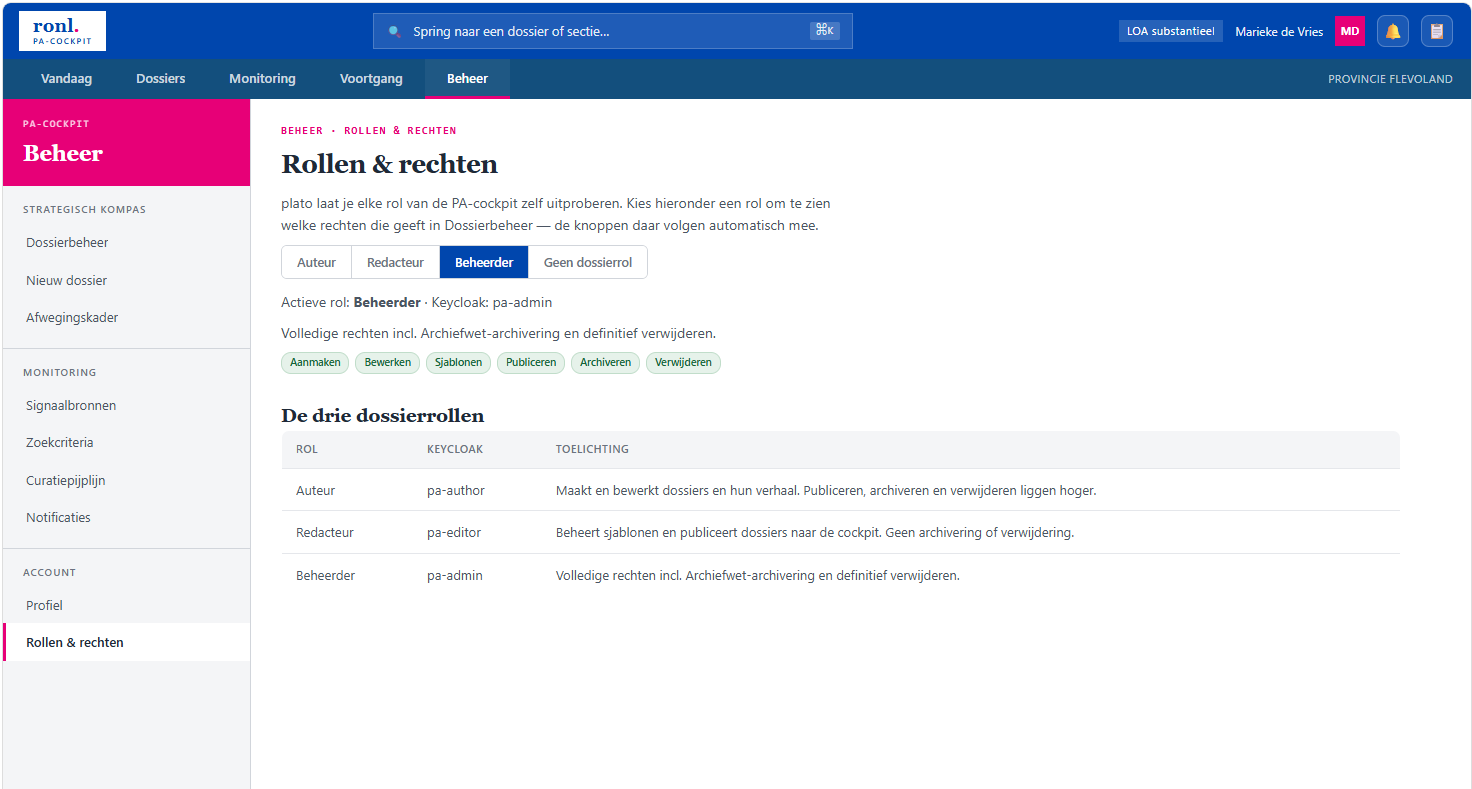
The broadest role is the default, on the view that a visitor should see the whole product before being shown what a narrower role takes away.
Starting over
Dossierbeheer carries a Reset demodata control in its banner. It restores every source to its starting state and reloads — useful between demonstrations, and the way back if a visitor has changed more than they meant to.
Brief for now
This page covers what the demo is for and how it differs from the real cockpit; a fuller guide will follow. See Getting Started.