Skip to content

DSO Viewer APIs — Slide Deck

A twelve-slide technical review of how the LDE DSO Viewer talks to the Digitaal Stelsel Omgevingswet: the proxy layer, the five upstream APIs, what each tab calls, and the loose ends that are still open. The slides summarise what the surrounding pages document in prose — DSO Integration for the architecture, the API Reference for per-endpoint detail.

Download

DSO Viewer APIs Deck (PDF, 121 KB)

The deck is generated in the linked-data-explorer repository (docs/) and copied here. This copy reflects the deck as of 24 August 2026, against LDE v2026.08.3.


Architecture

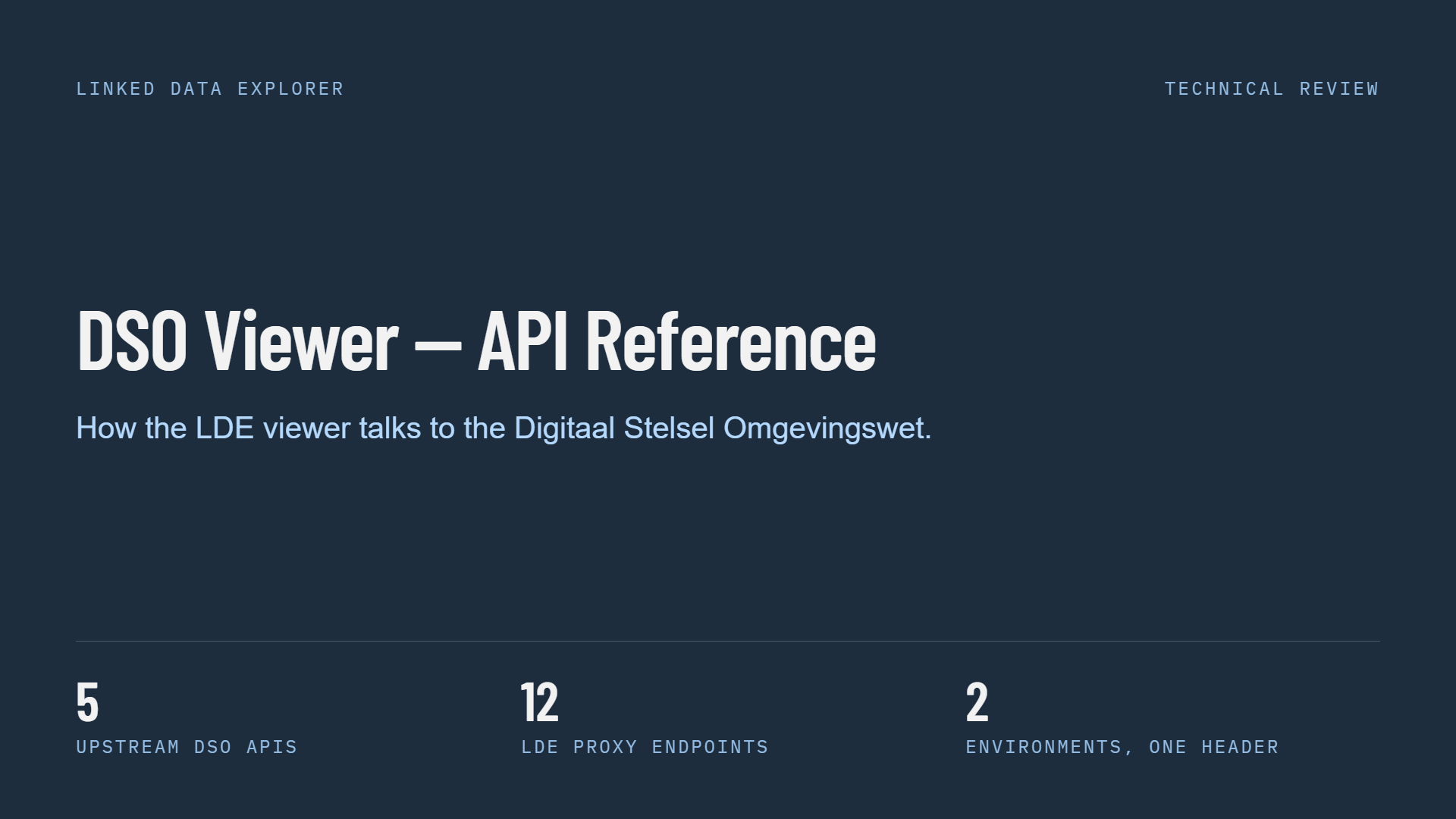
Slide 1 of 12, title slide on a dark navy background: heading DSO Viewer — API Reference, subtitle How the LDE viewer talks to the Digitaal Stelsel Omgevingswet, labelled Linked Data Explorer and Technical Review, with three figures along the bottom — 5 upstream DSO APIs, 12 LDE proxy endpoints, 2 environments one header

Five upstream APIs, twelve proxy endpoints, two environments

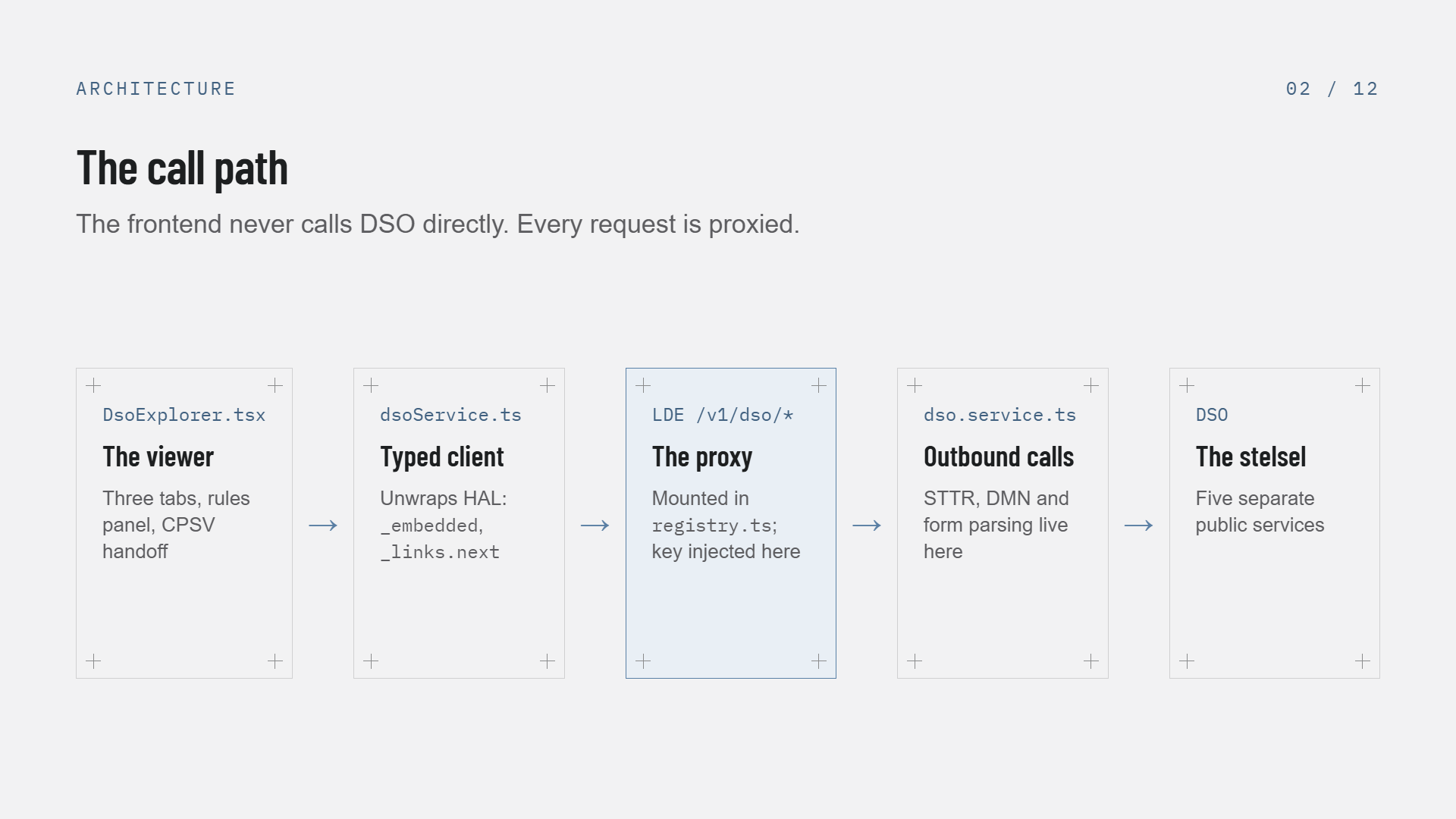
Slide 2 of 12, The call path: five boxes left to right with arrows between them — DsoExplorer.tsx the viewer with three tabs, rules panel and CPSV handoff; dsoService.ts the typed client that unwraps HAL _embedded and _links.next; LDE /v1/dso/* the proxy mounted in registry.ts where the key is injected, highlighted in blue; dso.service.ts where outbound STTR, DMN and form parsing live; and DSO, five separate public services

The frontend never calls DSO directly — every request is proxied

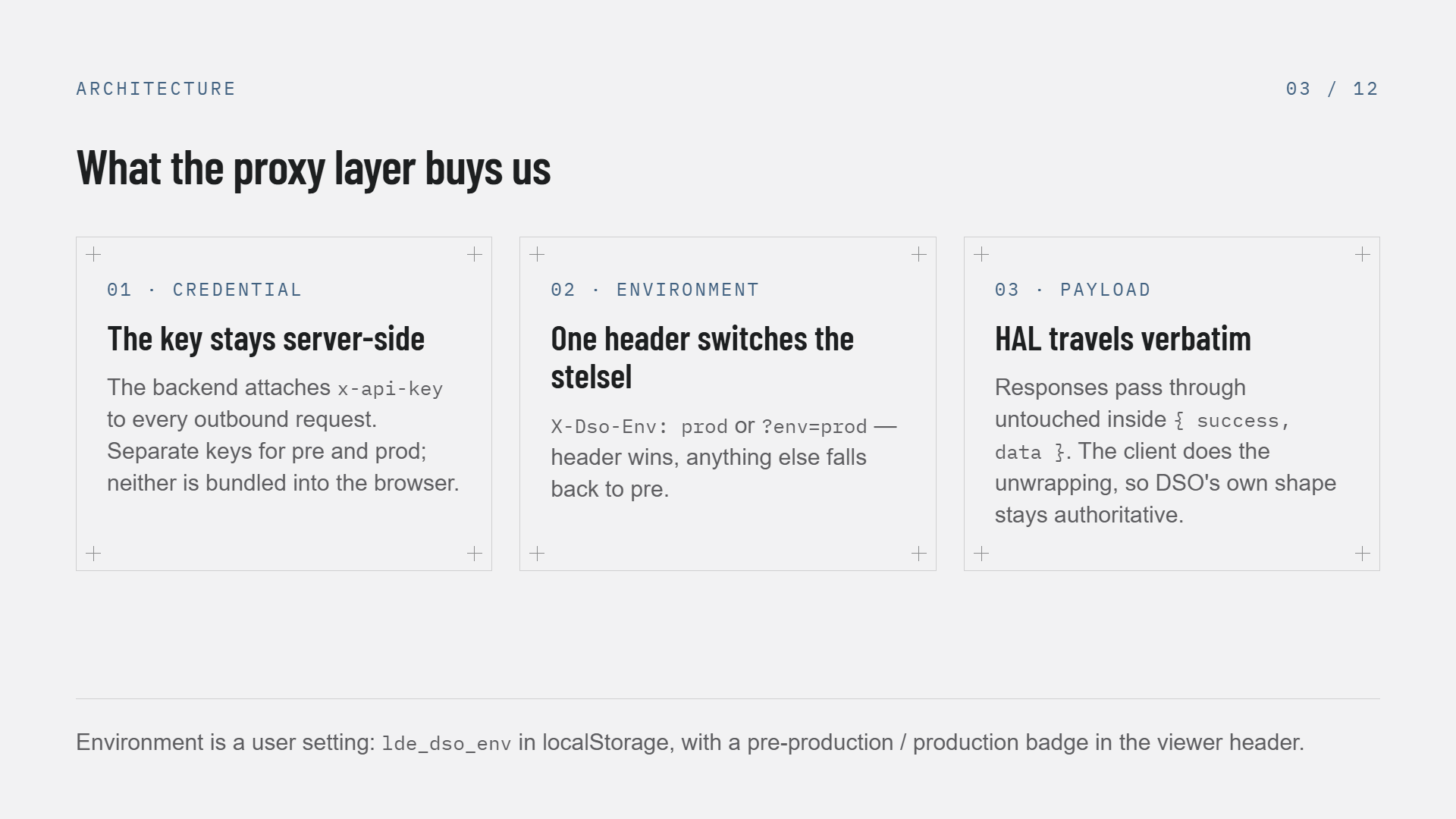
Slide 3 of 12, What the proxy layer buys us: three cards — 01 Credential, the key stays server-side, the backend attaches x-api-key to every outbound request with separate keys for pre and prod, neither bundled into the browser; 02 Environment, one header switches the stelsel, X-Dso-Env prod or ?env=prod, header wins and anything else falls back to pre; 03 Payload, HAL travels verbatim inside success-data so DSO's own shape stays authoritative. Footer: environment is a user setting, lde_dso_env in localStorage, with a badge in the viewer header

Credential, environment and payload — the three reasons the proxy exists

The five upstream APIs

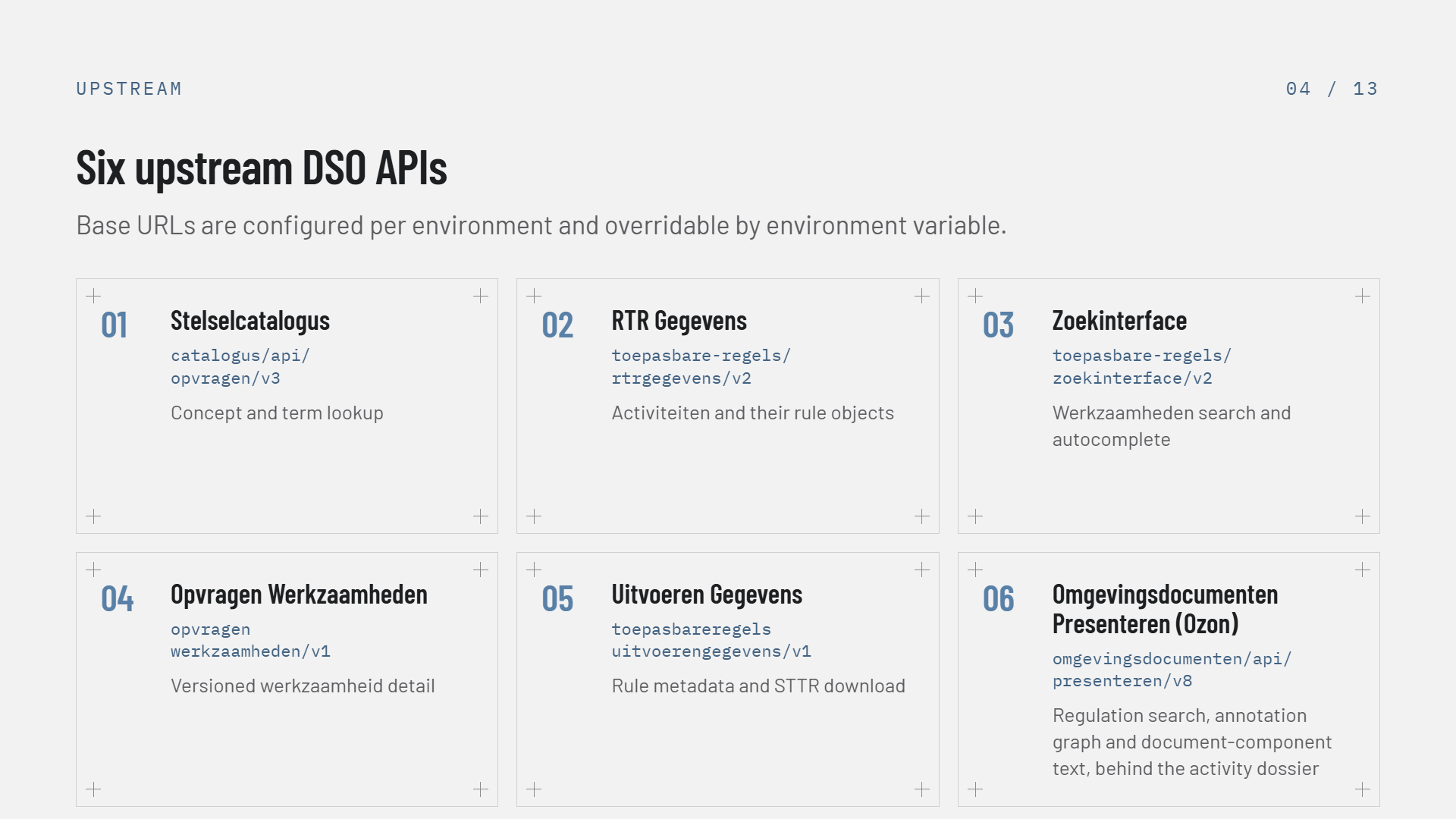
Slide 4 of 12, Five upstream DSO APIs as five numbered cards with their paths — 01 Stelselcatalogus catalogus/api/opvragen/v3 for concept and term lookup; 02 RTR Gegevens toepasbare-regels/api/rtrgegevens/v2 for activiteiten and their rule objects; 03 Zoekinterface toepasbare-regels/api/zoekinterface/v2 for werkzaamheden search and autocomplete; 04 Opvragen Werkzaamheden opvragenwerkzaamheden/v1 for versioned werkzaamheid detail; 05 Uitvoeren Gegevens toepasbareregelsuitvoerengegevens/v1 for rule metadata and STTR download. Subtitle: base URLs are configured per environment and overridable by environment variable

The five APIs behind one /v1/dso surface

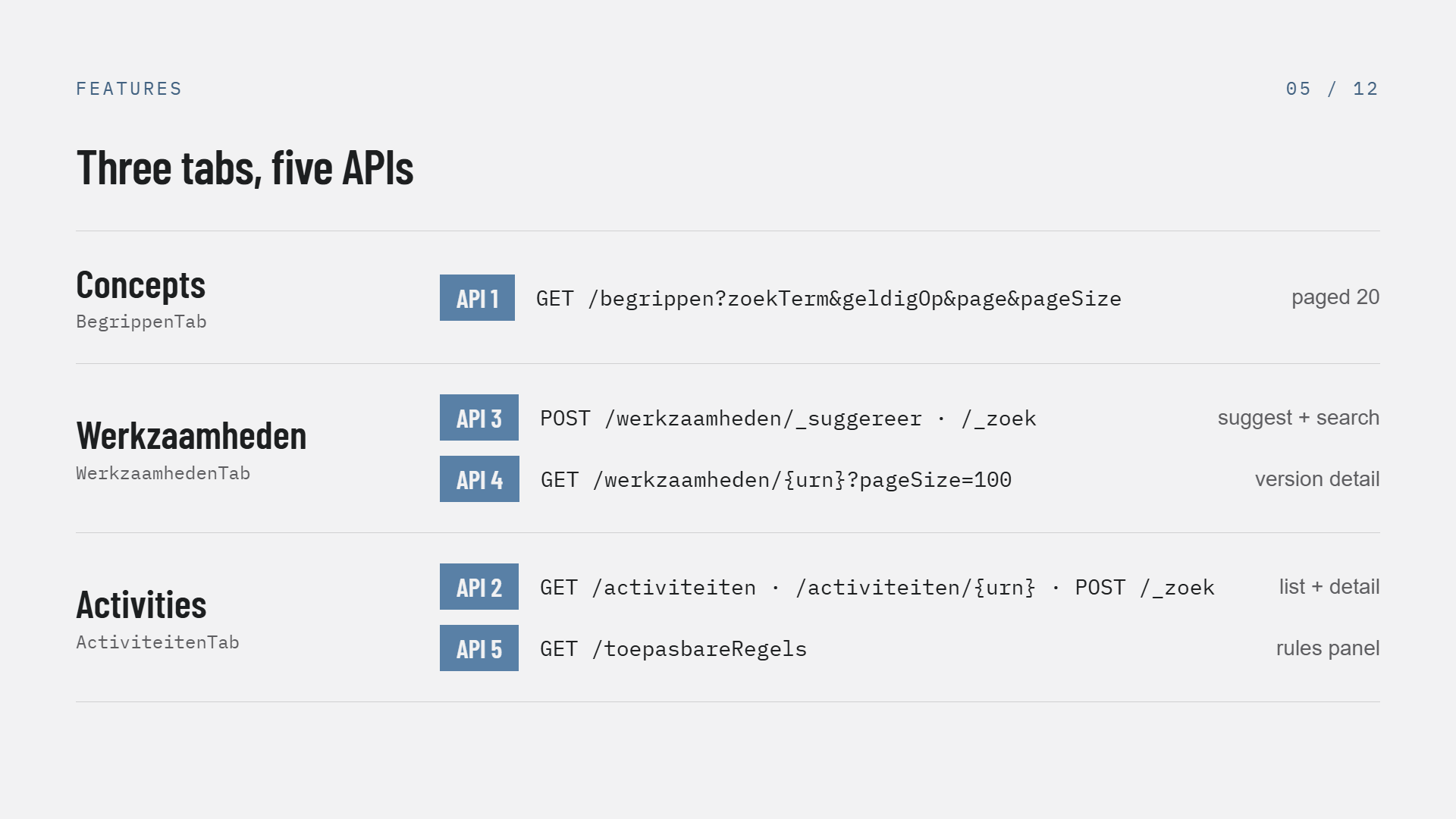
Slide 5 of 12, Three tabs five APIs: a table mapping each viewer tab to its calls — Concepts (BegrippenTab) uses API 1, GET /begrippen with zoekTerm, geldigOp, page and pageSize, paged 20; Werkzaamheden (WerkzaamhedenTab) uses API 3, POST /werkzaamheden/_suggereer and /_zoek for suggest and search, plus API 4, GET /werkzaamheden/{urn}?pageSize=100 for version detail; Activities (ActiviteitenTab) uses API 2, GET /activiteiten, /activiteiten/{urn} and POST /_zoek for list and detail, plus API 5, GET /toepasbareRegels for the rules panel

Which tab calls which API — note the Werkzaamheden tab straddles two

Activities and the fan-out

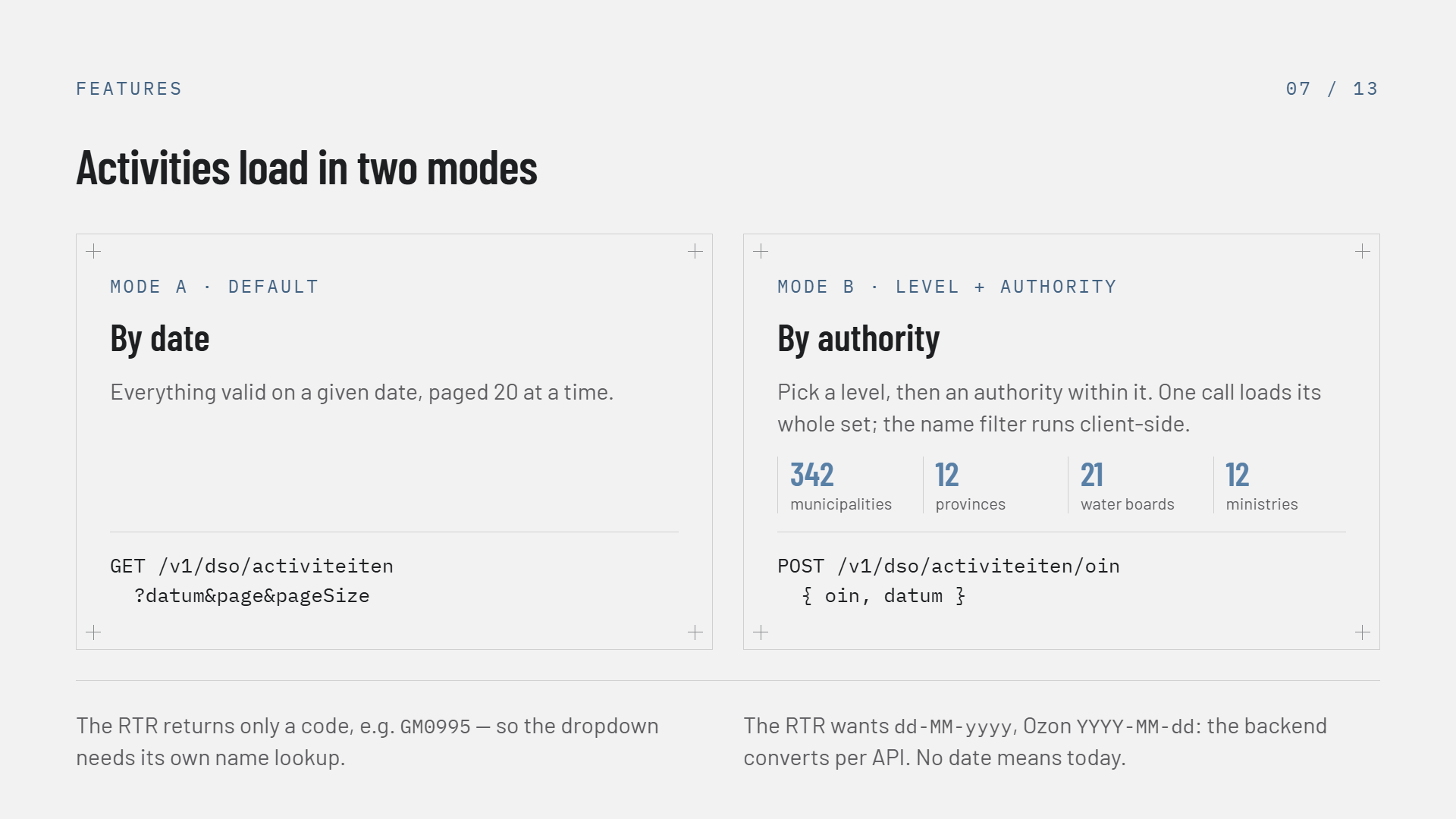
Slide 6 of 12, Activities load in two modes: Mode A default, by date — everything valid on a given date paged 20 at a time, GET /v1/dso/activiteiten?datum&page&pageSize; Mode B location presets, by authority — one call at pageSize=200 loads the authority's whole set so the name filter runs client-side, POST /v1/dso/activiteiten/oin with oin and datum. Footnotes: four presets are hard-coded (Lelystad, Flevoland, Ede, Gelderland) and the OIN-to-name map exists because the RTR returns only the code such as GM0995; UI dates are ISO and converted to the DSO's dd-MM-yyyy, and omitting the date defaults to today

Two load modes: by date, or an authority's complete set in one call

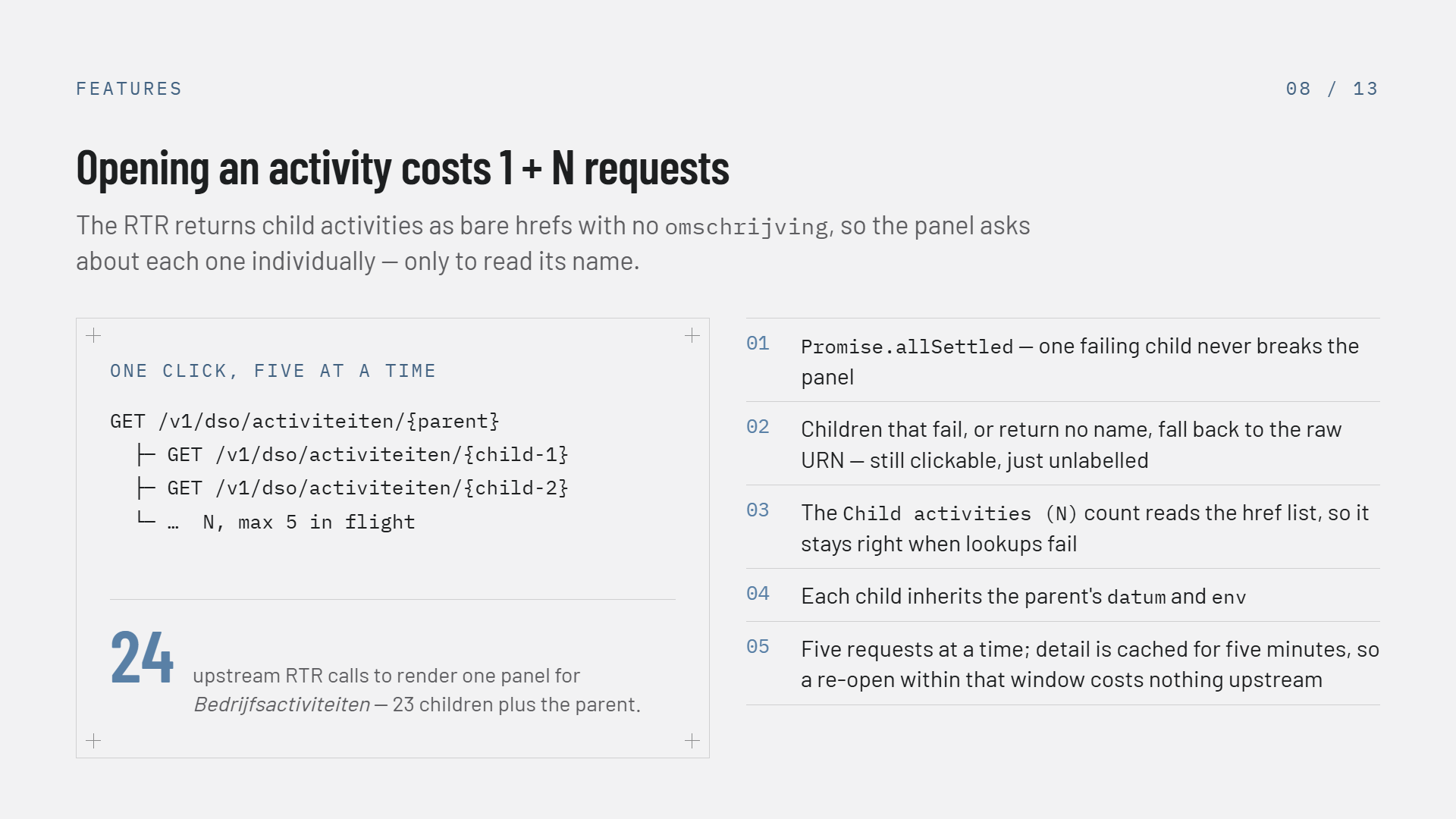
Slide 7 of 12, Opening an activity costs 1 + N requests: the RTR returns child activities as bare hrefs with no omschrijving, so the panel asks about each one individually only to read its name. A code block shows GET /v1/dso/activiteiten/{parent} with three indented child requests fired together, and the figure 24 — upstream RTR calls to render one panel for Bedrijfsactiviteiten, 23 children plus the parent. Five numbered notes: Promise.allSettled means one failing child never breaks the panel; children that fail or return no name fall back to the raw URN, still clickable; the Child activities (N) count reads the href list so it stays right when lookups fail; each child inherits the parent's datum and env; no cache and no concurrency cap, names live in component state and are cleared on every urn, datum or env change

The viewer's heaviest interaction — 1 + N calls, purely to read names

Applicable rules

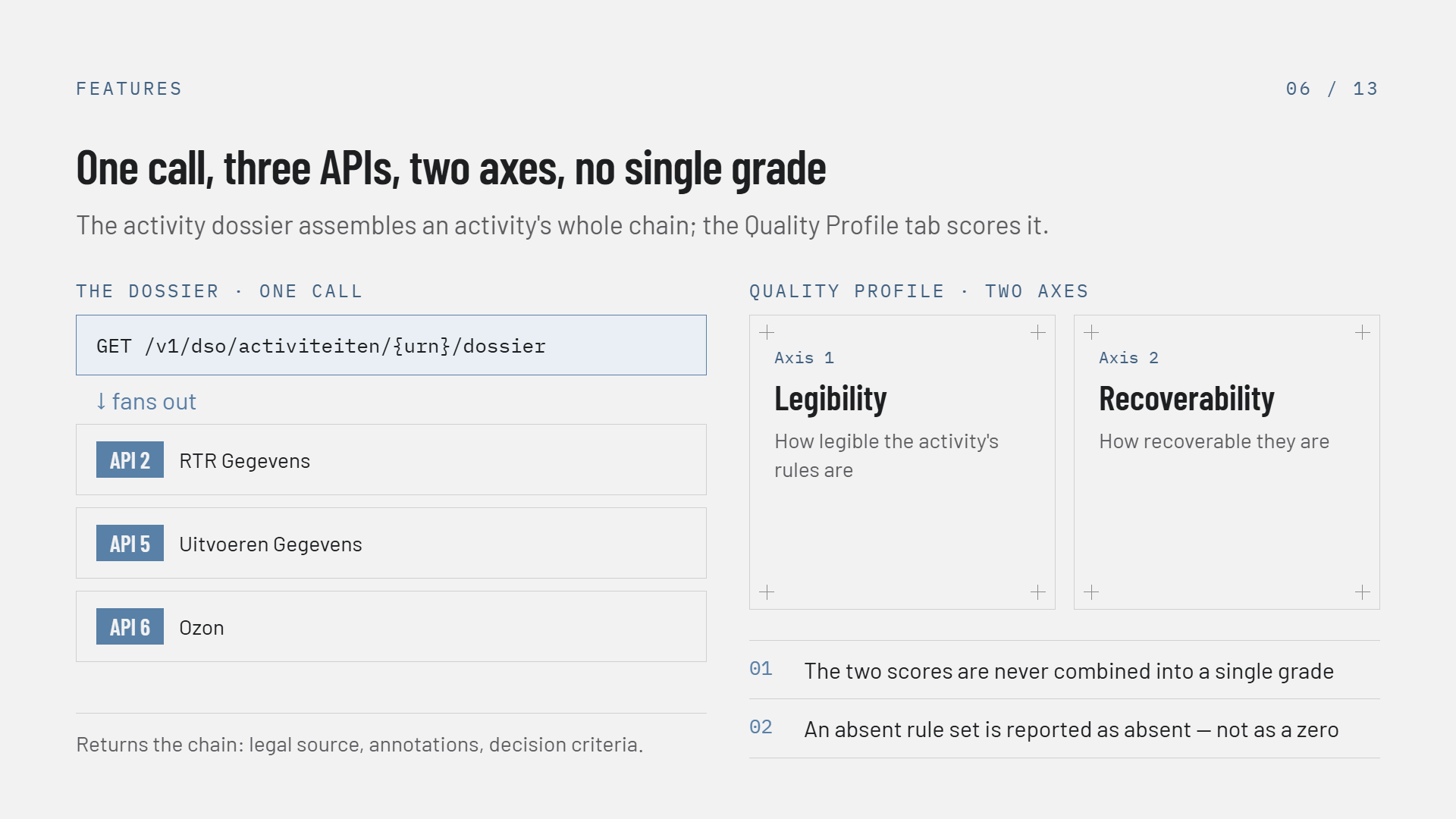
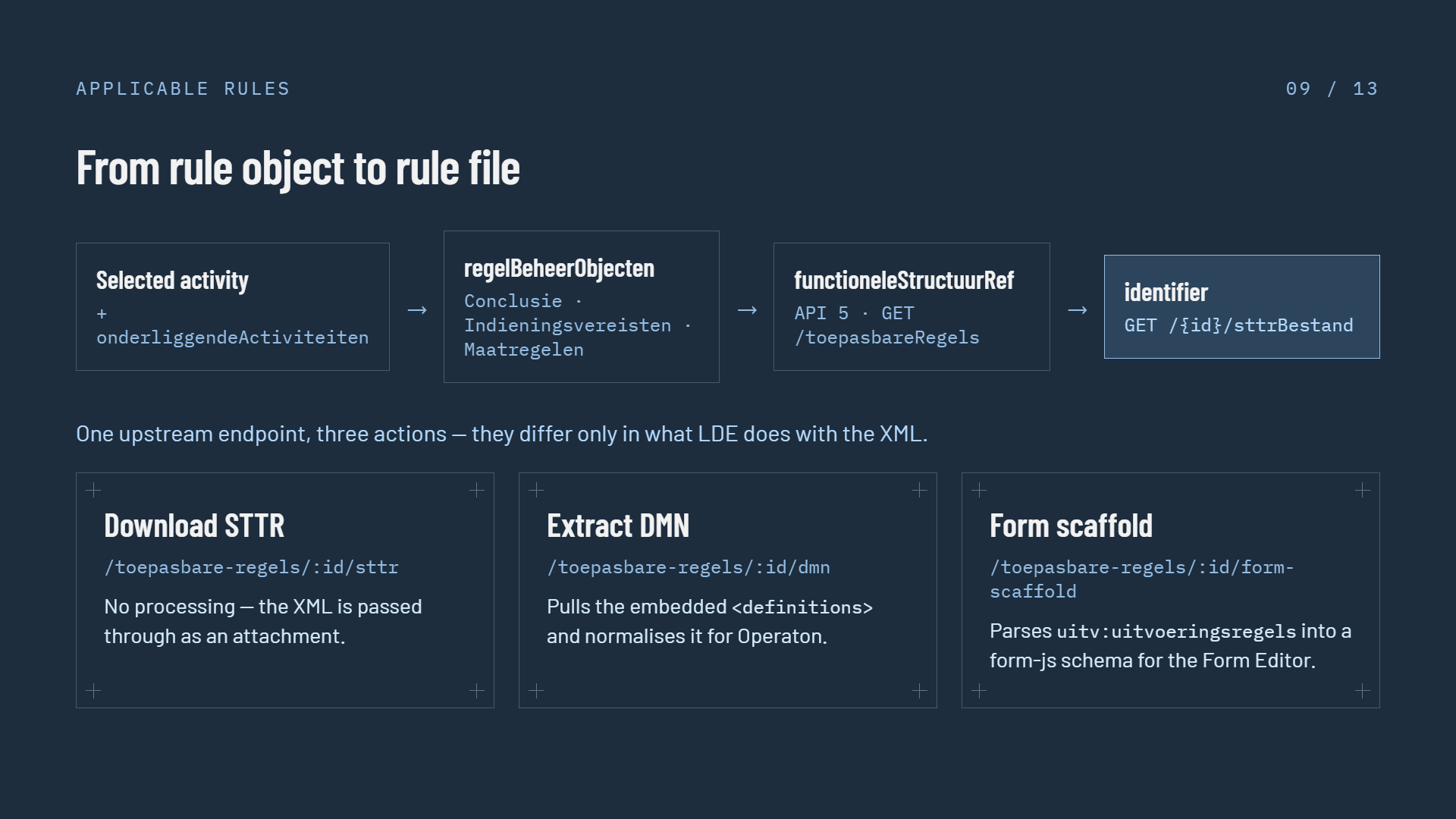
Slide 8 of 12, From rule object to rule file, on a dark navy background: a four-step chain — selected activity plus onderliggendeActiviteiten, then regelBeheerObjecten typed Conclusie, Indieningsvereisten or Maatregelen, then functioneleStructuurRef resolved with API 5 GET /toepasbareRegels, then identifier with GET /{id}/sttrBestand. Below, one upstream endpoint three actions that differ only in what LDE does with the XML — Download STTR at /toepasbare-regels/:id/sttr passes the XML through as an attachment; Extract DMN at /:id/dmn pulls the embedded definitions and normalises it for Operaton; Form scaffold at /:id/form-scaffold parses uitv:uitvoeringsregels into a form-js schema for the Form Editor

One upstream STTR download, three different things LDE does with it

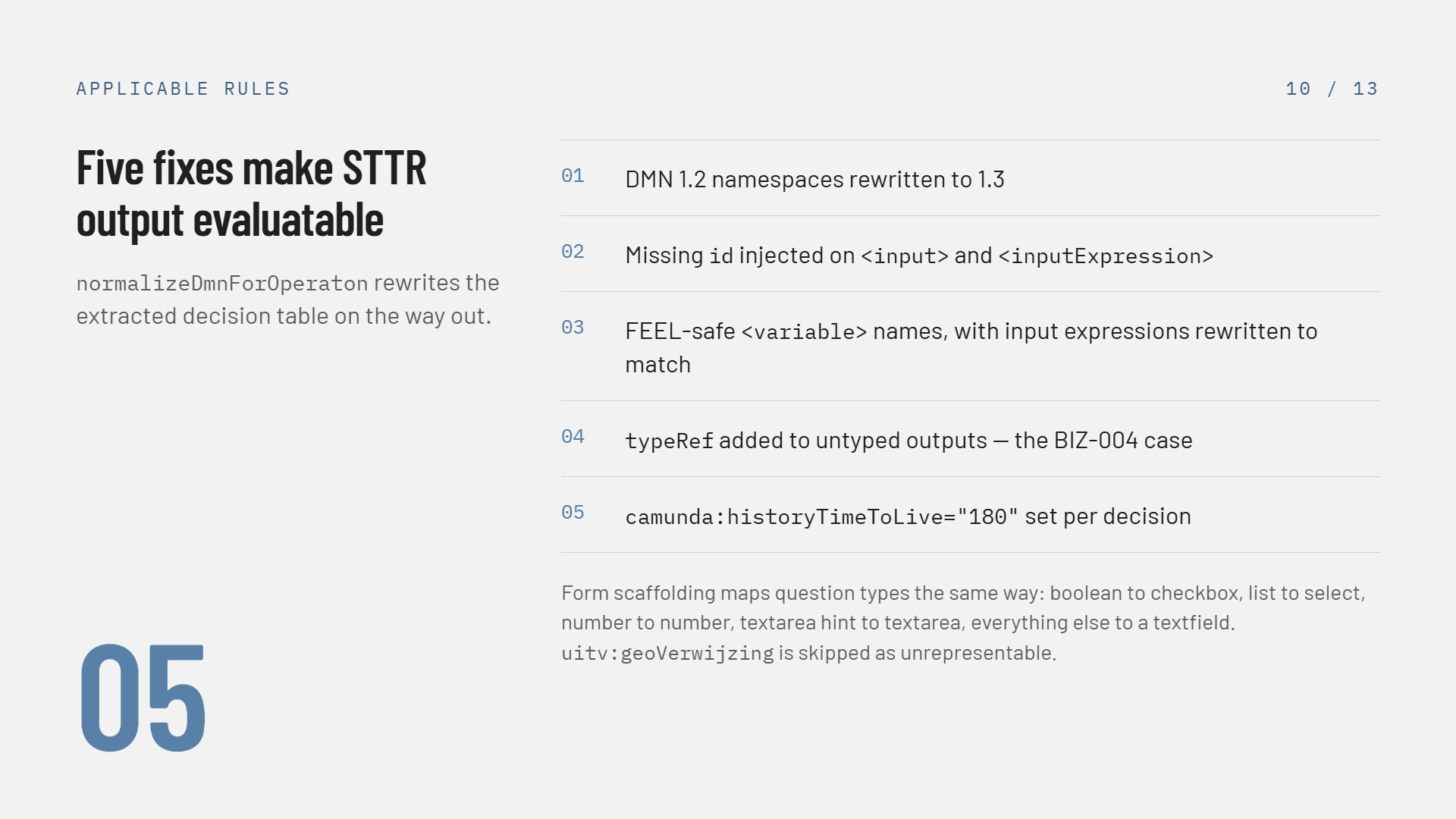
Slide 9 of 12, Five fixes make STTR output evaluatable — normalizeDmnForOperaton rewrites the extracted decision table on the way out: 01 DMN 1.2 namespaces rewritten to 1.3; 02 missing id injected on input and inputExpression; 03 FEEL-safe variable names with input expressions rewritten to match; 04 typeRef added to untyped outputs, the BIZ-004 case; 05 camunda:historyTimeToLive set to 180 per decision. Footer: form scaffolding maps question types the same way — boolean to checkbox, list to select, number to number, textarea hint to textarea, everything else to a textfield, and uitv:geoVerwijzing is skipped as unrepresentable

What normalizeDmnForOperaton changes on the way out
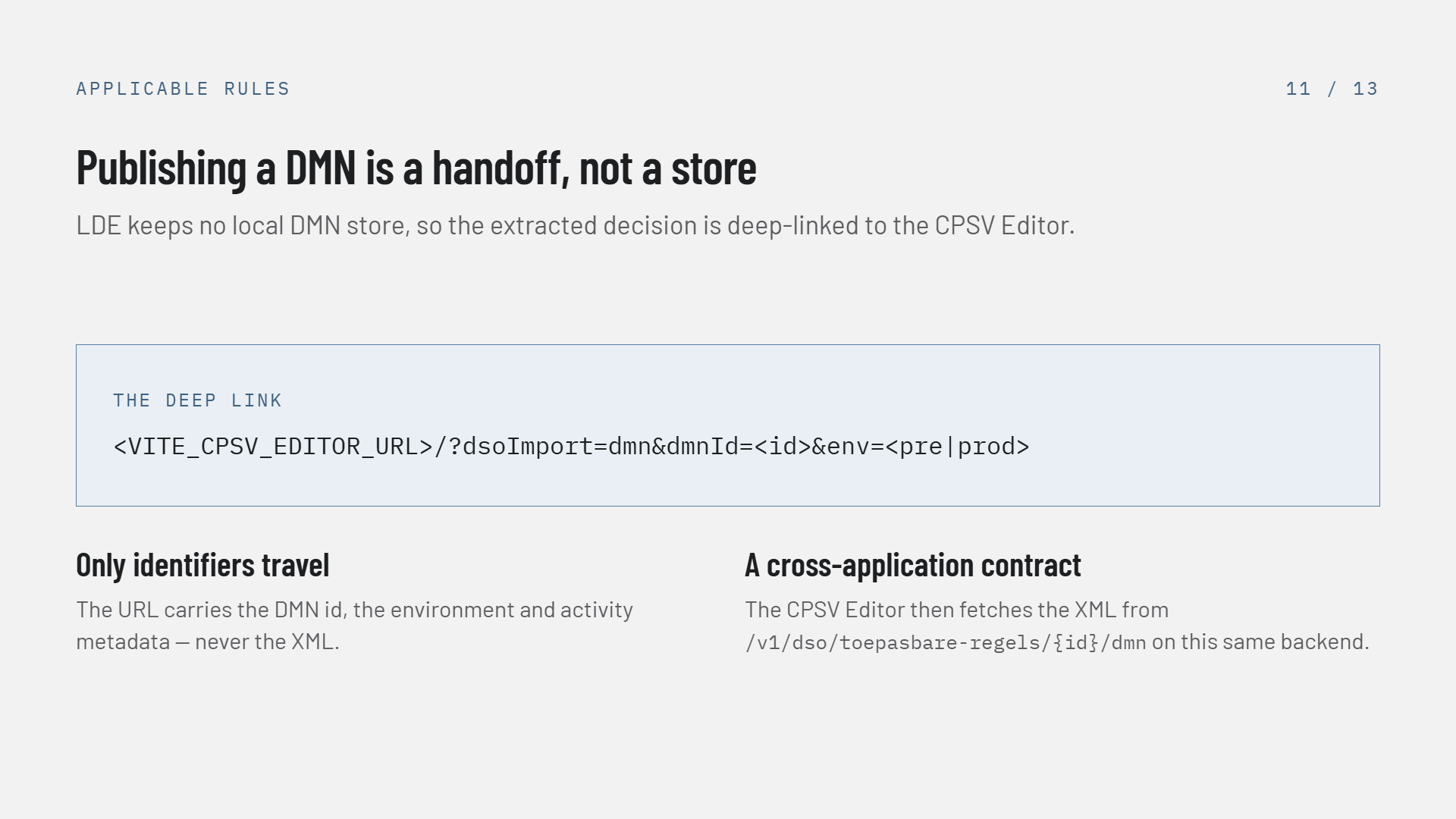
Slide 10 of 12, Publishing a DMN is a handoff not a store: LDE keeps no local DMN store, so the extracted decision is deep-linked to the CPSV Editor. The deep link is shown as VITE_CPSV_EDITOR_URL/?dsoImport=dmn&dmnId=<id>&env=<pre|prod>. Two notes: only identifiers travel — the URL carries the DMN id, the environment and activity metadata, never the XML; and it is a cross-application contract — the CPSV Editor then fetches the XML from /v1/dso/toepasbare-regels/{id}/dmn on this same backend

The deep link carries identifiers; the CPSV Editor fetches the XML itself

Status and what comes next

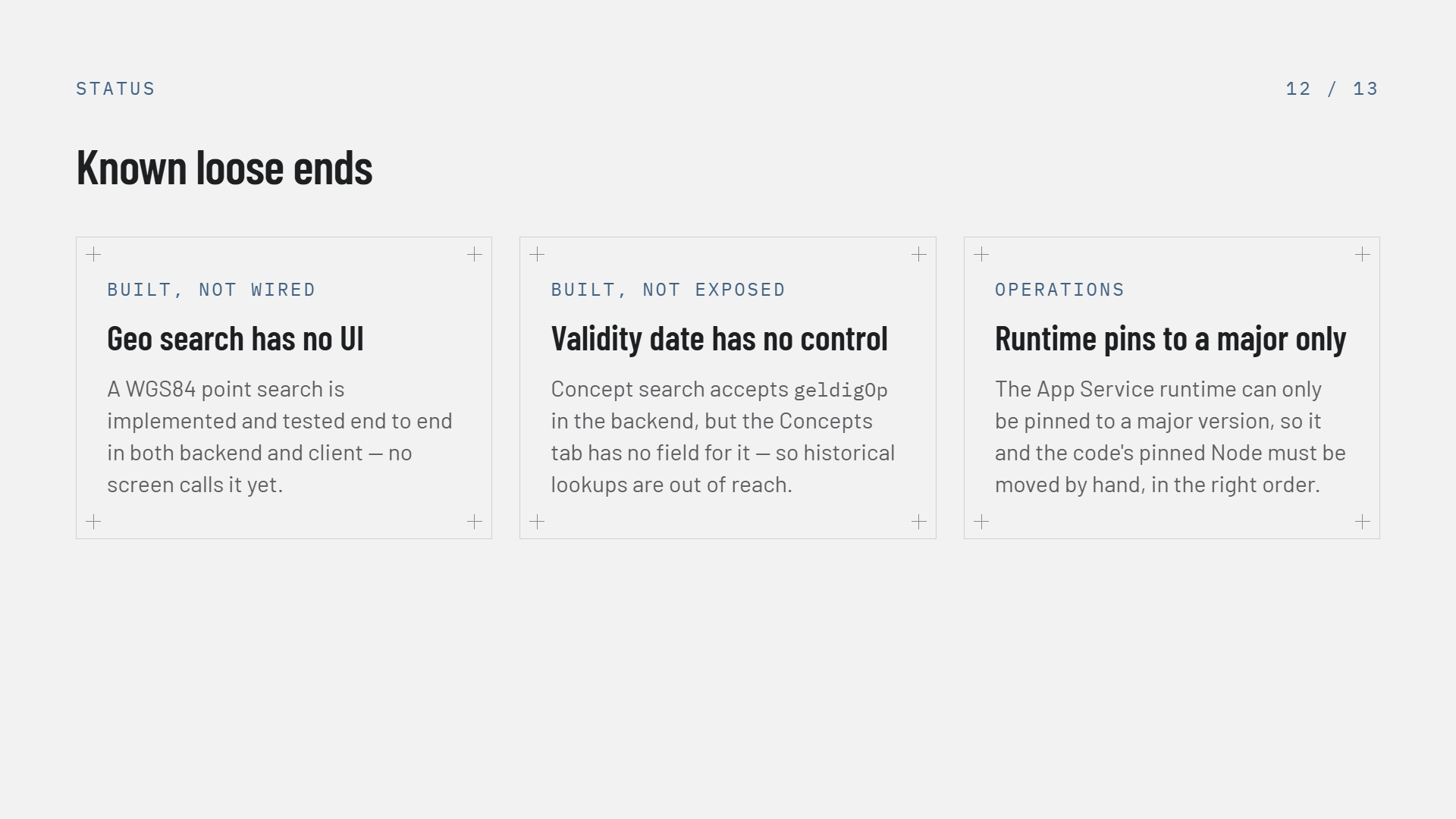
Slide 11 of 12, Known loose ends, three cards — Built not wired: geo search has no UI, a WGS84 point search is implemented and tested end to end in both backend and client but no screen calls it yet. Built not exposed: validity date has no control, concept search accepts geldigOp in the backend but the Concepts tab has no field for it, so historical lookups are out of reach. Performance: the fan-out has no cache, every activity opened re-issues 1 + N RTR calls with no batching or concurrency limit, the first thing to memoise if child counts grow or rate limiting appears

Three known gaps: two features built but unreachable, one performance risk

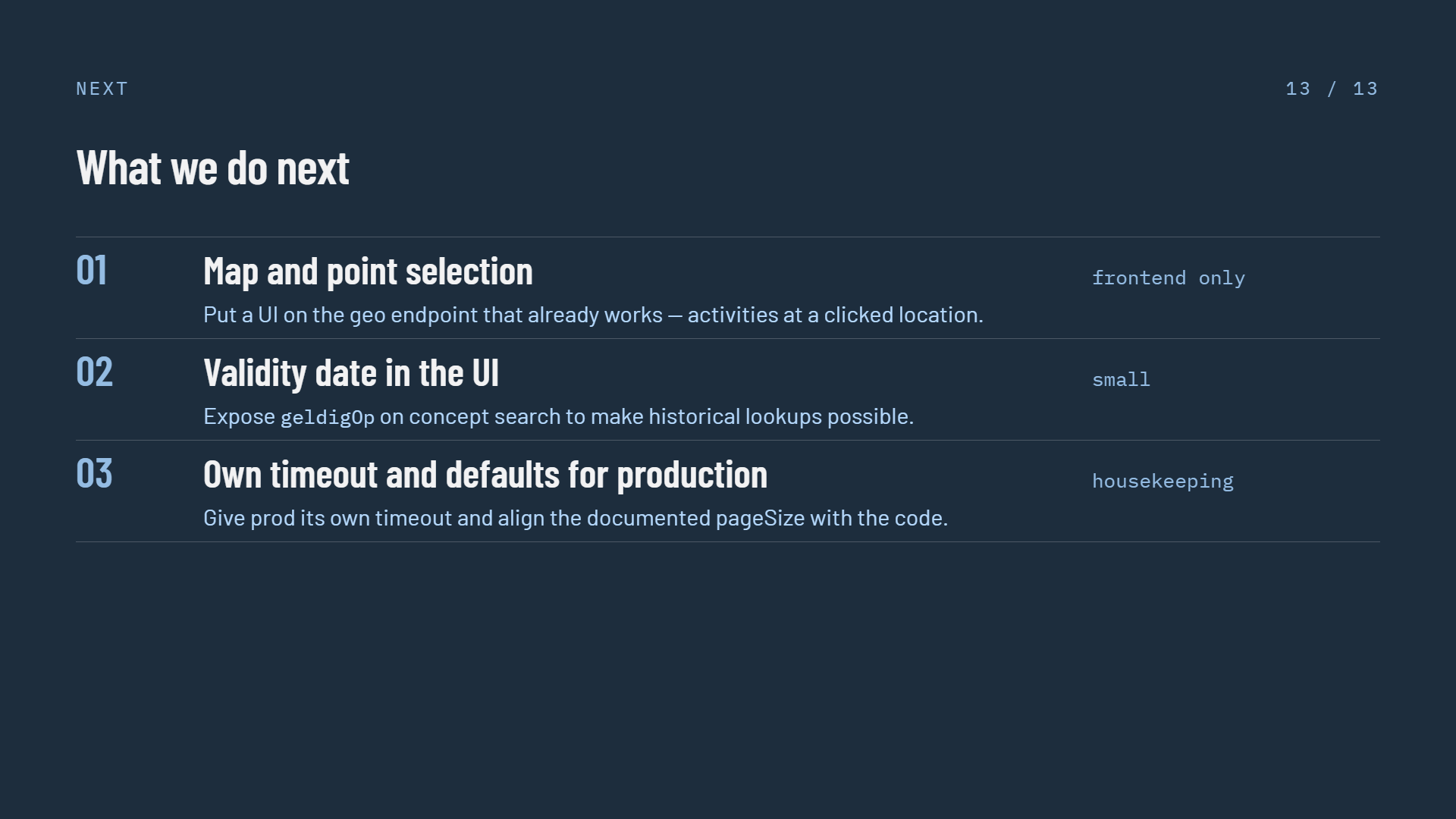
Slide 12 of 12, What we do next, a numbered list on a dark navy background — 01 Map and point selection, put a UI on the geo endpoint that already works, tagged frontend only; 02 Memoise the child fan-out, cache resolved child names and cap concurrency, tagged before rate limiting bites; 03 Authorities beyond the four presets, replace the hard-coded OIN list with a lookup, tagged needs a name source; 04 Validity date in the UI, expose geldigOp on concept search to make historical lookups possible, tagged small; 05 Own timeout and defaults for production, give prod its own timeout and align the documented pageSize with the code, tagged housekeeping

Five follow-ups, in the order the deck proposes them