DMN Testing
The DMN tab provides two advanced testing modes in addition to single-request evaluation: intermediate decision tests and test cases. Both are available after a successful deployment and are shown as collapsible sections in the DMN tab.
Intermediate decision tests
When to use
Use intermediate tests when debugging a complex DMN. Rather than examining only the final output, you can verify each sub-decision individually and pinpoint exactly where the logic diverges from expectations.
How it works
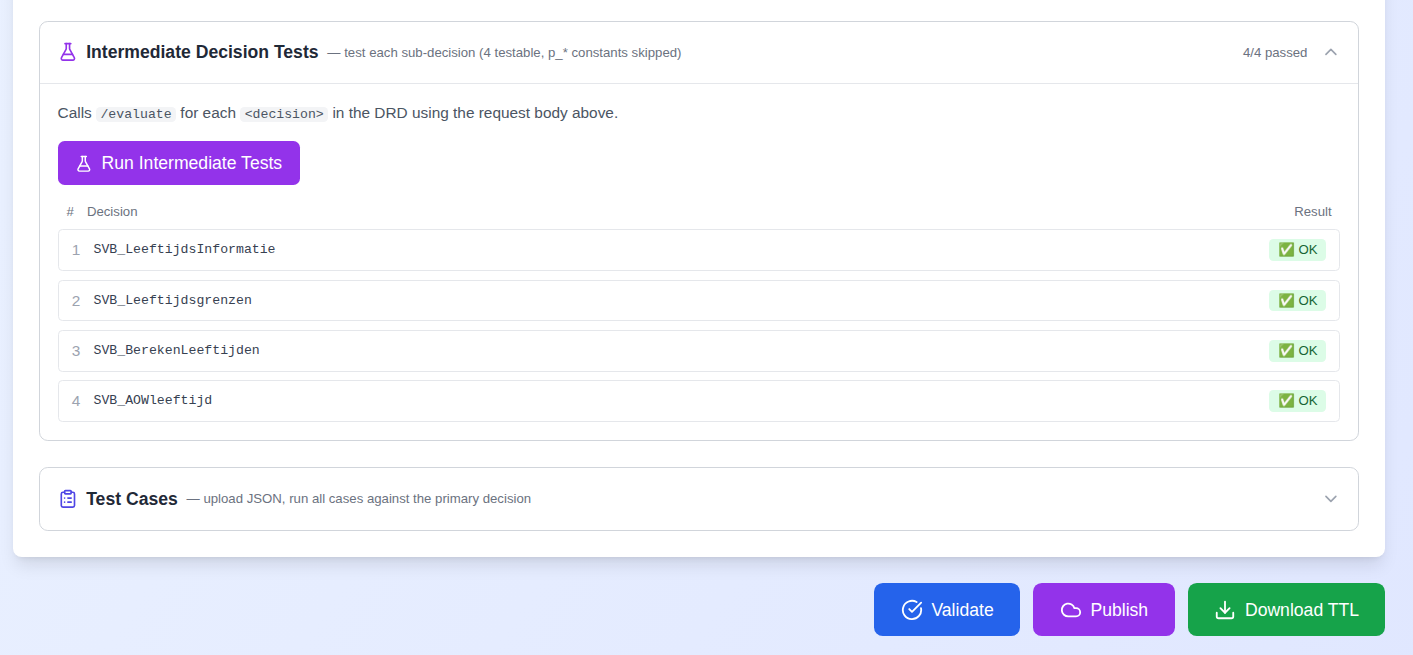
After deployment, expand the Intermediate Decision Tests section. The editor lists all testable decisions (constant parameters with p_* prefix are excluded automatically). Click Run Intermediate Tests to evaluate each decision sequentially using the current request body.
Results display progressively as each decision is evaluated:
The section only appears for DMNs with more than one decision — single-table DMNs do not have intermediate decisions to test.
Test cases
When to use
Use test cases for regression testing (verifying the DMN still works after changes), scenario validation (edge cases and business rule coverage), and as living test documentation.
Preparing a test cases file
Create a JSON file containing an array of test cases. Two formats are supported:
Toeslagen format:
[
  {
    "name": "TC1_Eligible_NL_insured_moderate_income",
    "expected": "eligible=true, amountYear>0",
    "requestBody": {
      "variables": {
        "datumBerekening": { "value": "2026-02-17", "type": "String" },
        "woonachtigNL": { "value": true, "type": "Boolean" },
        "toetsingsinkomen": { "value": 30000.0, "type": "Double" }
      }
    }
  }
]
DUO format (variables without the requestBody wrapper):
[
  {
    "testName": "Test Case 1",
    "testResult": "Eligible (should return toegekend = true)",
    "variables": {
      "leeftijd": { "value": 20, "type": "Integer" },
      "nationaliteitNL": { "value": true, "type": "Boolean" }
    }
  }
]
Both formats are automatically detected and normalised — you do not need to specify which one you are using.
Each case may also carry an optional decision field naming the decision it should be evaluated against. When present it is used as the evaluation key; when absent the case falls back to the selected Decision Key. This lets a single file exercise every decision of a multi-decision DMN (see Routing each case to its decision below).
Variable types
| DMN typeRef | JSON type | Example |
|---|---|---|
date |
Date |
"1990-03-17T00:00:00+01:00" |
boolean |
Boolean |
true |
integer |
Integer |
42 |
double |
Double |
1234.56 |
string |
String |
"text" |
Date values need type: "Date" and a full ISO timestamp
Dates must be sent as { "value": "1990-03-17T00:00:00+01:00", "type": "Date" } — a full ISO timestamp with offset, not a bare YYYY-MM-DD string.
Sending a date as type: "String" appears to work for decisions that only compare it, which is why it went unnoticed for some time. It fails for any decision that does date arithmetic on the input — calling .year or .years on it — with DMN-01005 Invalid value … for clause with type 'date' in the Operaton log. Auto-generated request bodies use the correct form; if you hand-write or edit one, match it.
Null dates keep the same type: { "value": null, "type": "Date" }.
Running test cases
- Expand the Test Cases section in the DMN tab.
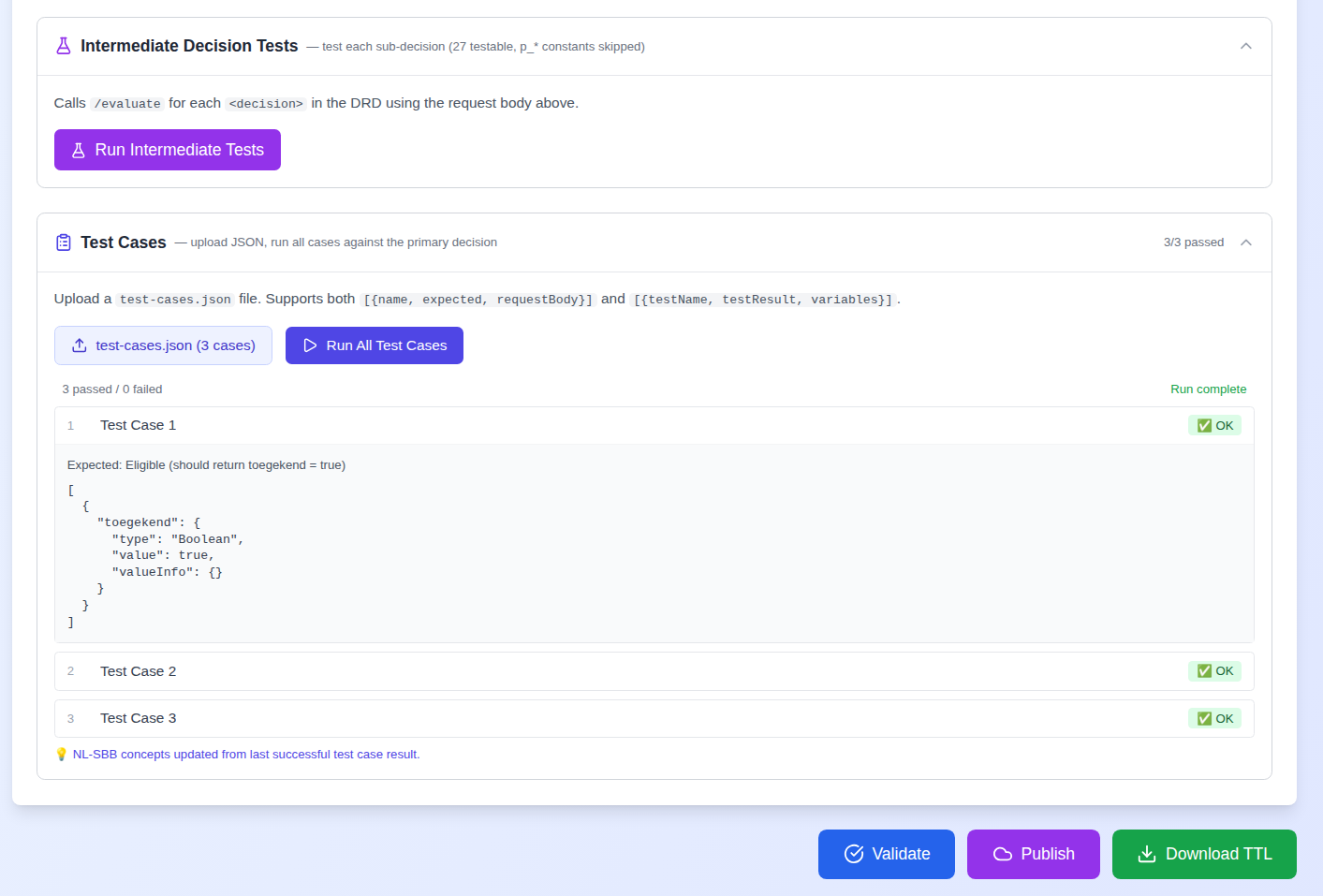
- Click Upload test-cases.json and select your file. A badge shows the filename and case count.
- Click Run All Test Cases.
Results appear progressively, and each case is verified — its expected outcome is compared against the engine's actual outputs, not just the HTTP status:
3/4 passed  •  1/4 failed

✅ PASS  1  TC1_Eligible_NL_insured_moderate_income
         Expected: eligible=true, amountYear>0

❌ FAIL  2  TC2_Not_eligible_detained
         Expected: eligible=false  ·  Actual: eligible=true
Each case resolves to one of four verdicts (v1.10.3):
| Verdict | Meaning |
|---|---|
| PASS (green) | Expected outputs match the engine's actual outputs. |
| FAIL (red) | A mismatch — an Expected-vs-Actual table is shown per output. |
| ERROR (red) | The evaluate call itself failed (deployment, network, or request error). |
| OK-unchecked (amber) | The call succeeded but no expectation could be parsed, so correctness could not be confirmed — never counted as a silent pass. |
The expected outcome is read from the readable key=value, reden="…" string, a structured expected object, or the special "empty result set" case (see below). The summary and header counts are verdict-based, so "N/N passed" means functionally correct results.
Routing each case to its decision. Run All Test Cases sends each case to its own decision: a case's optional decision field is used as the evaluation key, falling back to the selected Decision Key when absent. One test file can therefore exercise every decision of a deployed DMN, and each result shows the decision it ran against (v1.10.4).
Expecting an empty result. A case whose expected value is the literal empty collection [] (or {}) — meaning no rule matches and the engine correctly returns an empty result — is verified automatically as an empty-result expectation, alongside the descriptive strings "empty result" / "no matching rule". A non-empty response against an [] expectation still fails (v1.10.6).
Running test cases also populates the Concepts tab. Input and output concepts are unioned across every uploaded case (deduped by name), and each variable records the decision(s) it appears in — so every input and output is attributed to its decision(s), even without a successful evaluate (v1.10.4). These NL-SBB concepts are used for semantic linking via the Linked Data Explorer.
Debugging strategy
Work from simple to complex:
- Single evaluate — Verify the request body is correct and the model responds.
- Intermediate tests — Identify which sub-decision produces an unexpected result.
- Test cases — Validate complete scenarios including edge cases.
Watch the browser console for extraction logs:
[DMN Parse] Filtered 8 constant parameter(s), kept 12 testable decision(s)
[DMN] Extracted primary decision key: "zorgtoeslag_resultaat"
Troubleshooting
All intermediate tests show ERROR — Verify deployment status shows "Deployed — ID: ...". Check that variable names in the request body match the <inputData name="..."> values in the DMN XML.
Test cases fail to parse — Ensure the file is valid JSON, that the top level is an array ([...] not {...}), and that you are using one of the two supported formats.
Empty request body generated — The DMN XML has no <inputData> elements or they are malformed. Use Load Example to see the expected structure, then compare to your DMN file.
DMN-01005 Invalid value ... for clause with type 'date' — A date input was sent as a plain string. Use a full ISO timestamp with "type": "Date" (see Variable types).
FEEL/SCALA-01008 — The DMN uses multi-word bare names in an input expression; Operaton's FEEL engine reads only the first word. The names must be flattened in the DMN itself — see the authoring pitfalls.
Evaluation fails with a blank error and nothing in the log — The decision's <dmn:output> declares a label but no name. Operaton needs name to serialise the result.