Getting Started
RONL Business API (RBA) is made up of three separate environments. The werkomgeving is where provincial staff sign in with a medewerkersaccount to do their work; other organisations on the platform have a landing page of their own, and residents sign in to MijnOmgeving, the citizen portal. The public knowledge base is a separate, public site with no login and no account, where the same information that provincial staff can see is published for anyone to read. The PA-Cockpit demo is a third public site, running the PA-Cockpit itself on demonstration data so it can be shown to someone without an account. Which of the werkomgeving's boards opens for you depends on your role and authorisations within the province.
Werkomgeving
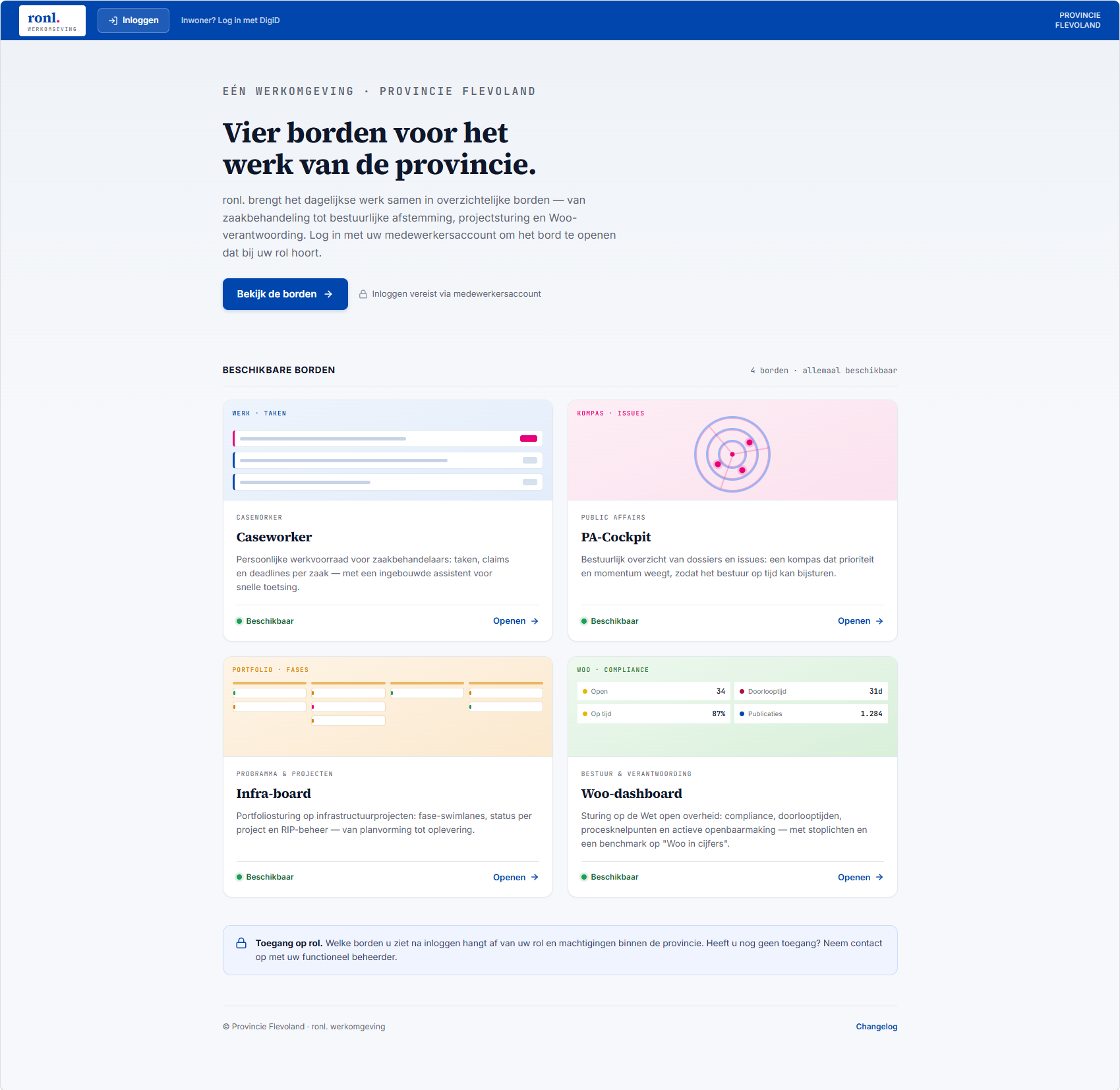
The werkomgeving (ronl.werkomgeving, Province of Flevoland) presents four boards: "Vier borden voor het werk van de provincie." All four cards are shown before you sign in — the heading above them reads 4 borden · allemaal beschikbaar — and which of them opens for you depends on your role and authorisations.
Signing in
The landing page's primary action is Inloggen met uw Flevoland-account. It takes you to Provincie Flevoland's own sign-in, brokered by the platform's identity server; on a Flevoland-managed laptop you are usually signed in with the account the device is joined to, without a prompt. Bekijk de borden beside it scrolls to the board cards without signing you in. In the top bar, Inloggen opens the platform's own sign-in form, and Inwoner? Log in met DigiD is the way in for residents — see Citizens — MijnOmgeving.
After signing in this way you land on the board your roles allow. You can also start from a board card:
- Openen signs you in through the platform's own sign-in form and takes you to that board.
- Flevoland-account, beside Openen on Caseworker, PA-Cockpit and Infra-board, signs you in with your Flevoland account and takes you to that board. Woo-dashboard does not offer it.
When the board you picked on a card is one your role does not open, you return to the landing page you started from, and a dialog explains why. Its title is Geen toegang tot followed by the board's name; it names the account you signed in with and the role that account lacks. For the three boards with a Flevoland-account button it also names the Entra ID app role to ask your functioneel beheerder for — IOU_USERS for Caseworker, IOU_PA for PA-Cockpit, IOU_INFRA for Infra-board; for Woo-dashboard it reads Vraag uw functioneel beheerder om toegang. Naar mijn dashboard, shown when your account does have a board, takes you there; Uitloggen signs you out. The close button, Esc or a click beside the dialog closes it; once closed, it does not come back when you reload the page or go back.
For how access is granted, and what an administrator has to set up per environment, see Entra ID (Provincie Flevoland).
| Board | Tagline | What it's for |
|---|---|---|
| Caseworker | werk · taken | Personal work queue for case handlers: tasks, claims and deadlines per case, with a built-in assistant for quick assessment. |
| PA-Cockpit | kompas · issues | Administrative overview of dossiers and issues: a compass weighing priority and momentum so the executive can steer in time. |
| Infra-board | portfolio · fases | Portfolio steering for infrastructure projects: phase swimlanes, per-project status and RIP management, from planning through delivery. |
| Woo-dashboard | woo · compliance | Steering on the Wet open overheid: compliance, lead times, process bottlenecks and active publication, with traffic lights and a "Woo in cijfers" benchmark. |
Organisation landing pages
The organisations on the platform that use one board — Gemeente Amsterdam, Gemeente Heusden, Dienst Toeslagen and Univé Verzekeringen, each with the Caseworker board — have a landing page of their own at mijn.open-regels.nl/<organisation>: /amsterdam, /heusden, /toeslagen and /unive.
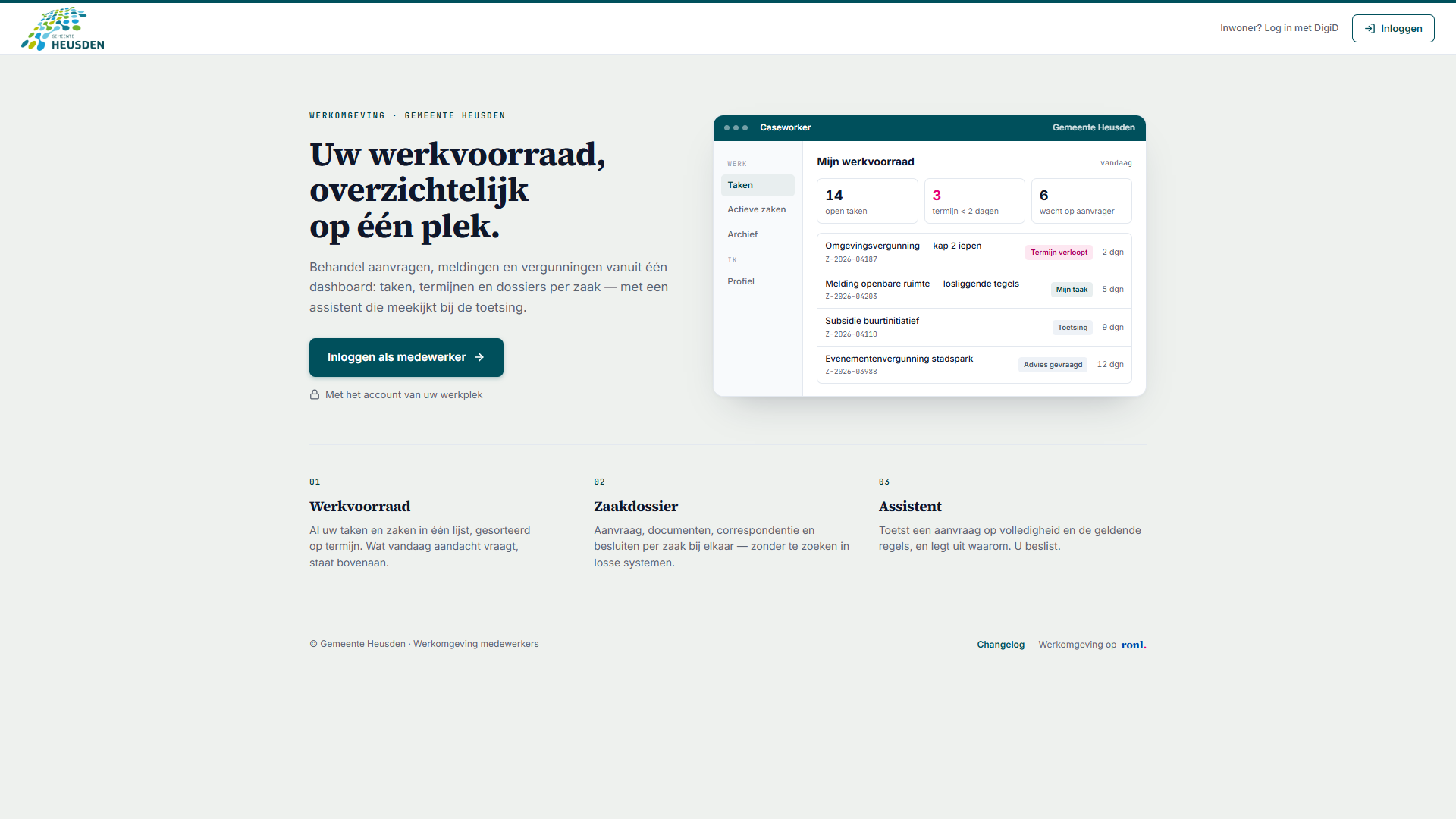
The page carries the organisation's logo — or its name, where no logo has been supplied — and its colours, and the eyebrow above the title reads Werkomgeving · followed by the organisation's name. The copy fits the kind of organisation: a municipality's page reads Uw werkvoorraad, overzichtelijk op één plek., Dienst Toeslagen's Aanvragen, wijzigingen en bezwaren in één werkvoorraad. and Univé's Al je claims en aanvragen, helder op een rij. Beside the title, an enlarged picture of the Caseworker board in the organisation's colours shows what the work looks like; its figures are illustrative, not live.
- Inloggen als medewerker signs you in and opens the Caseworker board. If your account does not have the Caseworker role, the Geen toegang tot dialog described above appears on this page.
- Inloggen, in the top bar, signs you in and takes you to the board your role allows.
- Inwoner? Log in met DigiD is the way in for the organisation's residents, to MijnOmgeving.
There is no Flevoland-account sign-in on these pages; it exists only for Provincie Flevoland.
A link to the page shared in a chat or on social media unfolds into a preview card with the organisation's own title, description and image. An older link of the form mijn.open-regels.nl/?tenant=<organisation> leads to the organisation's page, and an address that names no organisation with a page of its own leads to the werkomgeving's landing page. Signing out of a board or of MijnOmgeving takes you back to your own organisation's landing page — for Provincie Flevoland, the werkomgeving's.
Citizens — MijnOmgeving
Residents sign in with Inwoner? Log in met DigiD, at the top of the werkomgeving's landing page or of their own organisation's page, and land in MijnOmgeving. There they apply for the services their organisation offers, follow their applications, and see their personal data on a timeline. The cards they see depend on where they live: a Provincie Flevoland resident is offered other services than a resident of Gemeente Heusden. See Citizen portal.
Public knowledge base
Open Regels Nederland is the public counterpart to the werkomgeving. It requires no login and no account, and processes no personal data. Every piece of public information a Flevoland civil servant sees in the werkomgeving is published here too, alongside combined search across five sources.
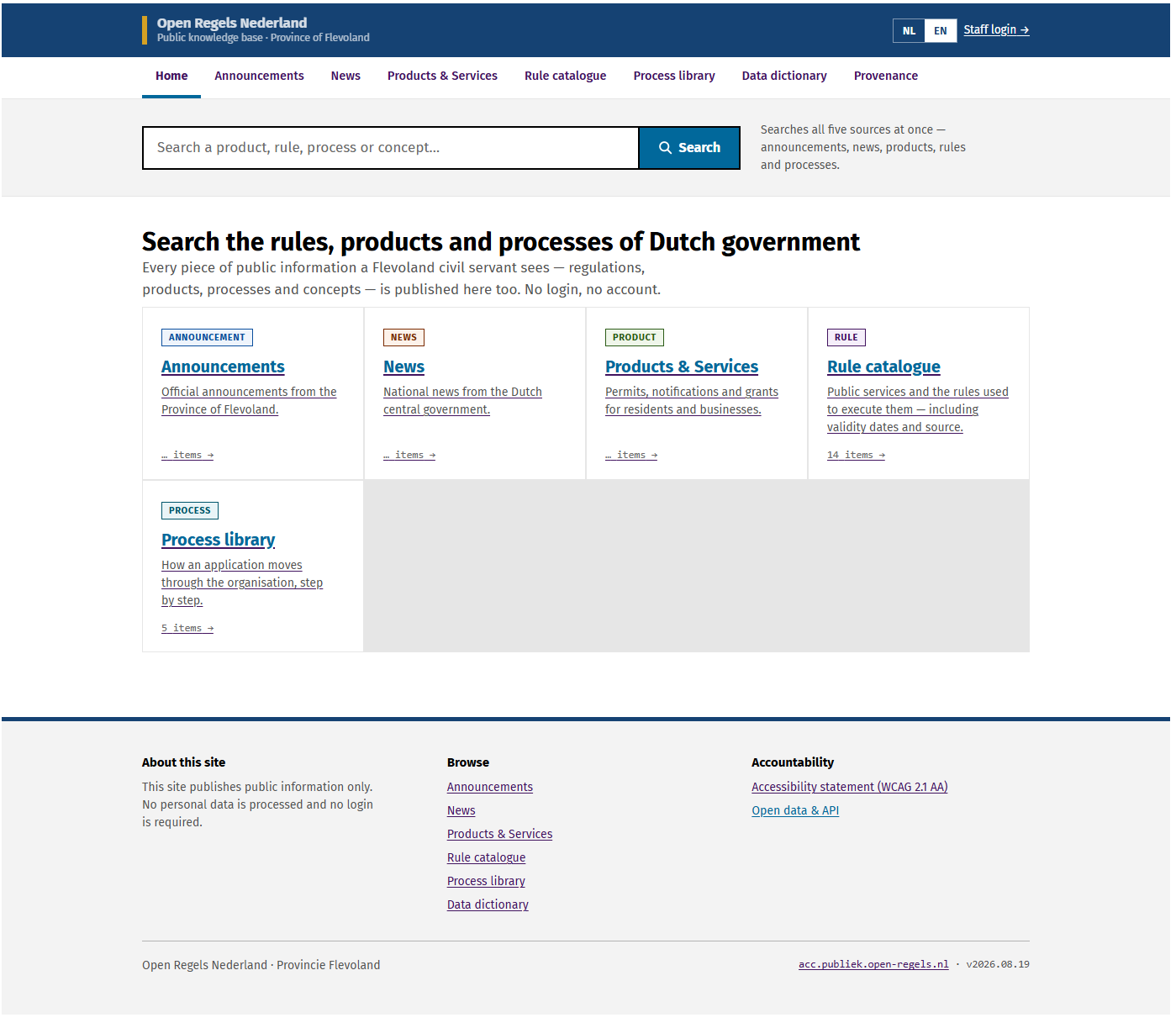
The site is live at publiek.open-regels.nl, with an acceptance copy at acc.publiek.open-regels.nl.
A shared link to the werkomgeving or to the public knowledge base unfolds into a preview card. On the acceptance copies the card's title begins with [ACC], and those copies are kept out of search engines.
PA-Cockpit demo
The PA-Cockpit demo is the third public surface. It runs the same PA-Cockpit the werkomgeving does, but on demonstration data and with no connection to any backend — so it can be opened by anyone with the link, including people who will never have an account.
It exists for showing the product: to a prospective province, to a colleague from another organisation, or to a room. Because it is the real cockpit rather than a mock-up, what a visitor clicks is what the product does. A role selector lets a visitor see how the same board changes for a narrower set of rights.
It runs in production at plato.open-regels.nl since 12 September 2026, with an
acceptance copy at acc.plato.open-regels.nl.
Documentation depth follows release maturity
The RONL Business API is developed in short cycles with a diverse user group. Something that is only on the acceptance environment is documented briefly — what it is for and what you see — and gets a full step-by-step guide once it reaches production. All four boards are in production: the Caseworker guide is full, and the other three are brief for now and will be expanded. The citizen portal is in production too, and its guide is full. Guides describing earlier versions are kept under Archive.