Multi-Tenant Municipality Portal
RONL Business API is built for multi-tenancy from the ground up. Each Dutch municipality that integrates with the platform has its own branded portal, its own set of users and roles, its own isolated data, and its own audit logs — all running on shared infrastructure.
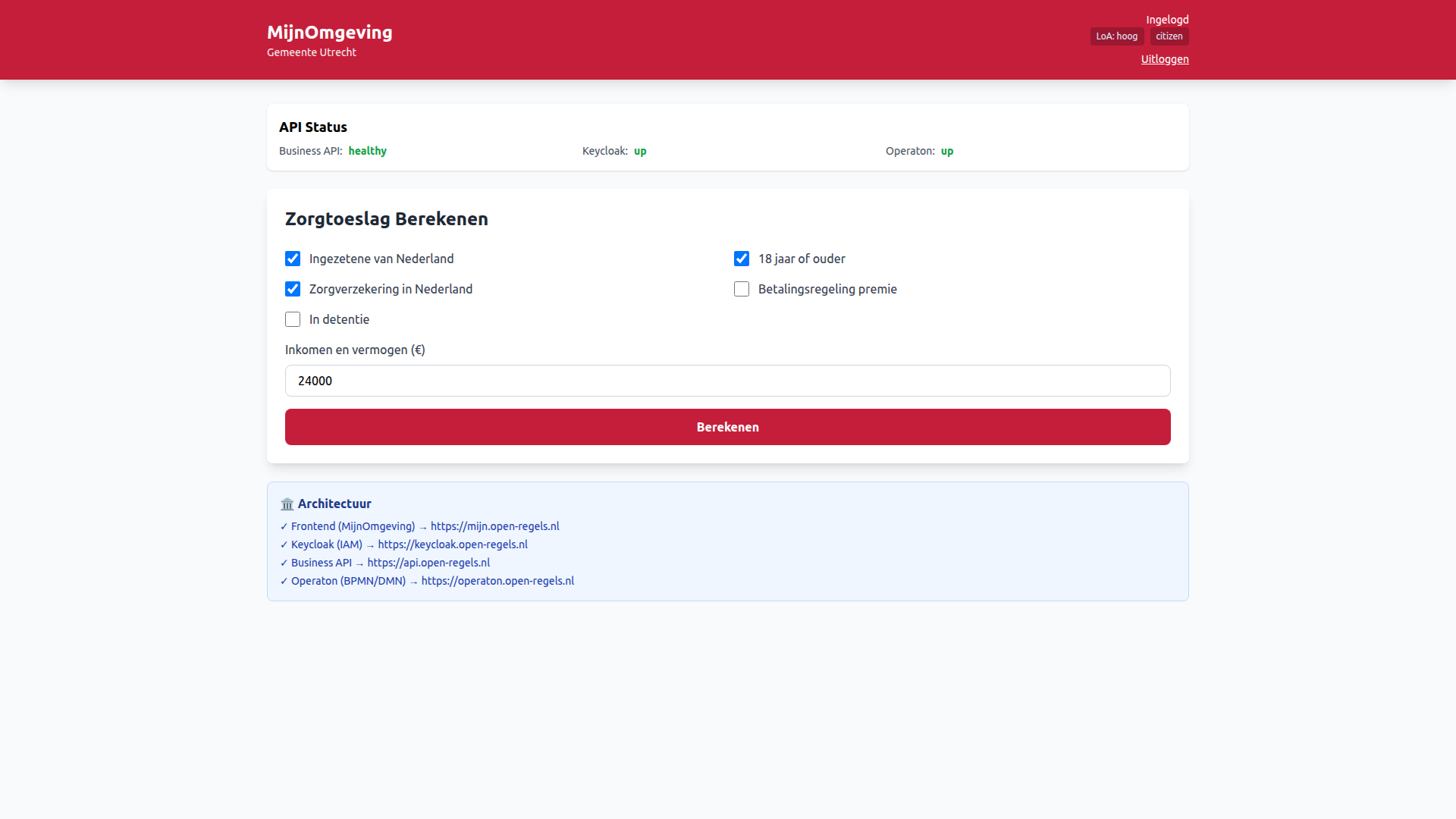
Supported municipalities
Six tenants are currently configured across three organisation types:
| Tenant | organisationType |
Theme primary | Portal URL |
|---|---|---|---|
| Utrecht | municipality |
#C41E3A (red) |
https://mijn.open-regels.nl |
| Amsterdam | municipality |
#EC0000 (bright red) |
— |
| Rotterdam | municipality |
#00811F (green) |
— |
| Den Haag | municipality |
#007BC7 (blue) |
— |
| Provincie Flevoland | province |
#0046ad (blue) |
— |
| UWV | national |
— | — |
Adding a new tenant requires a tenants.json entry and a Keycloak user — see Adding a Municipality.
Dynamic theming
The frontend reads the municipality claim from the JWT on login and applies the corresponding theme by setting CSS custom properties on document.documentElement:
This means a single deployed frontend binary serves all municipalities — the branding switches per user session based on their JWT claim, with no page reload required.
The tenant configuration is loaded from public/tenants.json at runtime. Each entry specifies the theme, the municipality code (for API filtering), enabled features, and contact details.
Per-tenant feature flags
The TenantFeatures configuration allows enabling or disabling specific government services per municipality:
zorgtoeslag    — healthcare allowance calculation
vergunningen   — permit applications (AWB Kapvergunning, etc.)
subsidies      — subsidy applications
meldingen      — municipal notifications
A municipality that has not been cleared to offer kinderbijslag cannot invoke that process endpoint even if a user submits a valid JWT. The processes allowlist is enforced in the backend's tenant middleware.
Tenant isolation in the backend
Every API request passes through the tenant middleware, which:
- Extracts the
municipalityclaim from the validated JWT - Loads the tenant configuration for that municipality
- Attaches the tenant context to
req.user - Ensures all downstream queries and audit log entries are scoped to that municipality
Process instances from one tenant are never returned to another. Audit log queries are always filtered by municipality.
PostgreSQL tenants table
A tenants table exists in the audit_logs database and mirrors the entries in tenants.json. It is bookkeeping only — no backend middleware or route queries it at runtime. Tenant context is derived entirely from JWT claims (municipality, organisation_type) that Keycloak injects at login. The table was designed for future admin tooling such as per-tenant rate limiting (the config JSONB column already carries maxProcessInstances) and tenant management APIs. Until that tooling is built, the table can be treated as a registry for operational reference. A consequence of this design is that omitting a tenant from the table has no effect on runtime behaviour — the ACC environment operated without the table entirely and all tenant isolation worked correctly via JWT claims alone.
Organisation types
From v2.4.1, the platform supports four organisation types, controlled by the organisationType field in tenants.json and propagated as a JWT claim via the organisation_type Keycloak protocol mapper:
| Type | Description | Examples |
|---|---|---|
municipality |
Dutch municipalities | Utrecht (GM0344), Amsterdam (GM0363), Rotterdam (GM0599), Den Haag (GM0518) |
province |
Dutch provinces | Provincie Flevoland (PV24) |
national |
National government agencies | UWV (OIN-00000001820588740000), Dienst Toeslagen (OIN-00000001003214345000) |
commercial |
Commercial organisations | Unive Verzekeringen (KVK-12345678) |
The organisationType is injected into every JWT via the organisation_type Keycloak protocol mapper and propagated as a BPMN process variable by the tenant middleware. It is available in Operaton as organisationType alongside municipality.
municipalityCode is now optional in TenantConfig. Provinces and national agencies use organisationCode instead.
User roles
Each municipality has two standard roles configured in the Keycloak realm:
| Role | Scope | Capabilities |
|---|---|---|
citizen |
Own submissions | Start processes, view own application status, view own results |
caseworker |
Municipality queue | Process applications, view all submissions for their municipality, update status |
admin |
System | Manage users, view audit logs, configure settings |
Roles are set as realm roles in Keycloak, mapped into the JWT via a protocol mapper, and validated by the backend's authorization middleware.
Caseworker dashboard shell
The caseworker portal at /dashboard/caseworker is the primary entry point for municipality staff. Unlike the citizen dashboard, it is a public route — the page loads for any visitor and renders public content (Nieuws, Berichten, Regelcatalogus) without authentication. Authentication state is checked inside the component; private sections replace their content with a login prompt when clicked by an unauthenticated visitor.
The dashboard layout consists of three zones: a top navigation bar, a left panel driven by tenantConfig.leftPanelSections, and a main content area. The left panel section list changes with each top-nav page, and the active section is remembered per page so navigating between Home, Persoonlijke info, and Projecten and back always restores the last visited section.
Tenant theming applies in full — the header background and active section indicator use --color-primary from the municipality's theme entry in tenants.json. For unauthenticated visitors the default tenant (utrecht) is loaded so the left panel always renders.
See Caseworker Dashboard for the complete feature description.
Commercial organisations
In addition to municipalities, provinces, and national agencies, the platform supports commercial organisations as a tenant category.
A commercial tenant has its own branded MijnOmgeving and feature flags but delegates AWB process handling to a designated government processing authority. The organisationType: "commercial" value in tenants.json and the corresponding organisation_type: commercial Keycloak user attribute are the only configuration changes required. The rest of the theming and feature flag system works identically to other tenant types. For the full cross-tenant architecture — including the processing authority override, cross-tenant history, and decision document access — see Commercial Organisation Integration.