Caseworker Workflow
Caseworkers (medewerkers) are municipal employees with elevated access to the RONL Business API portal. Unlike citizens, they authenticate via a dedicated Keycloak-native login path — not through DigiD, eHerkenning, or eIDAS.
Dashboard navigation
The caseworker dashboard at /dashboard/caseworker uses a three-zone shell: a top navigation bar with three pages (Home, Persoonlijke info, Projecten), a left panel whose contents change per page, and a main content area. The Projecten page hosts the task queue. A task count badge on the Projecten tab button shows pending work without requiring navigation.
The dashboard is accessible without login — public sections (Nieuws, Berichten, Regelcatalogus) under the Home tab are visible to anyone. Private sections show a login prompt when clicked unauthenticated; no page redirect occurs.
See Caseworker Dashboard for the full shell architecture.
Logging in as a caseworker
Caseworkers use the "Inloggen als Medewerker" button on the MijnOmgeving landing page — a slate-coloured button visually separated from the three citizen identity provider options by a "MEDEWERKERS" section divider.
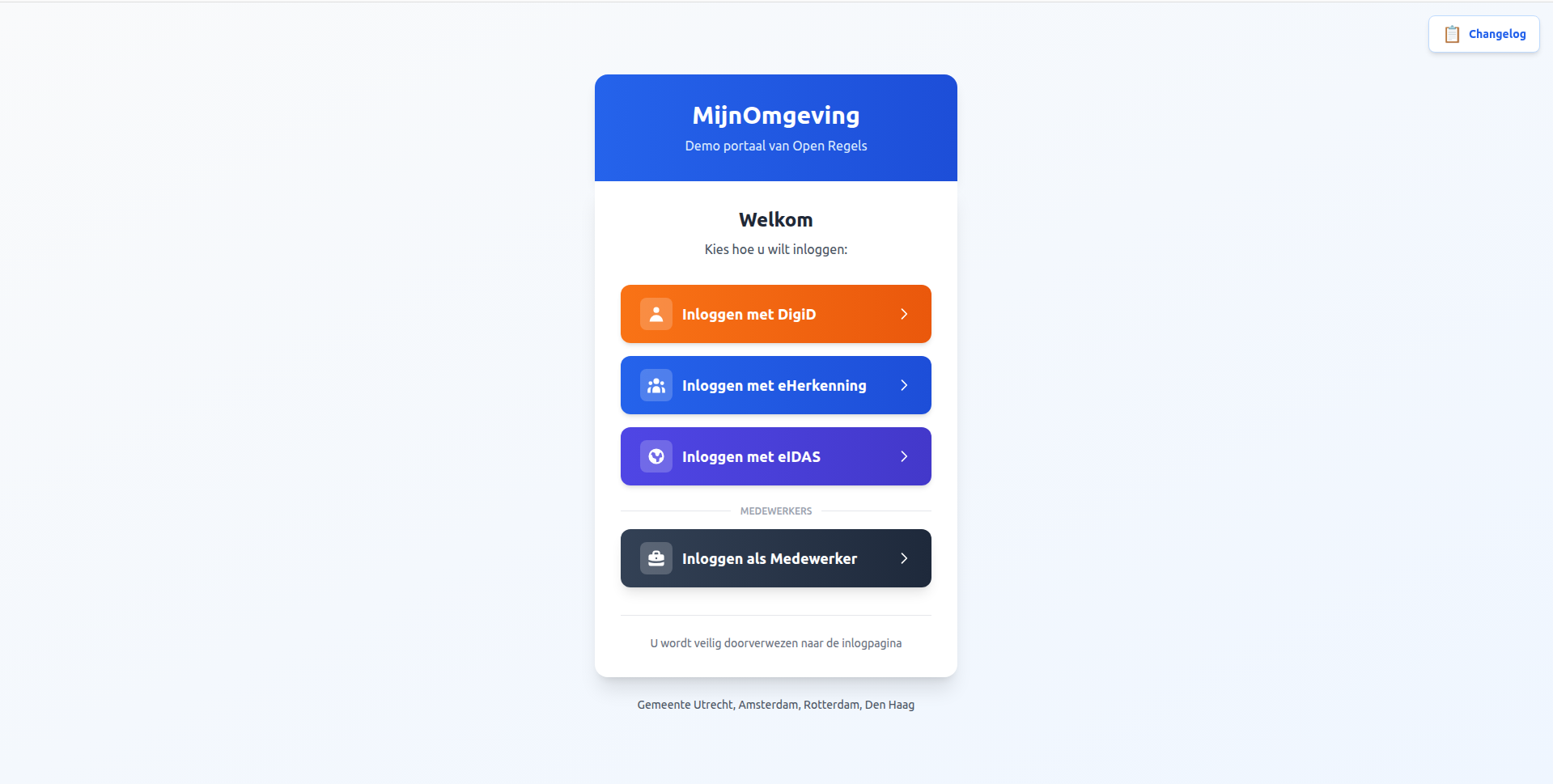
The caseworker login flow differs from the citizen flow in three important ways:
No external identity provider. Caseworker accounts are managed directly in the Keycloak ronl realm. There is no redirect to DigiD or eHerkenning.
SSO session check first. AuthCallback.tsx calls keycloak.init({ onLoad: 'check-sso' }). If the caseworker already has an active Keycloak SSO session in the browser (e.g. from an earlier login that day), they are taken directly to the dashboard — no login screen shown at all.
Dedicated login screen. If no SSO session exists, Keycloak is called with loginHint: '__medewerker__'. The custom login.ftl theme template detects this sentinel value and renders the Keycloak native login form with an indigo "Inloggen als gemeentemedewerker" context banner and "Medewerker portaal" as the page title, making the screen visually distinct from any citizen-facing Keycloak page.
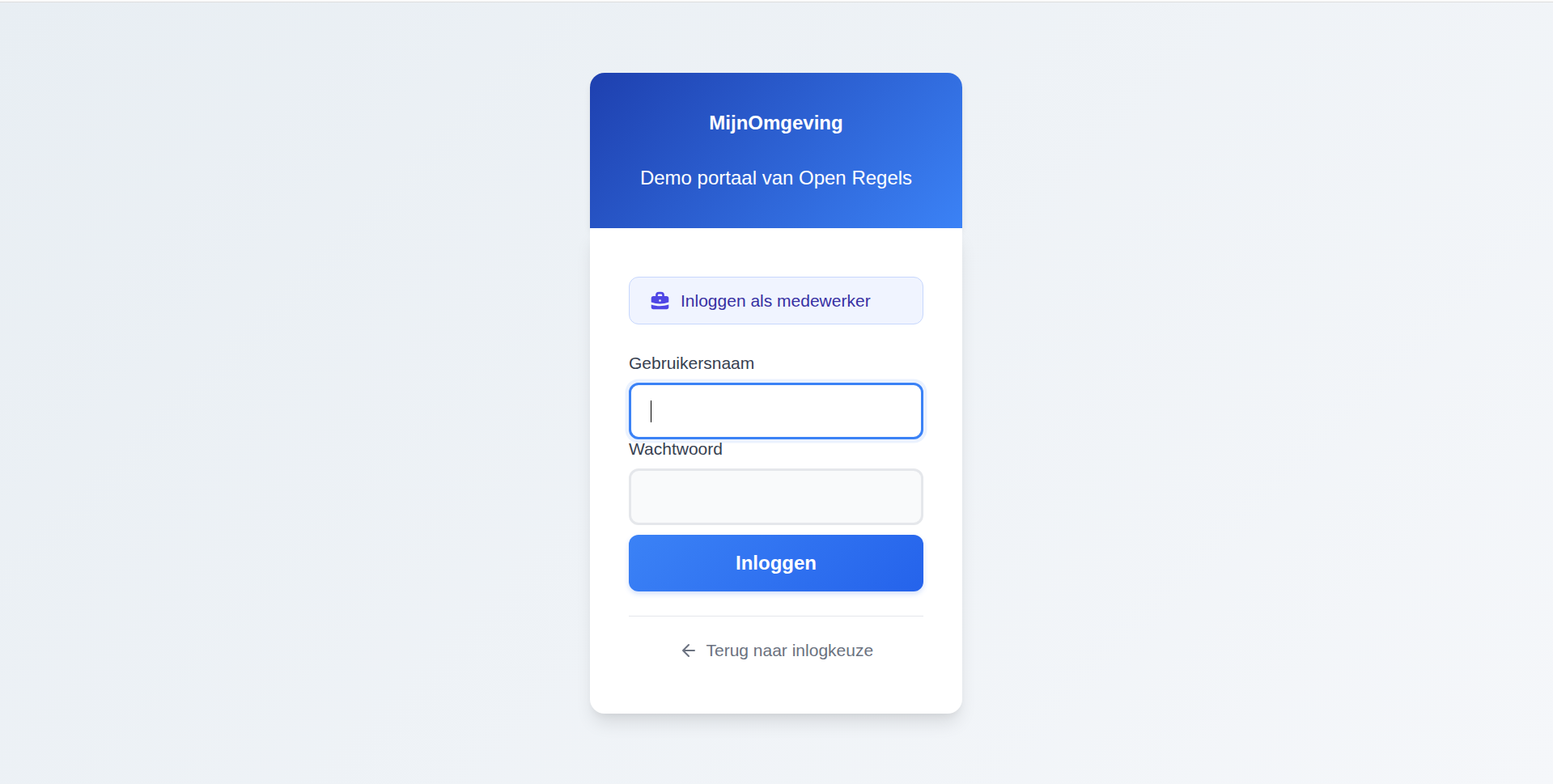
For the full technical flow and step-by-step instructions, see Logging In — Citizen & Caseworker.
Test environment accounts:
| Username | Municipality |
|---|---|
test-caseworker-utrecht |
Utrecht |
test-caseworker-amsterdam |
Amsterdam |
test-caseworker-rotterdam |
Rotterdam |
test-caseworker-denhaag |
Den Haag |
Password for all test accounts: test123
After login, the JWT will contain "roles": ["caseworker"]. The portal detects this role and displays the caseworker dashboard.
What caseworkers can do
| Action | Endpoint | Description |
|---|---|---|
| View task queue | GET /v1/task |
All open tasks for the municipality, claimed and unclaimed |
| View task variables | GET /v1/task/:id/variables |
Full process variables for one task |
| Claim a task | POST /v1/task/:id/claim |
Assign the task to the authenticated caseworker |
| Complete a task | POST /v1/task/:id/complete |
Submit the caseworker's decision and close the task |
All results are filtered to the caseworker's own municipality. A caseworker from Utrecht cannot see Amsterdam's tasks.
Reviewing a citizen's application
Step 1 — From the Taakwachtrij tab, select an open task. Tasks marked Openstaand are unclaimed; tasks marked Geclaimd are assigned to a caseworker.
Step 2 — Click Taak claimen to assign the task to yourself. The task status changes to Geclaimd.
Step 3 — Review the process variables panel, which shows all variables from the running process instance including DMN outputs (permitDecision, replacementDecision), AWB metadata (dossierReference, awbDeadlineDate), and citizen inputs.
Step 4 — Complete the task using the task-specific form:
- Sub_CaseReview — Review the DMN outcome. Select Bevestigen (confirm), Afwijzen (reject), or Wijzigen (override). If overriding, choose the revised permit and replacement decisions.
- Task_Phase6_Notify — Select the notification method (email, letter, phone, or portal), add optional notes, and confirm that the citizen has been notified.
Step 5 — The process advances automatically. If no further tasks are created, the process instance completes.
AWB Kapvergunning — full process flow
The tree felling permit is an asynchronous, multi-actor process. The citizen submits an application and the process runs automatically through three preparatory phases before suspending at the first caseworker task. A second suspension follows before the process ends. The diagram below shows the complete flow across all participants.
sequenceDiagram
    participant C as Citizen (Frontend)
    participant B as Business API
    participant O as Operaton
    participant CW as Caseworker (Frontend)
    participant D as PostgreSQL

    C->>B: POST /v1/process/AwbShellProcess/start<br/>(treeDiameter, protectedArea)
    B->>B: Validate JWT, inject tenant variables
    B->>O: POST /process-definition/key/AwbShellProcess/start
    O->>O: Phase 1 — set applicantId, productType, applicationDate
    O->>O: Phase 2 — set receiptDate, awbDeadlineDate, dossierReference
    O->>O: Phase 3 — evaluate AwbCompletenessCheck DMN
    O->>O: Call Activity → TreeFellingPermitSubProcess
    O->>O: Evaluate TreeFellingDecision DMN → permitDecision
    O->>O: Evaluate ReplacementTreeDecision DMN → replacementDecision
    O-->>O: Create user task: Sub_CaseReview
    B->>D: Write audit log entry
    B->>C: Return { processInstanceId, dossierReference }

    Note over O: Process suspended — awaiting caseworker

    CW->>B: GET /v1/task
    B->>O: GET /task?processVariables=municipality_eq_utrecht
    O->>B: Return task list
    B->>CW: Return open tasks

    CW->>B: POST /v1/task/:id/claim
    B->>O: POST /task/:id/claim
    CW->>B: POST /v1/task/:id/complete<br/>(reviewAction, reviewPermitDecision?)
    B->>O: POST /task/:id/complete
    O->>O: Set final status, decisionType, finalMessage
    O-->>O: Create user task: Task_Phase6_Notify

    Note over O: Process suspended — awaiting notification confirmation

    CW->>B: POST /v1/task/:id/complete<br/>(notificationMethod, applicantNotified)
    B->>O: POST /task/:id/complete
    O->>O: Phase 6 complete — process ends
    B->>D: Write audit log entry
Sub_CaseReview — permit decision
This task is created inside TreeFellingPermitSubProcess after both DMNs have been evaluated. It appears in the task queue as Openstaand with taskDefinitionKey: Sub_CaseReview.
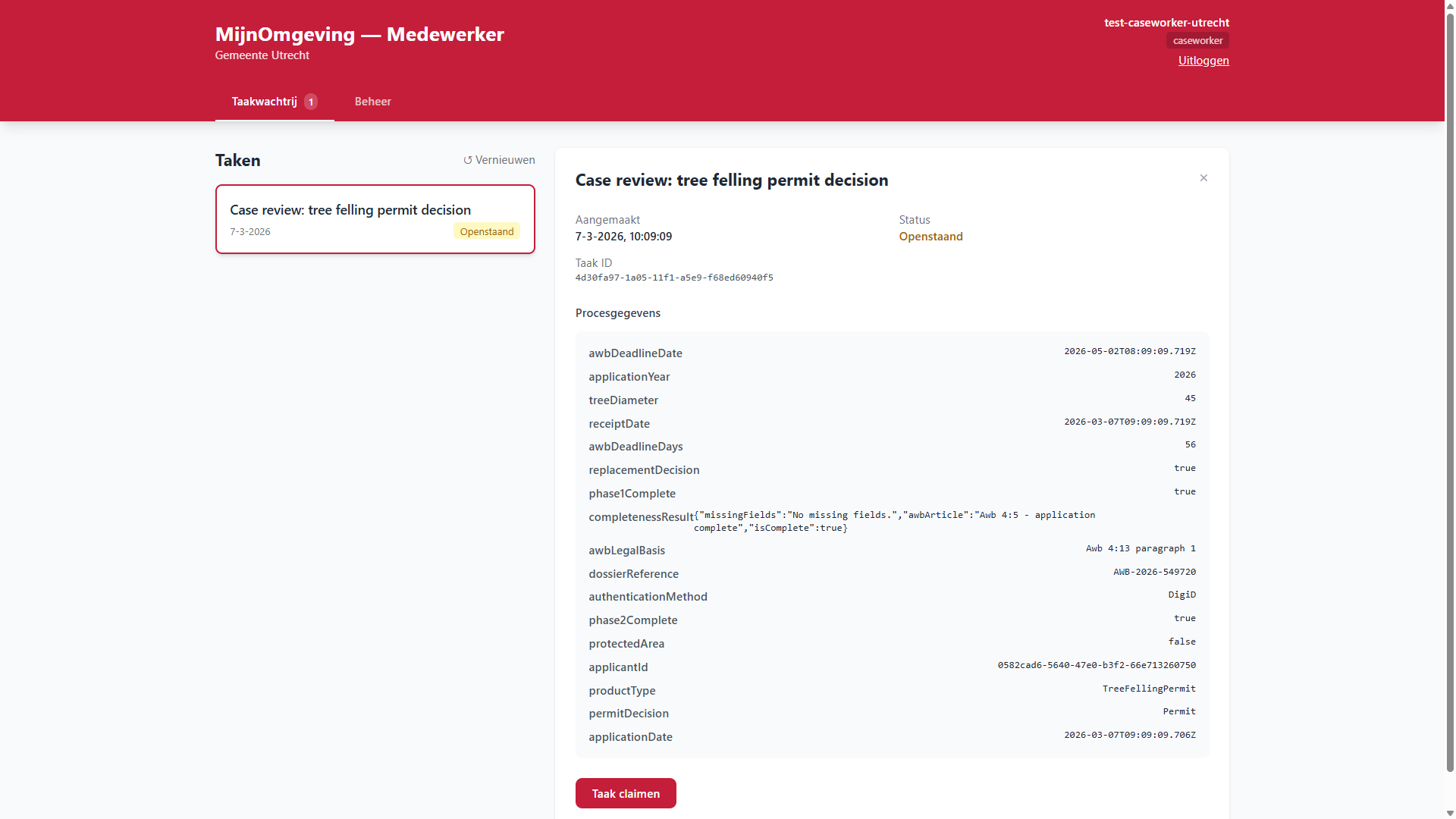
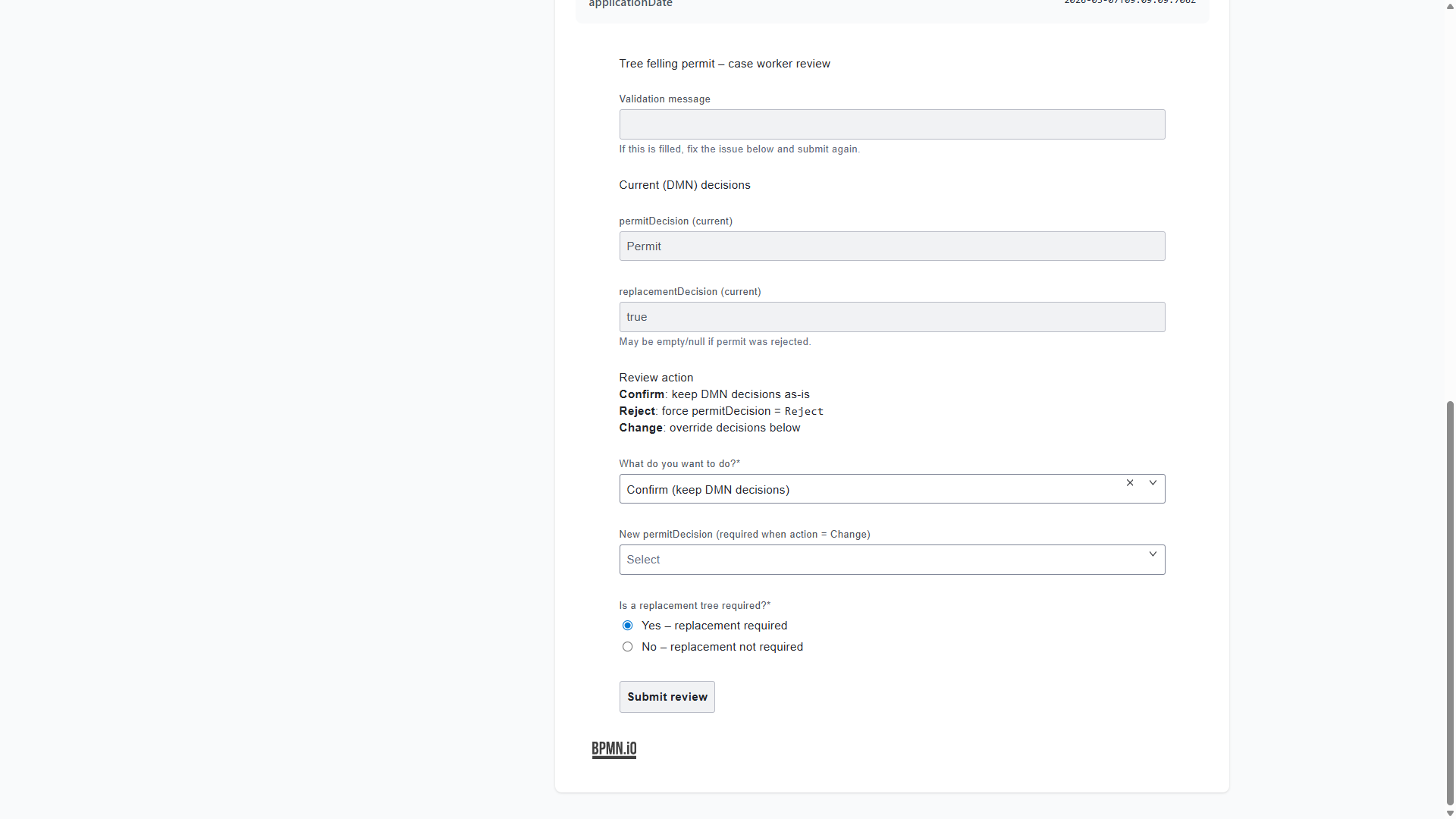
After claiming, the tree-felling-review Camunda Form is rendered by TaskFormViewer. The form is fetched live from the deployed process via GET /v1/task/:id/form-schema and pre-populated with the current DMN outputs (permitDecision, replacementDecision) so the caseworker sees the engine's recommendation immediately. FEEL conditional visibility hides the override fields unless the caseworker selects Wijzigen.
The caseworker selects one of three actions:
| Action | reviewAction value |
Effect |
|---|---|---|
| Bevestigen | confirm |
DMN outcome is accepted as-is; permitDecision unchanged |
| Afwijzen | change + reviewPermitDecision: "Reject" |
Overrides DMN — permit rejected regardless of DMN result |
| Wijzigen | change + custom values |
Overrides both permitDecision and reviewReplacementDecision |
The Sub_ResolveDecision script task in the subprocess applies the override when reviewAction = "change", then routes through the final gateway to Sub_SetGranted or Sub_SetRejected, which write status, finalMessage, decisionType, replacementInfo, paymentRequired, and chainProcessRequired back to the AWB shell.
Task_Phase6_Notify — notification confirmation
After Sub_CaseReview completes and the subprocess ends, the AWB shell creates Task_Phase6_Notify. This task also appears as Openstaand and requires a claim before it can be completed.
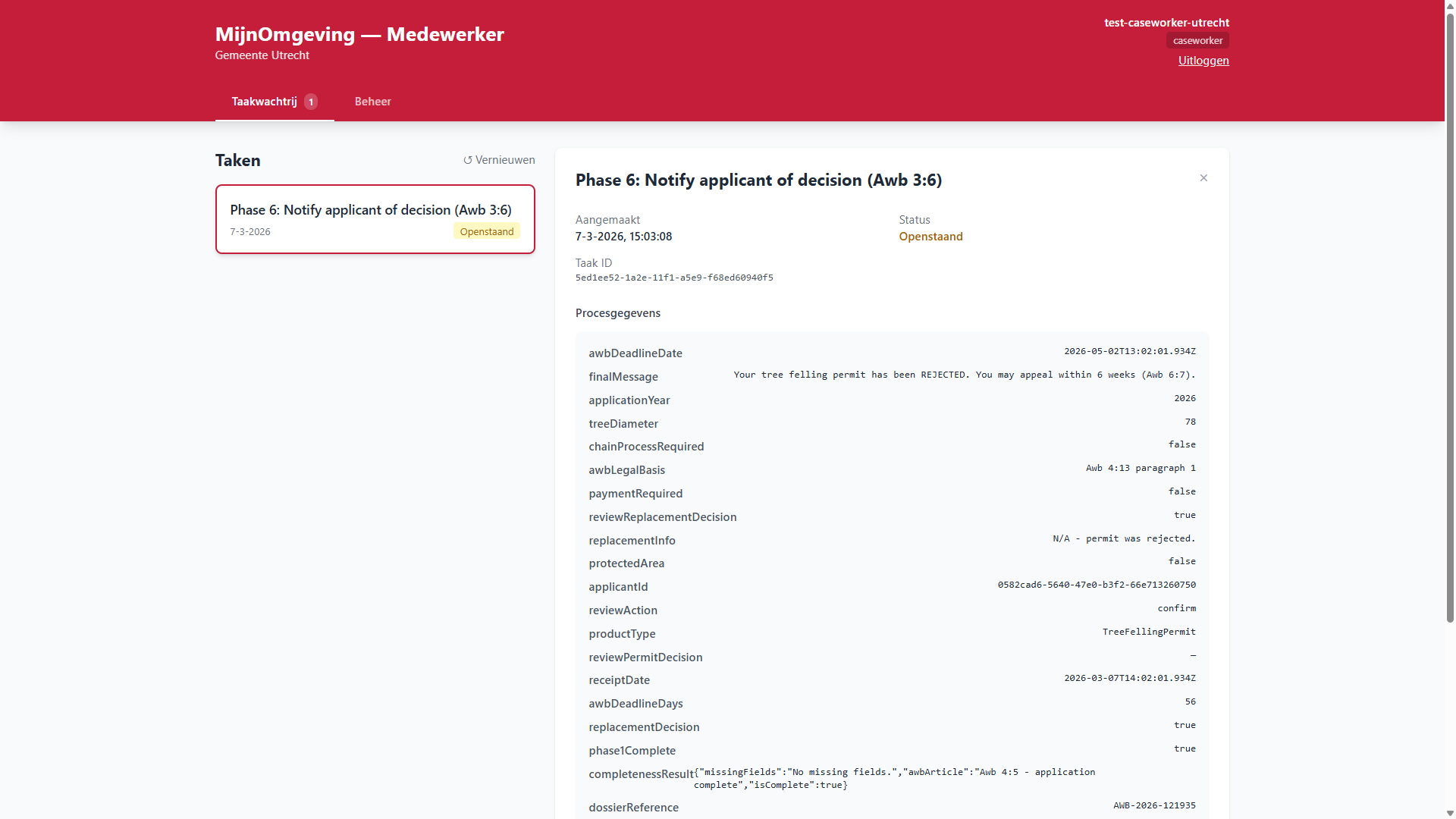
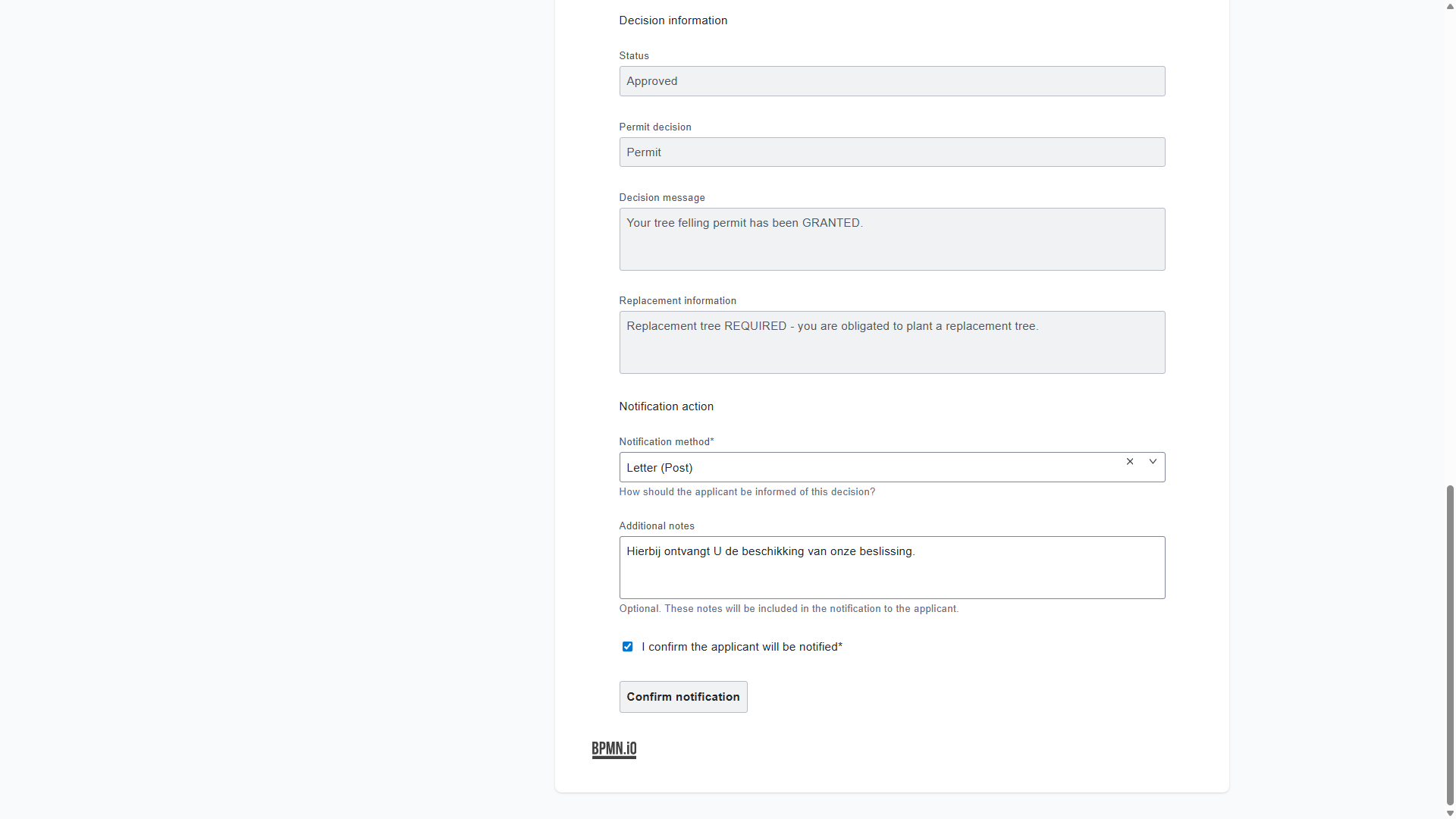
After claiming, the awb-notify-applicant Camunda Form is rendered by TaskFormViewer. The form displays the final decision variables (status, permitDecision, finalMessage, replacementInfo) as readonly fields so the caseworker can confirm the correct decision before notifying the citizen.
The caseworker selects how the citizen was notified and confirms:
| Field | Variable | Required |
|---|---|---|
| Wijze van kennisgeving | notificationMethod |
Yes — email, letter, phone, or portal |
| Aanvullende notities | notificationNotes |
No |
| Bevestiging kennisgeving | applicantNotified |
Yes — must be checked |
Completing this task ends the AWB shell process. The process instance moves to history and is retrievable via GET /v1/process/history?applicantId=.
Role differences at a glance
| Capability | Citizen | Caseworker | HR Medewerker | Admin |
|---|---|---|---|---|
| Submit a calculation | ✓ | ✓ | ✓ | ✓ |
| View own applications | ✓ | ✓ | ✓ | ✓ |
| View all municipality applications | — | ✓ | ✓ | ✓ |
| Override DMN result | — | ✓ | ✓ | ✓ |
| Start HR onboarding process | — | — | ✓ | ✓ |
| View completed onboardings | — | — | ✓ | ✓ |
| View audit logs | — | — | — | ✓ |
| Manage users in Keycloak | — | — | — | ✓ |
Audit trail
Every action a caseworker takes is recorded in the audit log with their sub (user ID), the action performed, the affected process instance, and a UTC timestamp. Audit records are retained for 7 years.
Archief — Completed tasks
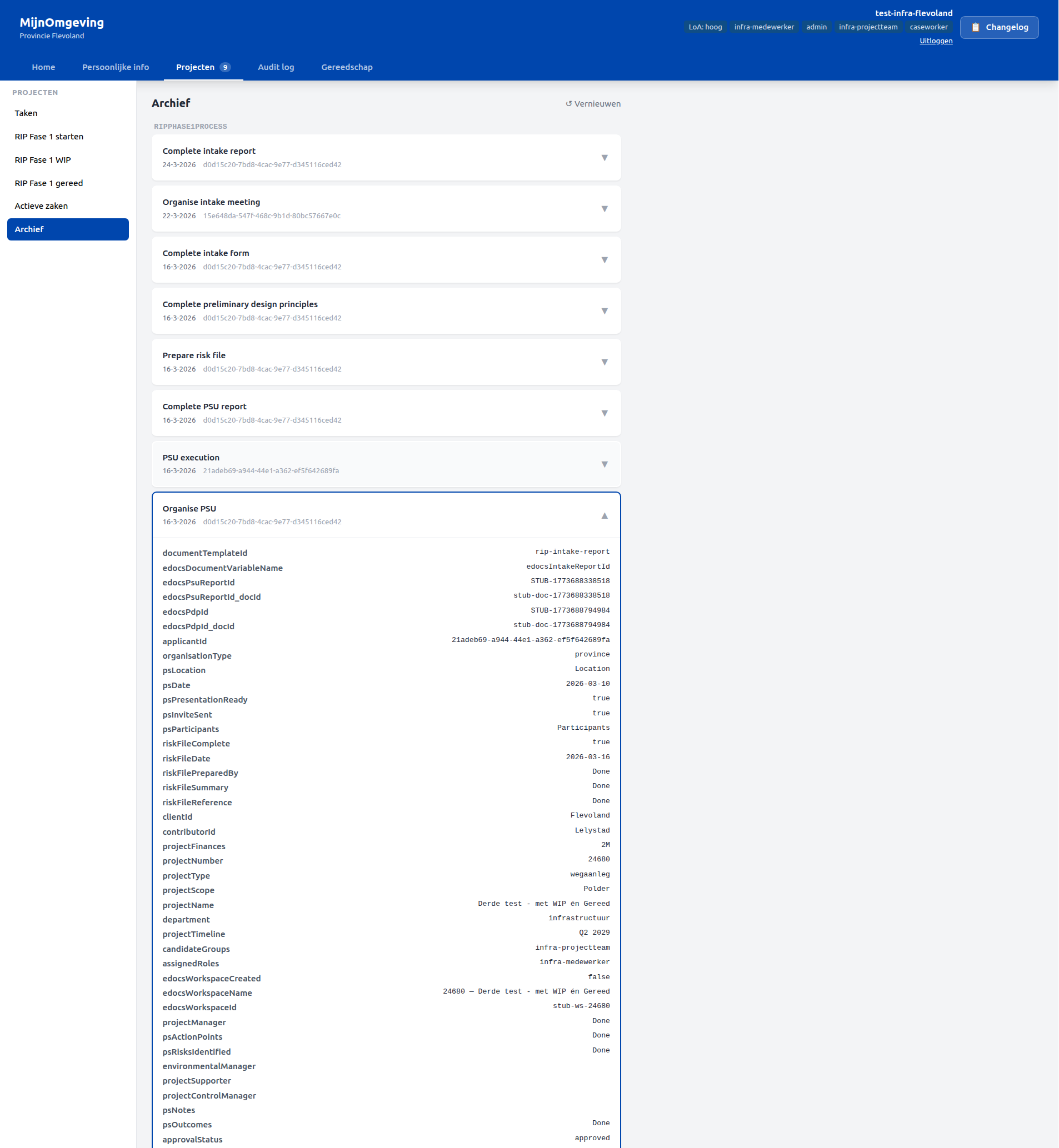
From v2.9.1, the Archief section in the Projecten tab provides a read-only view of all completed tasks for the caseworker's municipality.
Tasks are fetched from GET /v1/task/history and grouped by processDefinitionKey, using the same mono uppercase group headers and sort order as the active task queue. Within each group, tasks are sorted by completion date descending. Each task card shows:
- Task name
- Completion date and time
- Assignee at time of completion
Expanding a task card loads its historic process variables via GET /v1/process/:instanceId/historic-variables. Variables are cached per processInstanceId — expanding a card a second time costs no additional API call.
The Archief section is tenant-scoped and must be added to the tenant's leftPanelSections.projects in tenants.json to appear:
Persoonlijke info — HR and profile sections
From v2.4.0, the Persoonlijke info top-nav item exposes four left-panel subsections. Two are available to all authenticated caseworkers; two require the hr-medewerker role:
| Subsection | Accessible to | Description |
|---|---|---|
| Profiel | All caseworkers | JWT identity card and onboarding data fetched via employeeId claim |
| Rollen & rechten | All caseworkers | JWT roles and onboarding-assigned roles with access level description |
| Medewerker onboarden | hr-medewerker only |
Start a new HrOnboardingProcess instance |
| Afgeronde onboardingen | hr-medewerker only |
Browse completed onboardings and view IT handover documents |
For the full walkthrough of each subsection — including the HR onboarding BPMN flow, IT handover document, and completed onboarding archive — see HR Onboarding Workflow.
Projecten — RIP Phase 1 (Flevoland)
From v2.6.0, Provincie Flevoland exposes three RIP-specific sections under the Projecten top-nav item, accessible to users with the infra-projectteam role:
| Section | Description |
|---|---|
| RIP Fase 1 starten | Start a new RipPhase1Process instance — 17-step process covering intake, PSU, and PDP |
| RIP Fase 1 WIP | Browse active RIP projects and view produced documents inline |
| RIP Fase 1 gereed | Browse completed RIP projects and their final document archive |
For the full process walkthrough — forms, document templates, eDOCS integration, and LDE deployment — see RIP Phase 1 Workflow.