DMN Discovery & Chain Building
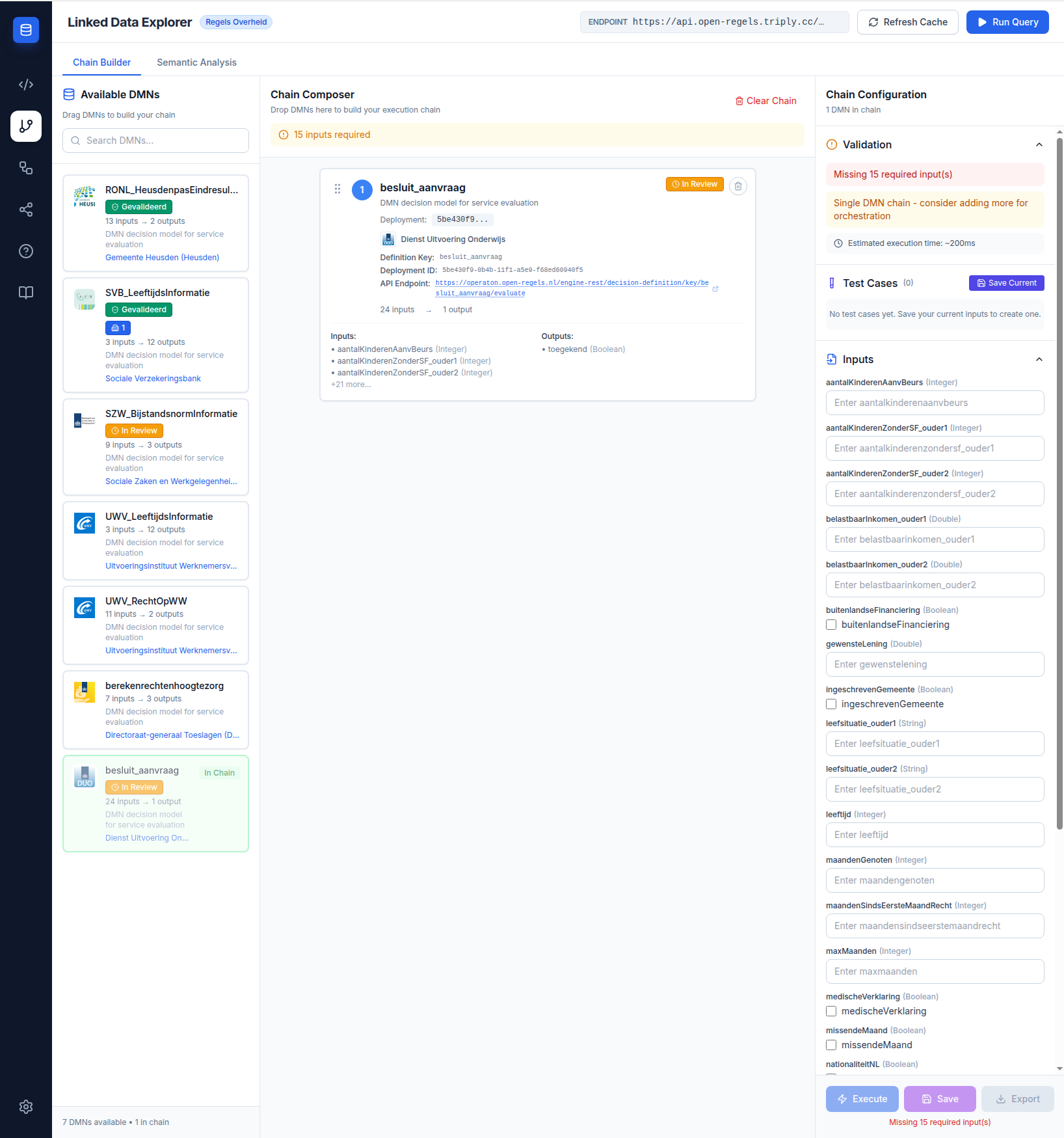
The Chain Builder is the central feature of the Linked Data Explorer. It queries the active TriplyDB endpoint for all published DMN decision models, displays them with their input and output variables, and lets you compose them into executable chains.
DMN discovery
When you open the Chain Builder, it queries TriplyDB using the CPRMV vocabulary to find all published cprmv:DecisionModel resources. Each model appears as a card in the Available DMNs panel showing its title, identifier, variable counts, and publishing organisation. A real-time search field filters the list by title or identifier.
Expanding a card reveals its full variable list: input variables in blue, output variables in green, each with its name, identifier, and datatype (Integer, String, Boolean, Date).
Chain composition
Drag a DMN card from the Available DMNs panel into the Chain Composer to add it to your chain. Cards stack vertically in execution order. The composer evaluates variable compatibility in real time:
- If an output variable of the preceding DMN matches the input identifier of the next DMN exactly, the connection is DRD-compatible — the chain can be saved as a unified Decision Requirements Diagram.
- If the match is only via
skos:exactMatchsemantic concepts, the chain is sequential — it will execute as a series of individual API calls with runtime variable mapping. - If a required input has neither an exact nor a semantic match from earlier in the chain, the user must provide it manually in the input form.
The validation panel below the composer shows the current status and lists any missing inputs or semantic matches.
Validation states
| Status | Icon | Meaning |
|---|---|---|
| DRD-compatible | ✓ green | All variable connections are exact identifier matches. Can be saved as a DRD. |
| Sequential | ⚠ amber | One or more connections rely on semantic matching. Will execute as sequential calls. |
| Invalid | ✗ red | One or more required inputs are unresolved. Chain cannot execute until inputs are provided. |
Chain execution
Once the chain is valid, fill in any required inputs in the dynamic form and click Execute. The execution panel shows per-step progress, intermediate results, timing, and the final combined output.
Export
A completed chain can be exported as a JSON configuration file or as a BPMN 2.0 diagram for import into an Operaton process definition.
Related features
- DRD Generation — save a compatible chain as a unified DRD template
- Semantic Analysis — inspect the semantic concept links that enable cross-agency chains
- Enhanced Validation — implementation details of the validation engine