DRD Generation
When all variable connections in a chain are exact identifier matches, the chain can be saved as a Decision Requirements Diagram (DRD) — a single, unified DMN artifact deployed to Operaton. This replaces multiple sequential API calls with one call that evaluates the entire chain internally.
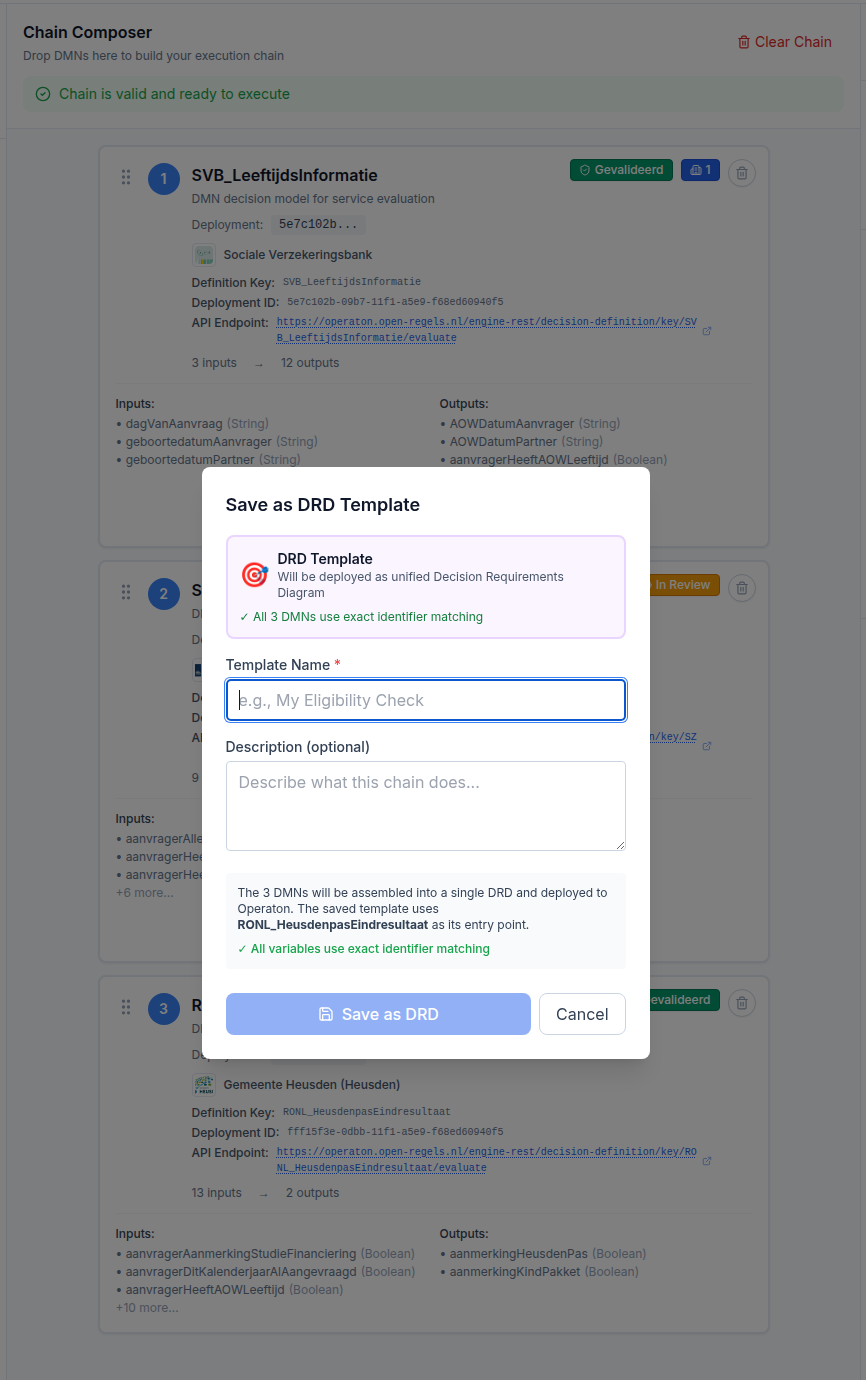
Why DRDs
Sequential chain execution makes one API call per DMN in the chain. A three-step chain makes three calls. A DRD makes one call regardless of chain length, with Operaton handling the internal decision flow via <informationRequirement> wiring in the DMN XML. The performance improvement is approximately 50% for a two-step chain and grows with chain length.
DRDs also carry semantic integrity: the <informationRequirement> elements correctly express that one decision depends on the output of another, which is the proper DMN 1.3 way to model decision dependencies rather than treating them as independent steps.
Reusability
A saved DRD template appears in My Templates with a purple 🔗 DRD badge. It can be loaded and executed just like any other chain, but with a single API call. DRD templates also appear in the BPMN Modeler's Link to DMN/DRD dropdown, grouped separately from single DMNs, so process designers can reference the entire chain from a BusinessRuleTask element.
Limitations
- Chains with semantic (non-exact) variable connections cannot be saved as DRDs. The validation system explicitly blocks the DRD save path for such chains. See Semantic Analysis for why.
- DRD templates are stored in browser
localStoragein Phase 1. A database migration is planned for Phase 2. - Export and versioning of DRD XML is planned for Phase 2.