Governance & Validation
The Linked Data Explorer displays the validation status of each DMN decision model as a visual badge. This lets users immediately see which models have been officially reviewed by a competent Dutch government authority before using them in a chain.
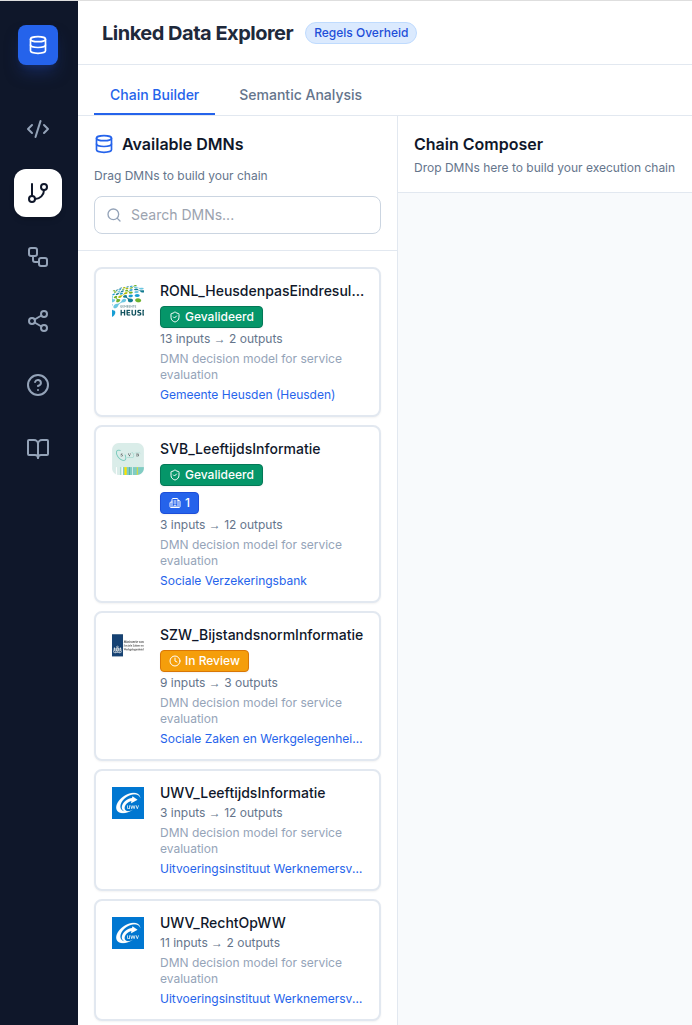
Three-state system
| State | Badge | Meaning |
|---|---|---|
validated |
✓ Gevalideerd (green) | The DMN has been formally validated by a competent authority. Safe for production use. |
in-review |
⏱ In Review (amber) | Validation is in progress. Use with caution in production. |
not-validated |
(no badge) | No validation record exists. May be experimental, draft, or community-contributed. |
Badges appear on DMN cards in both the Available DMNs panel and the Chain Composer. Hovering over a badge shows a tooltip with the validating organisation's name and the validation date in Dutch format.
Data source
Validation metadata is stored as RONL Ontology properties on the cprmv:DecisionModel resource in TriplyDB and is queried alongside the DMN metadata when the Chain Builder loads. The properties are ronl:validationStatus, ronl:validatedBy, ronl:validatedAt, and optionally ronl:validationNote.
Validation metadata is added to a DMN via the CPSV Editor at publish time. See the CPSV Editor — Publishing to TriplyDB guide.
RONL Ontology
The governance vocabulary is defined in the RONL Ontology v1.0. For the full property specification, see CPSV Editor — RONL Ontology. The LDE-specific properties used for governance badges are documented in RONL Ontology reference.
Backward compatibility
DMN records without validation metadata display normally with no badge. The governance system is purely additive — existing TriplyDB datasets require no changes.