HR Onboarding Workflow
From v2.4.0, the RONL Business API caseworker dashboard includes an HR onboarding flow that lets HR staff start, track, and complete a structured employee onboarding process entirely within MijnOmgeving. The process is backed by the HrOnboardingProcess BPMN and the EmployeeRoleAssignment DMN, using the same claim-first caseworker task queue as the AWB Kapvergunning.
Who can use this
| Role | What they can do |
|---|---|
caseworker |
View own Profiel, view own Rollen & rechten |
hr-medewerker |
All of the above, plus start onboarding processes, view Afgeronde onboardingen |
The hr-medewerker role is a Keycloak realm role. In test environments, test-hr-denhaag holds this role for Den Haag.
Navigating the Persoonlijke info section
After login, the Persoonlijke info top nav item exposes four left-panel subsections:
| Subsection | Label | Accessible to |
|---|---|---|
profiel |
Profiel | All caseworkers |
rollen |
Rollen & rechten | All caseworkers |
hr-onboarding |
Medewerker onboarden | hr-medewerker only |
onboarding-archief |
Afgeronde onboardingen | hr-medewerker only |
Profiel
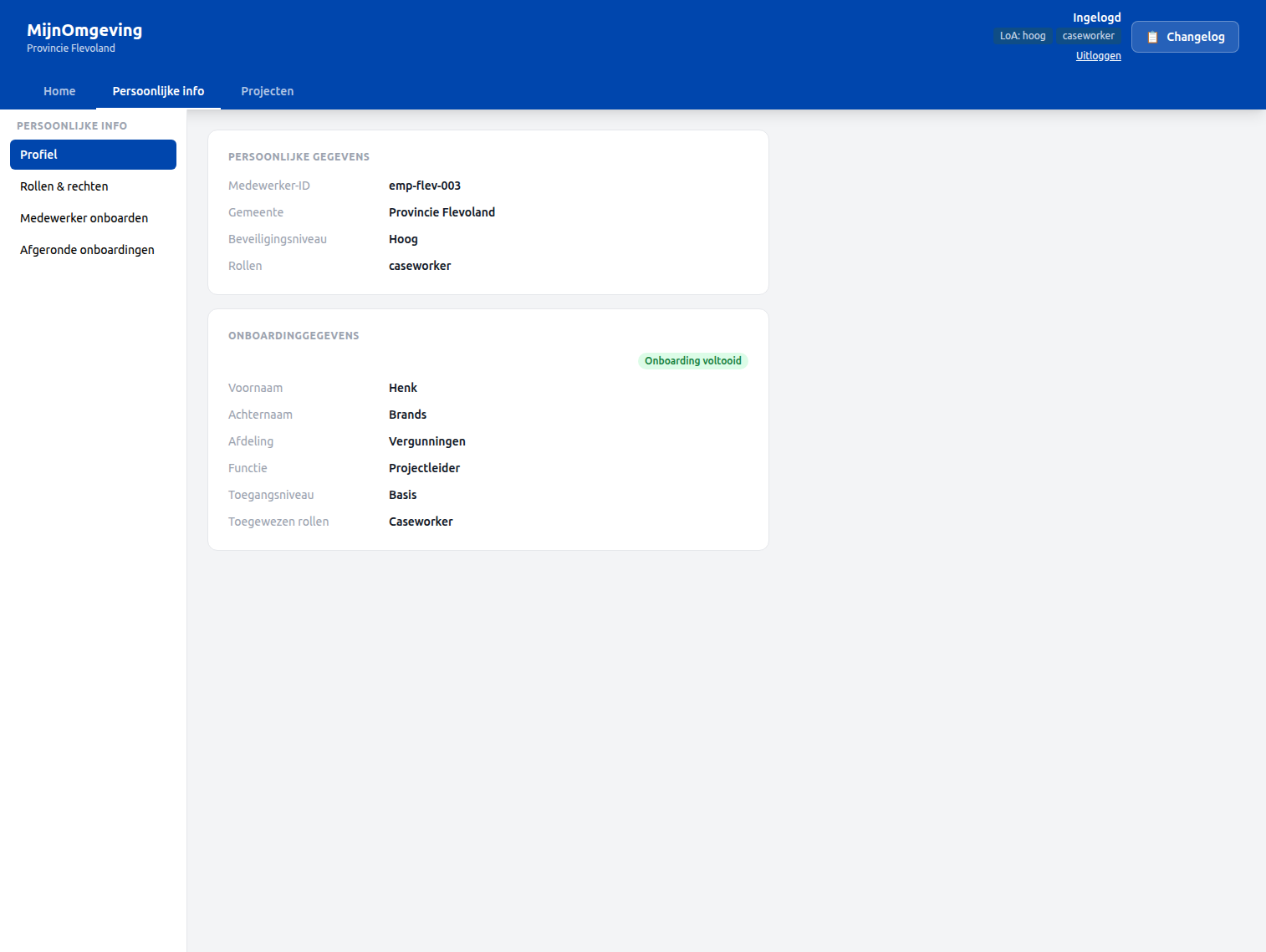
The Profiel subsection shows a JWT identity card alongside onboarding data fetched automatically via the employeeId claim:
GET /v1/hr/onboarding/profile?employeeId=<employeeId>is called on mount with theemployeeIdfrom the JWT.- If onboarding data is found, the card shows first name, last name, department, job function, access level, and assigned roles — with an "Onboarding voltooid" badge.
- If the
employeeIdclaim is absent (account not yet onboarded), a manual input fallback is shown so the caseworker can look up their own record by ID.
Rollen & rechten
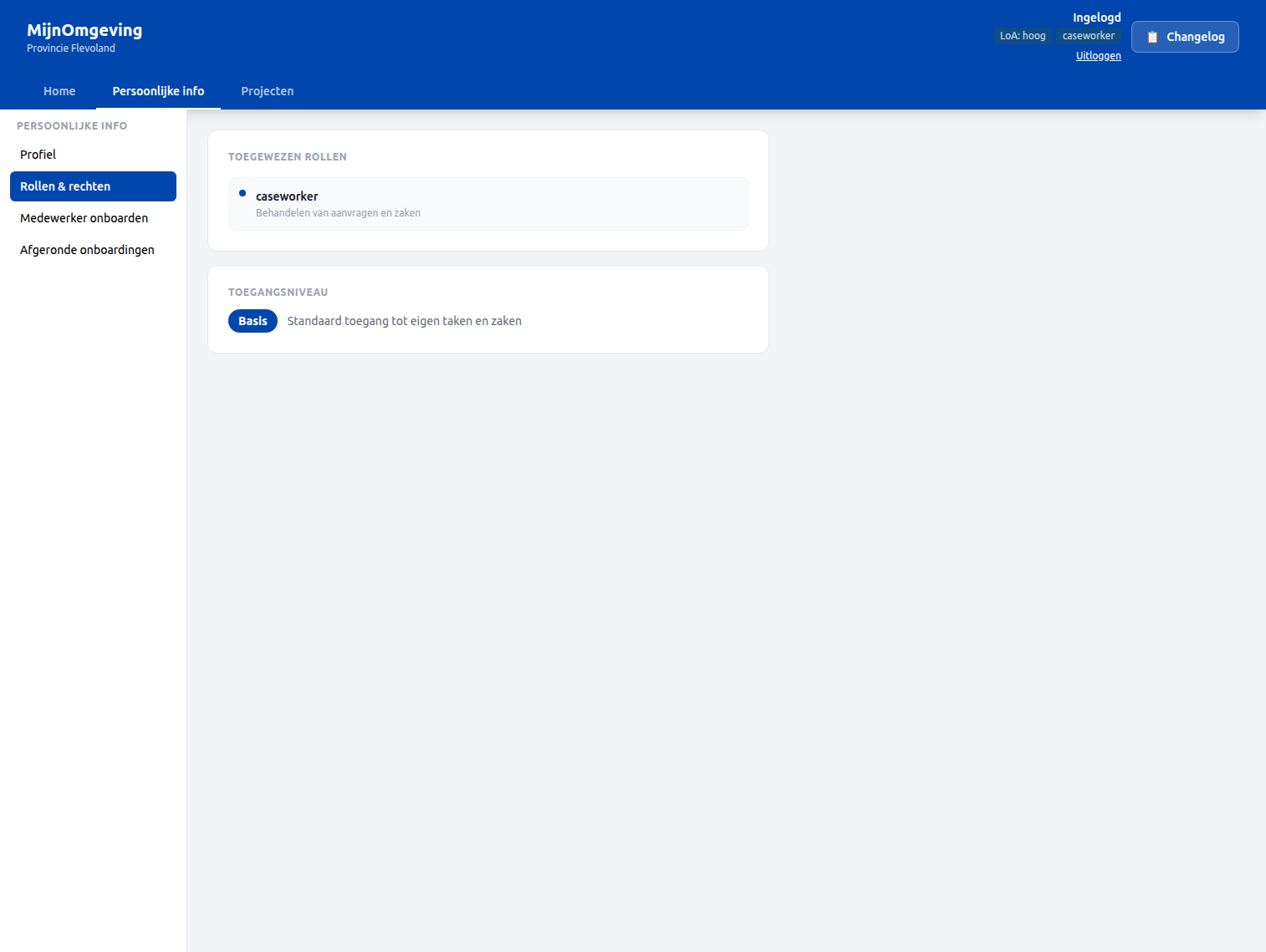
The Rollen & rechten subsection lists:
- JWT roles — roles currently present in the access token (
realm_access.roles) - Onboarding roles —
assignedRolesfrom the completedHrOnboardingProcessinstance, fetched via the same/v1/hr/onboarding/profileendpoint - Access level — the
accessLevelvariable from the onboarding DMN, with a description card:
| Access level | Description |
|---|---|
basis |
Standaard toegang tot eigen taken en zaken |
uitgebreid |
Uitgebreide toegang inclusief rapportages |
admin |
Volledige toegang tot alle functionaliteiten |
Starting an onboarding — Medewerker onboarden
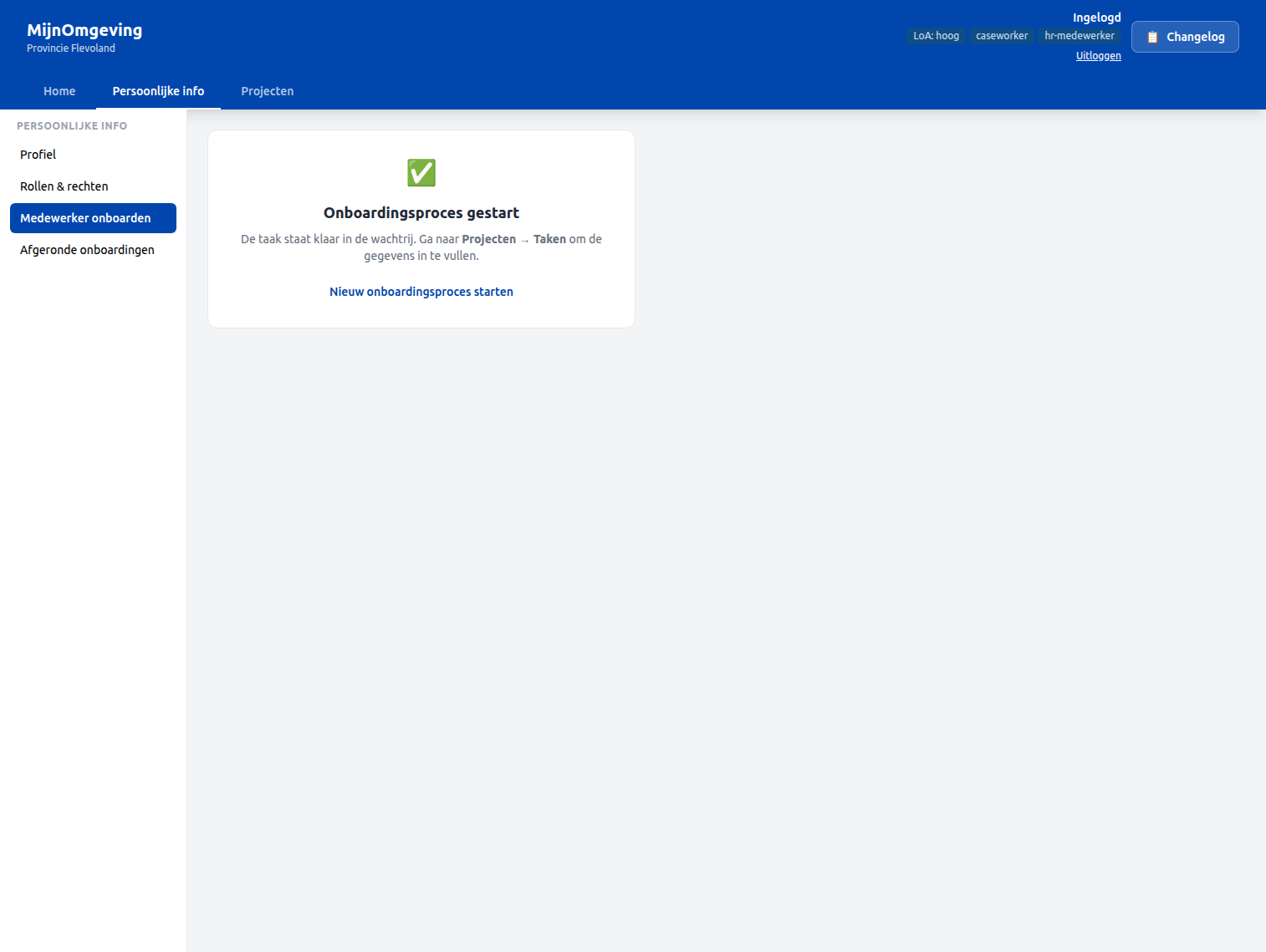
The Medewerker onboarden subsection (visible only to hr-medewerker) starts a new HrOnboardingProcess instance:
Step 1 — Click Onboardingsproces starten. The button calls POST /v1/process/HrOnboardingProcess/start with an empty variables body.
Step 2 — A success card confirms the process has started and points to Projecten → Taken to continue.
Step 3 — In the task queue, the first task Collect employee data appears with taskDefinitionKey: Task_CollectEmployeeData and status Openstaand.
Step 4 — Claim the task and fill in the employee data form. The form collects:
| Field | Variable |
|---|---|
| First name | firstName |
| Last name | lastName |
| Department | department |
| Job function | jobFunction |
| Start date | startDate |
| Employee ID | employeeId |
Step 5 — Complete the task. The EmployeeRoleAssignment DMN evaluates department + jobFunction and assigns assignedRoles, candidateGroups, and accessLevel automatically.
Step 6 — The HR review task (Task_HrReview) appears in the queue. The HR medewerker reviews the DMN output and confirms or adjusts.
Step 7 — The final task (Task_NotifyEmployee) completes the process. An IT handover document (hr-it-handover.document, linked via ronl:documentRef) becomes available via the Afgeronde onboardingen archive.
Viewing completed onboardings — Afgeronde onboardingen
The Afgeronde onboardingen subsection (visible only to hr-medewerker) shows all completed HrOnboardingProcess instances for the current municipality, fetched via GET /v1/hr/onboarding/completed.
Each row shows:
- Full name (
firstName+lastName) - Employee ID
- Completion date
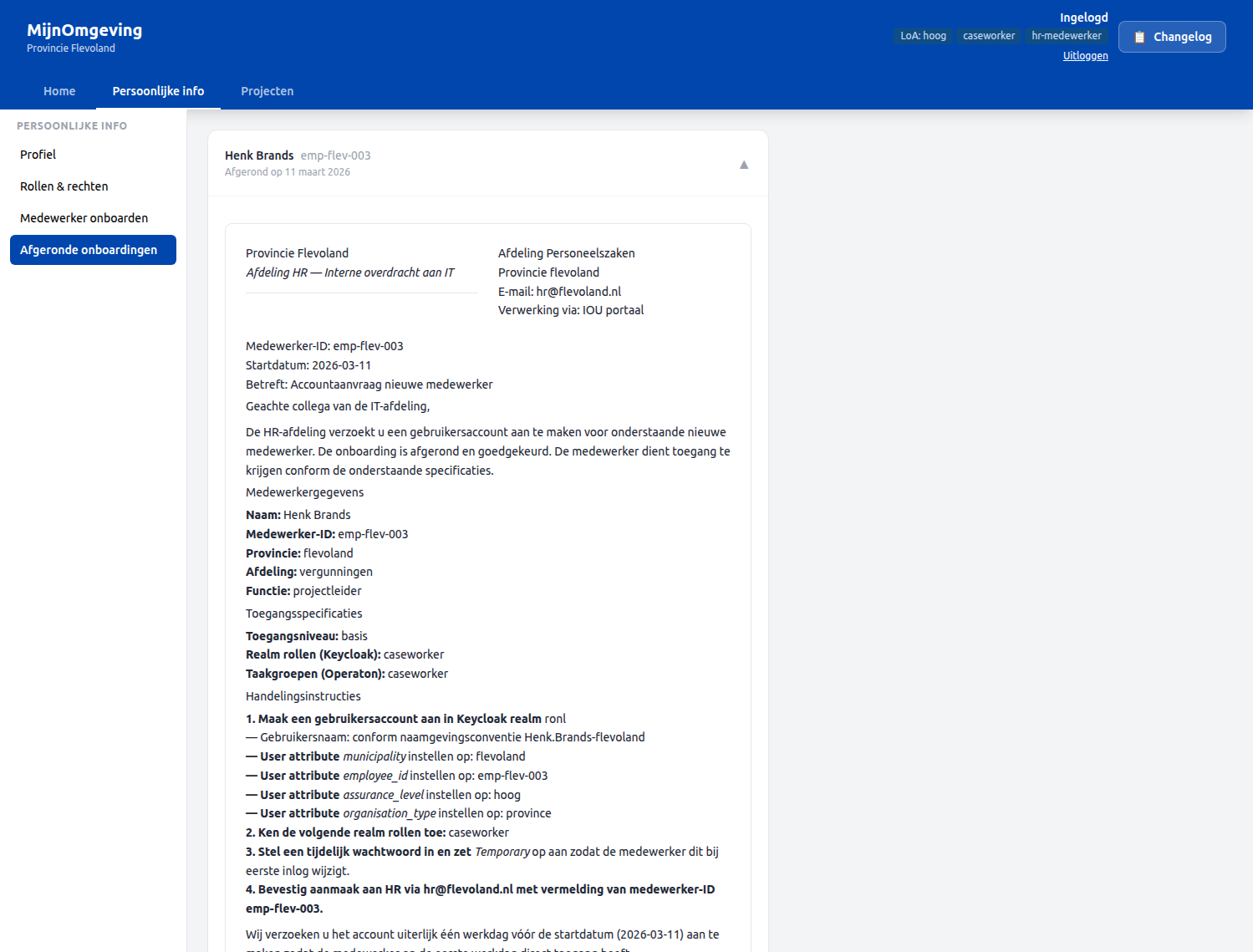
Clicking a row expands it and renders the IT handover document using DecisionViewer, which fetches the hr-it-handover.document via GET /v1/process/:id/decision-document.
The document includes:
- Medewerkergegevens — employee identity and start date
- Toegangsspecificaties — assigned roles, candidate groups, access level
- Keycloak account aanmaken — step-by-step instructions for IT to create the Keycloak account
HrOnboardingProcess — BPMN overview
StartEvent
  └─ Task_CollectEmployeeData    (candidateGroups: hr-medewerker)
       └─ EmployeeRoleAssignment DMN
            └─ Task_HrReview              (candidateGroups: hr-medewerker)
                 └─ Task_NotifyEmployee   (candidateGroups: hr-medewerker)
                      └─ EndEvent
All user tasks use candidateGroups="hr-medewerker", following the same claim-first pattern as the AWB Kapvergunning. camunda:historyTimeToLive is set per AWB retention requirements.
EmployeeRoleAssignment DMN
The DMN maps department + jobFunction to:
| Output variable | Description |
|---|---|
assignedRoles |
Comma-separated Keycloak realm roles to assign |
candidateGroups |
BPMN candidate group for tasks in this tenant |
accessLevel |
basis, uitgebreid, or admin |
Backend endpoints
| Method | Endpoint | Auth | Description |
|---|---|---|---|
GET |
/v1/hr/onboarding/profile |
Bearer JWT (caseworker) | Returns the flattened historic variables for a completed HrOnboardingProcess by ?employeeId=. Applies tenant isolation. |
GET |
/v1/hr/onboarding/completed |
Bearer JWT (caseworker) | Returns all completed HrOnboardingProcess instances for the caseworker's municipality, enriched with employeeId, firstName, lastName. |
Test accounts
| Username | Municipality | Role |
|---|---|---|
test-hr-denhaag |
Den Haag | caseworker, hr-medewerker |
test-onboarded-denhaag |
Den Haag | caseworker (has completed onboarding record) |
Password for all test accounts: test123
Related documentation
- Caseworker Workflow — General task queue and claim-first workflow
- API Endpoints — HR endpoints
- Keycloak Realm Configuration —
hr-medewerkerrole,employeeIdmapper - BPMN Design Criteria —
candidateGroupspattern